Stable-release bar and pub decision record
Bar and pub POS evaluation
Archived Posnic evidence has inspectable sale, split-payment, table, KOT, register, receipt, stock, report and till-lock paths. It is not presented here as proof of open bar tabs, card preauthorization, split bills, timed happy-hour pricing, age verification, tips, recipe depletion or a completed bar shift.
Reviewed 18 Aug 2026 against an archived evidence snapshot. Current release: v1.9.0.
Inspect the interface without treating it as bar proof
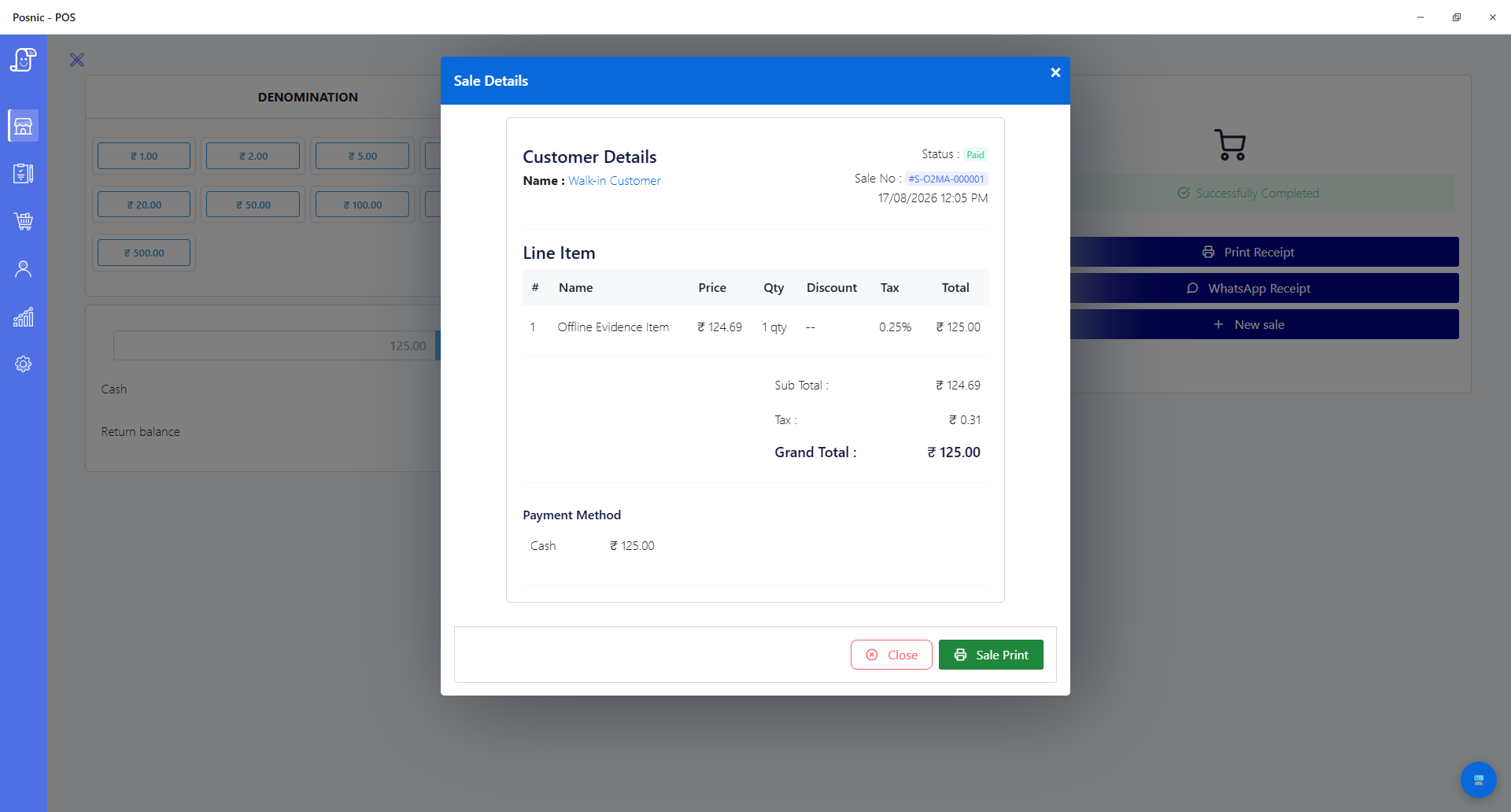
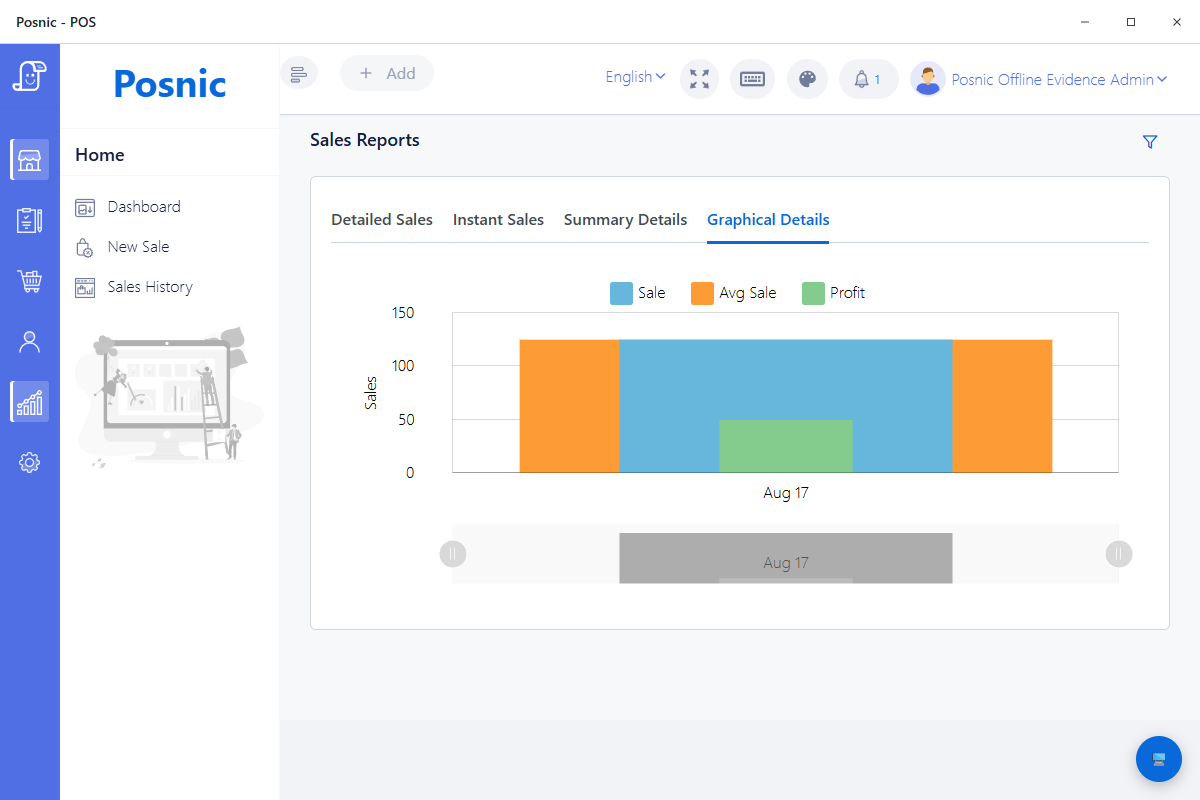
These captures came from the existing Posnic evidence run. Neither is a pub customer, open tab, age check, split bill, card settlement or reconciled shift.
What the tagged public source establishes
The exact tag and lockfiles were reproduced on Microsoft Windows NT 10.0.26200.0 with Node.js 24.19.0. The selected checks support narrower acceptance questions; their failures and absent live shift prevent a bar-readiness claim.
| Evidence path | Observed result | Useful bar question | Boundary |
|---|---|---|---|
| Quick item tests | 87 selected desktop checks passed across eight files | Can representative items be entered and rendered without changing receipt columns or losing an active till session? | No rush-period bar throughput or physical printer was tested. |
| Sale and split-payment service | Selected sale and money paths ran; the API attempt also had six sale-repository failures | Can the agreed sale and multi-tender sample retain totals and state? | Split payment does not prove a split bill, merged order, card preauthorization or tab. |
| Easy Table source | Selected Easy Table suites passed | Can an approved table identifier retain the expected order relationship? | A table order is not an accepted named customer bar tab or table-transfer workflow. |
| KOT report interface | The tagged interface exposes sales summary, item, discount, cancellation, open-item and table views | Which preparation and exception records can be included in a trial? | Interface presence and KOT print checks do not prove bar routing, every report or physical output. |
| Register model | Selected register paths ran; the register model suite had two stale field-count expectations | Which opening float, movement and close fields require reconciliation? | No drawer, card provider, bank total or full closeout was reconciled. |
| Till lock tests | Selected PIN and lock-screen checks passed | Can an unattended till stop retaining an active session in the tested desktop path? | This is not a completed role matrix, licensing authorization or staff audit. |
Reproduction boundary: 87 desktop checks passed in 27.929 seconds. The selected API attempt ran 1,581 checks in 27 suites: 1,573 passed and 8 failed in 20.263 seconds. There were no skipped checks.
Eight failed checks remain part of the decision
A failing unit expectation is not proof of a live customer outage. It is evidence that the selected release and its tests disagree, so the affected paths require engineering triage before they support a bar acceptance decision.
| Failing suite | Failed checks | Observed disagreement | Decision |
|---|---|---|---|
| Sale repository tests | 6 | Three find-by-ID mock expectations, two till-tagged fallback ID expectations and one QR-order status expectation failed. | Do not infer accepted order retrieval, fallback numbering or QR-order creation from this run. |
| Register model tests | 2 | The source exposed 20 fields instead of the expected 18 and six hidden-by-default fields instead of four. | Review schema and test intent before using the suite as register-close evidence. |
Ten outcomes this evidence does not prove
Open tabs and preauthorization
No accepted named-customer tab, card hold, limit, transfer, settlement, abandoned-tab or recovery path was established.
Split and merged bills
A multi-tender field is not order splitting. Item allocation, tax, discounts, partial settlement, merge and reversal remain unaccepted.
Timed prices
No automatic happy-hour or event schedule with activation, expiry, exceptions, receipt and report evidence was established.
Age and licensing controls
No built-in age check, accepted identity evidence, refusal record, authorization or jurisdiction-specific licensing review was completed.
Tips and service charges
No collection, allocation, pooling, refund, tax, payroll or payout workflow was accepted.
Recipes and pour stock
No cocktail recipe, ingredient depletion, yield, breakage, waste or measured-pour reconciliation was established.
Void reasons and transfers
No complete void-reason approval, order transfer, table transfer or retained exception audit was accepted.
Physical counter
No receipt or kitchen printer, scanner, drawer, scale, customer display or payment terminal was connected.
Complete closeout
No opening-to-close pub shift reconciled POS cash, drawer, card provider, bank, returns, discounts, stock and unresolved tabs.
Production approval
The API attempt had 8 failed checks, and the lockfiles reported 27 npm audit findings. Severity is not exploitability, but triage and qualified dependency review are required.
Run one representative bar shift before approval
The downloadable record leaves every observation, evidence, owner, specialist review, decision and follow-up field blank. Fill it with the exact licensed products, measures, staff, prices, tables, tenders, devices, outage paths and reporting cutoff.
| Stage | Run with representative evidence | Retain before approval |
|---|---|---|
| 1. Scope and licence | Record premises, service modes, products, measures, taxes, sale restrictions, age policy and responsible people. | Current local authority and adviser decisions plus an approved responsibility map. |
| 2. Items and access | Configure high-volume items, approved prices and staff access; lock and unlock an unattended till. | Item list, role matrix, user evidence, rejected access and lock result. |
| 3. Orders and preparation | Run counter, table and food-preparation samples including amendments, KOT, cancellation and the exact required tab behavior. | Order IDs, timestamps, table identity, printed or displayed preparation evidence and exceptions. |
| 4. Prices and payment | Exercise event pricing, discounts, multi-tender payment, any required split bill, tips, corrections and refunds. | Expected and observed totals, provider evidence, approvals and failed cases. |
| 5. Stock and close | Count representative bottles and ingredients; close the register and reconcile cash, provider, bank, sales, returns and discounts. | Physical counts, movement records, close report, payment evidence and unexplained differences. |
| 6. Failure and recovery | Test approved network, service, device and restore scenarios before completing an opening-to-close shift. | Before/after records, recovery timing, backup/restore proof, issue owners and final sign-off. |
Use independent controls for the decision
These sources frame licensing, access, payment and traceability questions. They do not certify Posnic and do not replace the business's local legal, security, accounting, payment and employment review.
Licensing example
Read current GOV.UK alcohol licensing guidance for one jurisdiction's licence, authorization and age-policy framework. It applies to England and Wales; use the actual local authority elsewhere.
Access and audit controls
Read NIST SP 800-53 Rev. 5 for least privilege, separation of duties, audit and system-integrity control families.
Payment responsibility
Read PCI SSC merchant resources to identify the actual payment provider, account-data flow, validation responsibility and qualified support.
Stock traceability
Read the GS1 Global Traceability Standard for identifying products, locations, events, movements, data and responsibility.
Keep each hospitality question with the right owner
| Need | Use this owner | Reason |
|---|---|---|
| Bar-specific tabs, timed prices, age policy, tips, bottle stock and closeout | This bar and pub POS guide | It owns the bar acceptance decision and the explicit release gaps. |
| Restaurant menu, table, KOT and food-service shift | Restaurant POS evidence | The restaurant owner covers broader service operation and its own product boundaries. |
| Guest self-ordering | Restaurant kiosk evidence | Kiosk ordering is a separate customer-facing workflow and hardware decision. |
| Exact printers, drawers and displays | POS hardware compatibility | Physical acceptance is model, driver, cable, configuration and counter specific. |
| Exact outage behavior | Offline POS evidence | Internet, local service, device, power and payment failures have different boundaries. |
Bar and pub POS questions
What bar and pub evidence has Posnic published?
The reviewed tag contains sale, split-payment, Easy Table, KOT, register, receipt, report, item, generic role and till-lock paths. In this reproduction, 1,660 selected checks passed and eight selected API checks failed. No complete bar shift was executed.
Does Posnic prove open bar tabs or card preauthorization?
No. The tag documents a table order that can remain open, but this review did not establish a named customer bar-tab workflow, card preauthorization, tab limit, transfer, settlement or recovery path.
Can Posnic split or merge a bar bill?
A split-payment field and money invariant exist, but split payment is not the same as splitting or merging an order. No complete split-bill or merge-bill workflow was accepted in this review.
Does Posnic automatically run happy-hour prices?
No timed happy-hour or event-price rule was established. Treat any required timed pricing as unproved until activation, expiry, exceptions, taxes, receipts and reports pass a representative test.
Does Posnic perform alcohol age verification?
No accepted age-verification workflow was found. The licensed business must define the applicable local policy, accepted evidence, staff authorization, refusal procedure and retained record with its licensing authority and advisers.
Should a pub use this guide or the restaurant POS page?
Use this guide for bar-specific acceptance gaps such as tabs, timed prices, tips, age policy, bottle stock and closeout. Use the restaurant POS page for broader table, KOT, menu and complete food-service evaluation. Many pubs need both boundaries.
A download, record request, source click or local test is not a completed shift, licensed workflow, payment result, customer or revenue outcome.