POS operations guide
Customer rewards and loyalty POS: buyer checklist
A loyalty balance is a promise to a customer, a future cost to the business and a target for mistakes or abuse. This guide separates a basic points balance from the sale, return, audit, privacy, accounting and measurement controls needed for a dependable rewards program.
Evidence and review scope
Evidence reviewed 2026-08-17. Pinned customer model, route, service, repository, sale and frontend review; 72 focused loyalty, tier, points and redemption source tests; and NIST, IFRS, ICO, FTC and field-experiment research.
Stable release: v1.9.0, source commit 567a176. No cashier loyalty UI, automatic sale earning, return reversal, concurrent redemption, expiry, marketing-consent, accounting, restored-ledger or complete customer-rewards program was run in this review.
What the current evidence establishes
A bounded points API exists
In the archived customer-rewards evidence run, authenticated customer routes can initialize a loyalty balance, add positive integer points, redeem available points and classify bronze, silver, gold and platinum tiers. Seventy-two focused source tests passed across the customer model, repository, service and controller stack.
The stored balance is not a loyalty ledger
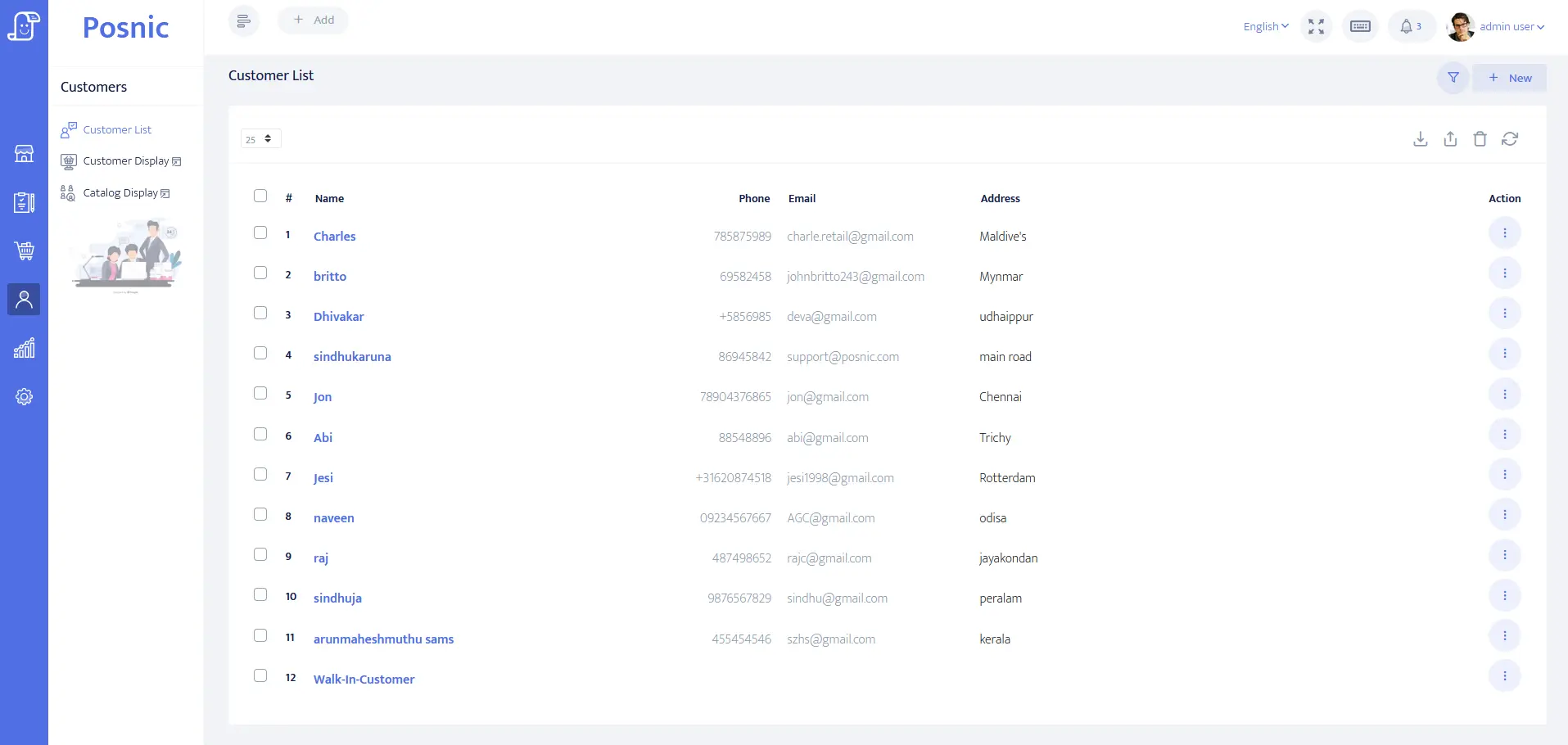
The reviewed update changes loyalty.points. It does not persist one immutable earn, redeem, expiry, reversal or adjustment record with sale ID, return ID, operator, reason and balance before and after. The optional adjustment reason reaches the service but is not stored by the reviewed repository path.
Checkout automation was not established
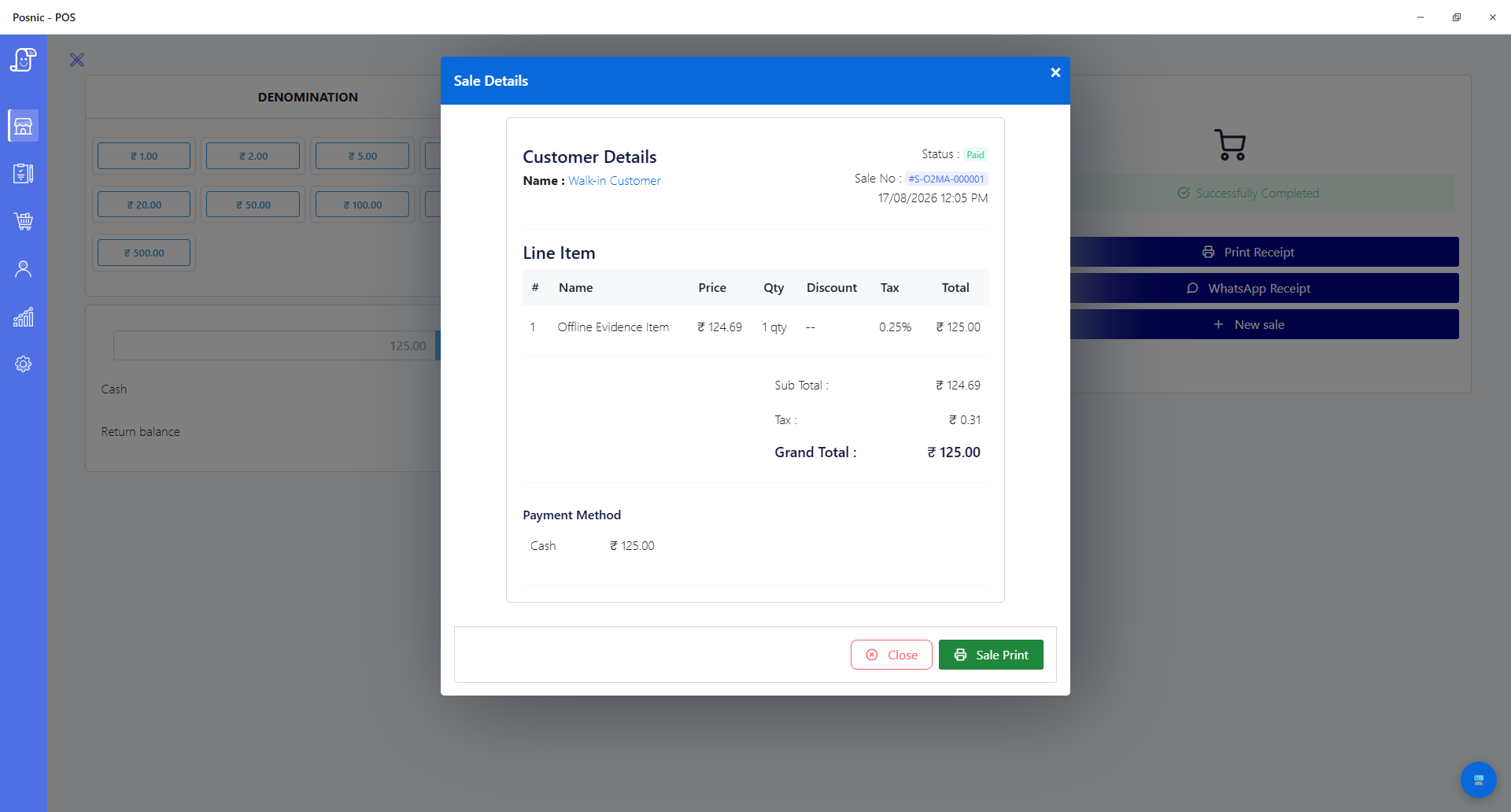
A targeted search found no loyalty earning or redemption integration in the sale service and no loyalty controls in the shipped frontend. The public page therefore no longer says cashiers apply rewards automatically or that the current UI reports redemption and discount cost.
Program governance stays with the business
The stable source review did not establish coupon or cashback rules, item exclusions, expiry notices, marketing consent, financial-liability reports, fraud review or a holdout experiment. Those are acceptance requirements, not implied Posnic features.
Test the full reward lifecycle, not only the balance
A usable program must explain why every point moved and what happened to the linked sale, customer promise and financial obligation.
| Control | Minimum evidence | Current Posnic evidence | Go-live decision |
|---|---|---|---|
| Enrollment and identity | Customer ID, minimal contact data, program terms, enrollment time and duplicate-resolution rule. | Customer records and optional loyalty initialization exist; no enrollment UI or terms acceptance was accepted. | Test duplicate phone/email, guest checkout, merge and correction without losing balances. |
| Earn | Rule version, eligible sale lines, points, value, sale ID, operator, time and balance before/after. | An authenticated add-points route accepts a positive integer and optional reason; automatic sale linkage and persisted reason were not found. | Do not award production points until every earn can be reconciled to an eligible completed sale. |
| Redeem | Customer, requested points, value, bill, authorization, balance before/after and receipt disclosure. | A redeem route checks the observed balance then subtracts points; no cashier UI or payment/receipt integration was accepted. | Run insufficient, exact-balance, cancelled and failed-payment cases at the real counter. |
| Cancel and return | Original sale, earned-points reversal, redeemed-value treatment, partial lines, refund and stock outcome. | No automatic loyalty reversal in sale cancellation or return paths was established. | Test full and partial returns before rewards can affect money or stock. |
| Manual adjustment | Role, reason code, approval, immutable audit entry and customer-visible correction. | The API accepts a reason for adding points, but the reviewed repository mutation stores only the changed balance. | Block or externally govern manual changes until reason, actor and history survive export and restore. |
| Expiry and program change | Published terms, notice, expiry batch, exceptions, liability release and reproducible history. | No points-expiry model, job, notice or program-version record was found. | Get local legal and accounting review before expiring value or changing redemption terms. |
| Concurrency and offline use | Atomic redemption, branch ownership, retry identity, conflict result and recovery evidence. | No concurrent redemption, multi-branch conflict or offline-reconnect acceptance test was run. | Attempt simultaneous redemption and reconnect cases against the exact deployment. |
| Privacy and marketing | Purpose, minimum fields, lawful basis or consent by channel, opt-out, retention, export and deletion. | Customer preferences exist in the model, but this review did not prove compliant enrollment or message delivery. | Treat rewards enrollment and email, SMS or WhatsApp marketing permission as separate decisions. |
| Accounting | Issued, redeemed, expired and outstanding value reconciled to approved accounting treatment. | No rewards-liability or breakage report was established. | Have the business accountant determine treatment under the applicable framework and terms. |
| Incrementality | Pre-period, comparable holdout, reward cost, gross margin, repeat interval and confidence limits. | No experiment or customer outcome was observed. | Do not call repeat purchases caused by rewards without a comparison that can estimate incremental effect. |
Practical workflow
Write the economic promise first
Define how value is earned and redeemed, which sales or items qualify, whether rewards stack with discounts, what happens on returns, whether value expires and who funds it. One point has no business meaning until its customer value and cost are explicit.
Use a transaction ledger
Keep the current balance for fast display, but derive or reconcile it from append-only earn, redeem, reverse, expire and adjust records. Every entry needs a unique ID, linked business event, rule version, actor, reason, time and before/after balance.
Reverse the original economics
A return can reverse points earned, refund money after points were redeemed, or do both on different lines. Specify negative-balance policy and prevent a cashier from improvising when a reward has already been spent.
Separate service from marketing permission
A customer may join a rewards program without agreeing to promotional email, SMS, WhatsApp or profiling. Record permissions by purpose and channel, make refusal practical and preserve when, how and under which wording a choice was made.
Protect balances like value
Restrict manual adjustment, require reasons and approval for high-risk changes, rate-limit attempts, preserve audit history, detect unusual earn/redeem patterns and test restore. An editable total without history is difficult to investigate or defend.
Measure incremental margin
Redemption, repeat rate and average bill are descriptive. To estimate whether the program caused improvement, compare a planned treatment with a comparable holdout where lawful and practical, then subtract reward, messaging, fraud and operating costs from incremental gross margin.
An eight-step loyalty-program acceptance path
Use synthetic customers and sales first. Preserve rule versions, exports, receipts and calculations so someone outside the rollout can reproduce the result.
Set the objective
Choose one measurable problem, baseline period and guardrail such as incremental gross margin without increasing complaints or unauthorized changes.
Write terms and value
Define earn, redemption, exclusions, stacking, return, expiry, transfer, closure and complaint rules in customer-readable language.
Map the data
List each identifier and purpose, marketing permission, retention period, export/deletion path and staff role before collecting customer data.
Create the ledger
Require immutable records for earn, redeem, reverse, expire and adjust actions, linked to sales, returns, users and rule versions.
Run normal cases
Enroll, earn, redeem and show the exact effect on receipt, balance, sale, payment and program reports.
Run exception cases
Test duplicate customer, insufficient balance, partial return, cancelled payment, simultaneous redemption, offline retry, expiry and manual correction.
Reconcile and restore
Match ledger movements to balances and accounting totals, restore onto a clean device and repeat the reconciliation.
Pilot and compare
Use a limited pilot and a predeclared comparison method; expand only if incremental value exceeds total program cost and control failures stay within policy.
Evidence and decisions required
Ledger and counter controls
- Unique customer and loyalty account with a documented duplicate and merge process.
- Versioned earn, redemption, exclusion, stacking, return and expiry rules.
- Append-only movement ID, type, points, monetary value, sale or return reference, operator, reason, time and balance before/after.
- Atomic redemption and idempotent retry behavior across branch, offline and reconnect scenarios.
- Receipt or customer view showing earned, redeemed and remaining value without exposing unnecessary personal data.
- Role, approval, alert and audit controls for manual adjustments and program changes.
Privacy, finance and measurement
- Data-purpose map, minimum fields, lawful basis or consent, channel preferences, retention, access, export and deletion process.
- Customer-readable terms and a jurisdiction-specific legal owner for expiry, changes, complaints and protected groups.
- Issued, redeemed, reversed, expired and outstanding value reconciled to the approved accounting treatment.
- Fraud indicators for unusual earning, redemption, account merge, refund and staff adjustment patterns.
- Baseline, treatment, comparable holdout, reward cost, gross-margin result and predeclared success rule.
- Backup, clean-device restore and complete independent export that preserve the movement history.
Setup sequence
- Choose one program objective and record baseline repeat interval, transaction count, gross margin and discount cost before launch.
- Have legal and accounting owners approve the written terms, point value, expiry, refund behavior, customer-data purpose and reporting treatment for the actual jurisdiction.
- Create synthetic customers for normal, duplicate, opted-out, insufficient-balance, high-value and closed-account scenarios.
- Run eligible and excluded sales, discount stacking, full and partial returns, cancelled payment and refunded redemption against one versioned rule.
- Attempt two redemptions at the same time and retry an interrupted request; require one explainable result without duplicate value or a negative balance.
- Verify that every manual adjustment records actor, reason, approval and immutable history and that a customer correction is visible.
- Export balances and movements, restore a clean device, and reconcile issued minus redeemed, reversed and expired points to every closing balance.
- Test enrollment without marketing, channel-specific opt-in and opt-out, data access, correction, export and deletion under the approved policy.
- Pilot with a predeclared comparison and expand only after incremental gross margin exceeds reward, message, fraud and operating cost.
What each person sees
Customer
Needs clear value, terms, balance, movement explanation, expiry notice where applicable, privacy choices and a practical correction path.
Cashier
Needs an unambiguous eligible balance and a safe stop for insufficient, duplicate, returned or unconfirmed transactions without discretionary point editing.
Manager
Needs approved exceptions, high-risk adjustment review, return and redemption reconciliation, consent boundaries and incident handling.
Owner or accountant
Needs outstanding value, redemption and breakage assumptions, incremental gross margin, audit history and evidence that restore and export preserve the obligation.
Product evidence to inspect
Mistakes to avoid
Avoid these during rollout
- Keeping only a mutable balance with no movement history.
- Awarding points before a payment is confirmed or failing to reverse them after cancellation or return.
- Subtracting redeemed points and refunding the full original amount without an approved rule.
- Using a phone number collected for rewards as automatic permission for email, SMS or WhatsApp marketing.
- Letting every cashier add points or merge accounts without reason, approval and audit history.
- Changing point value, exclusions or expiry without preserving the rule version and customer notice.
- Treating repeat purchases or redemptions as proof that rewards caused profitable growth.
- Launching before concurrent redemption, offline retry, export and clean-device restore are reconciled.
Run the 18-control loyalty checklist
The editable worksheet covers objective, identity, enrollment, consent, earn, return, redeem, concurrency, adjustment, expiry, accounting, restore, deletion and incremental-margin evidence. Leave observed results blank until the exact system is tested.
Primary sources used
archived Posnic evidence customer model
Pinned source for customer identity, communication preferences, loyalty balance fields and four tiers.
Posnic loyalty service
Pinned add, redeem and tier behavior, including available-balance validation and the optional add reason passed into the service.
Posnic customer repository
Pinned balance mutation showing the fields actually changed and the absence of a separate movement entry in this path.
Posnic API inventory
Pinned authenticated customer routes and documented points and redemption endpoints for the stable source boundary.
NIST Privacy Framework
The voluntary framework helps organizations define privacy requirements, minimize harmful data processing and evaluate products against known privacy outcomes.
IFRS 15
The official standard page explains revenue-recognition principles and identifies the history of customer-loyalty program guidance. Applicability and treatment require a qualified accountant.
ICO direct marketing guidance
Current UK guidance separates planning, fair collection, lawful basis, channel consent and the absolute right to object to direct marketing.
FTC Marriott final order
A US enforcement order involving loyalty accounts illustrates security programs, data deletion, purpose limits and investigation of unauthorized points activity.
Randomized loyalty-program field experiment
A peer-reviewed field experiment used preassigned treatment and baseline groups to estimate redemption and spending outcomes, illustrating why a comparison group is stronger than descriptive totals.
Questions
Does the archived Posnic evidence include loyalty points?
The pinned customer API can initialize a points balance, add positive integer points, redeem an observed available balance and classify four tiers. Seventy-two focused source tests passed, but no shipped cashier UI or automatic sale integration was established.
Does Posnic automatically award points after a sale?
Not in the reviewed archived evidence. A targeted sale-service and frontend search did not establish automatic earning, cashier redemption or return reversal. Do not market or deploy those flows until they pass end-to-end acceptance.
Why is a balance not enough?
A balance cannot explain which sale earned value, who adjusted it, how a return changed it or whether a retry duplicated it. A movement ledger is needed for reconciliation, investigation, restore and customer corrections.
Should loyalty members automatically receive marketing messages?
No. Program service and promotional messages can have different legal bases and customer expectations. Record purpose and channel choices separately and obtain advice for the actual jurisdiction.
Do loyalty points create an accounting liability?
They can create an obligation depending on the program and accounting framework. IFRS 15 includes customer-loyalty considerations. The business accountant must decide the applicable treatment, estimates and reports.
What metric proves a rewards program works?
No single dashboard total proves causation. Use a baseline and a comparable holdout where lawful and practical, estimate incremental gross margin, and subtract reward, messaging, fraud and operating cost.
Are the privacy, marketing and accounting notes legal advice?
No. NIST is a voluntary risk framework, ICO guidance applies to its legal scope, FTC material cited here is a US example and IFRS applicability varies. Use qualified local legal and accounting advisers.
Where Posnic fits
Posnic Community Edition archived evidence run contains an authenticated points-balance and tier API with 72 focused passing source tests. This review did not establish the cashier UI, automatic sale and return integration, immutable movement ledger, expiry, consent, accounting or incrementality controls required for a dependable live program. Use the checklist as a product gap and acceptance record, not as evidence that rewards are production-ready.