Retail barcode acceptance guide
Barcode billing software: test scan-to-stock before go-live
A scanner can beep while the wrong product, pack or tax reaches the bill. This buyer guide separates product identity, scanner input and POS processing, then shows what Posnic v1.6.1 proves, what still needs a physical counter test and how to record the result.
Evidence and review scope
Evidence reviewed 2026-08-28. Pinned item-model, repository, sale-screen, label-screen, user-guide and hardware-matrix review; 775 item-stack tests plus 15 quick-item and sales call-path tests; and current GS1 retail barcode guidance.
Stable release: v1.9.0, source commit 567a176. No physical barcode scan, printed label, complete retail shift or named scanner model was accepted. No GS1 Application Identifier parsing workflow was demonstrated.
A barcode checkout has three separate jobs
Identify one sellable item
The stored value must resolve to the intended product and selling unit. Preserve leading zeroes, separate single units from packs and investigate duplicate codes before the catalogue reaches a live till.
Transport the scan
Posnic documents USB and Bluetooth scanners in keyboard-wedge mode: the scanner types the value and sends Enter. Serial or COM mode is outside the current supported path.
Complete the transaction
A successful read is only the start. Price, tax, quantity, receipt, return and stock movement must all remain correct after the item reaches the sale.
Separate the barcode, scanner and POS responsibilities
| Layer | Decision | archived Posnic evidence | Acceptance rule |
|---|---|---|---|
| Product identity | Which value identifies the sellable item? | The item model has an optional string barcode_id alongside SKU and name. | Keep the identifier as text, preserve leading zeroes and prove that one value returns one intended item. |
| Selling unit | Is this a unit, pack or carton? | Item and variant paths can hold separate product records and barcode values. | Give each sold unit an unambiguous name, price, tax and stock rule; never infer pack quantity from appearance. |
| Scanner transport | What reaches the search field? | The sale screen detects rapid keyboard input ending with Enter; the hardware matrix supports HID keyboard-wedge mode by standard. | Record make, model, firmware, mode, suffix and the exact transmitted text on the production PC. |
| Barcode lookup | How is the scanned value resolved? | The sale request uses type=barcode and the repository searches barcode_id inside branch, licence and stock conditions. | Test no match, duplicate match, inactive item, zero stock and negative-stock policy before opening. |
| Linear symbols | Which retail identifiers are in scope? | A stored barcode string can be used for lookup, but Posnic has not certified every EAN, UPC or DataBar device combination. | Test real EAN-8, UPC-A and EAN-13 samples, including a UPC value that begins with zero. |
| 2D symbols | Does a 2D read become usable business data? | The hardware matrix says 2D imagers can work in keyboard-wedge mode; no accepted GS1 AI or Digital Link parser was found. | Do not equate scanner decoding with expiry, batch, weight or serial processing. Test the complete host-system use case. |
| Label output | Can the shop print its own item label? | A barcode-label screen, JsBarcode generation and local print route exist in source. | Print, verify and rescan the exact label stock and printer combination; source presence is not a print-quality result. |
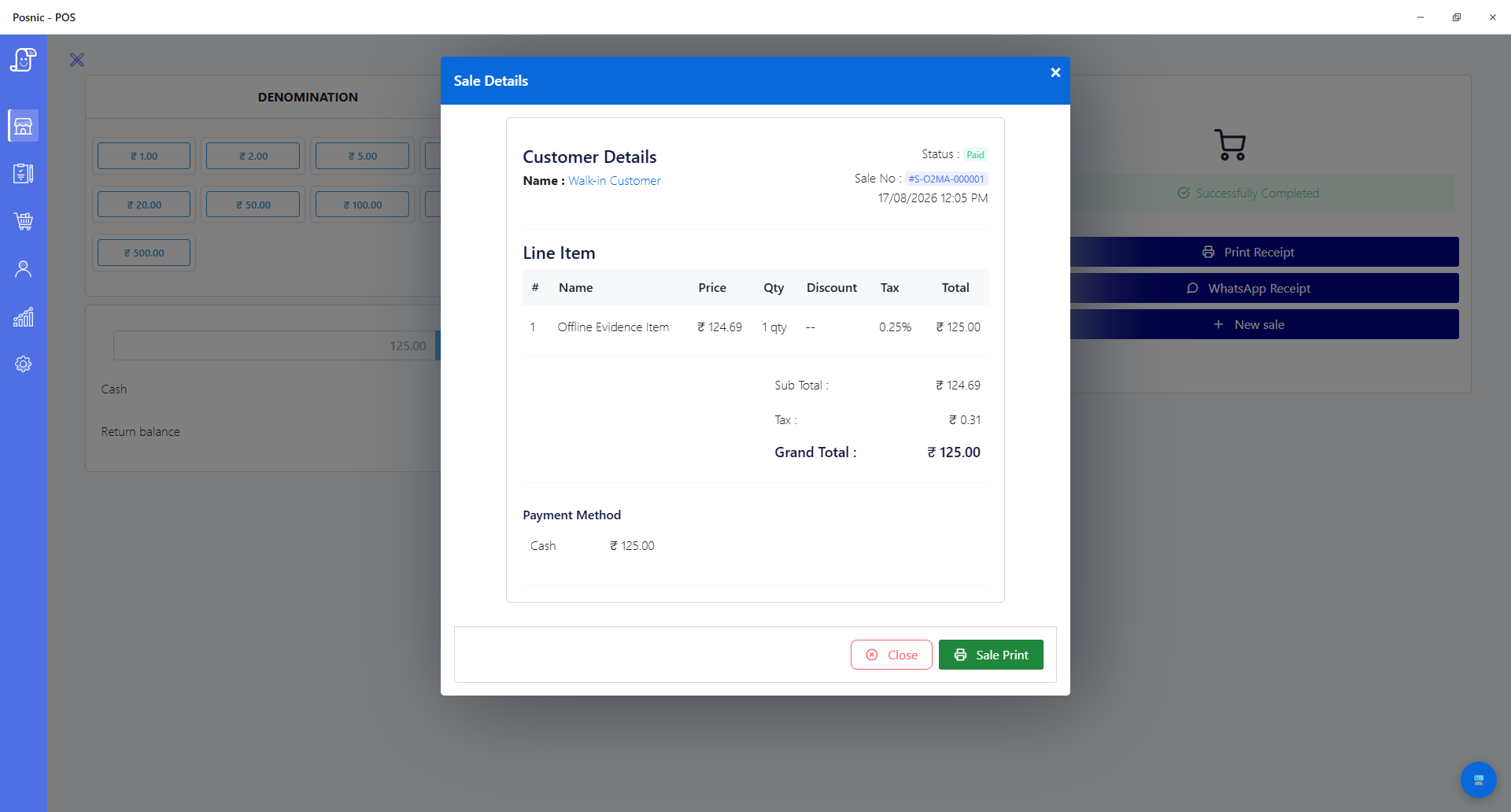
| Transaction result | Did the correct sale and stock event occur? | Sale, receipt and stock-log paths retain item identifiers; one synthetic local cash sale was previously reproduced without a physical scanner. | Reconcile bill, receipt, return and opening-to-closing stock for every representative test item. |
What was actually inspected
| Area | Observed evidence | Boundary |
|---|---|---|
| Item record | barcode_id is an optional string in the current item model and is exposed in item create, edit, import and view paths. | A field does not enforce a global retail identifier assignment policy. |
| Sale capture | The sale screen uses scanner detection, an Enter terminator and a type=barcode item request. | No physical scanner timing, keyboard layout or suffix configuration was tested in this review. |
| Scoped lookup | The repository searches the barcode field with branch, licence, item-status and stock conditions. | The buyer must prove duplicate, inactive and out-of-stock behavior with its own catalogue. |
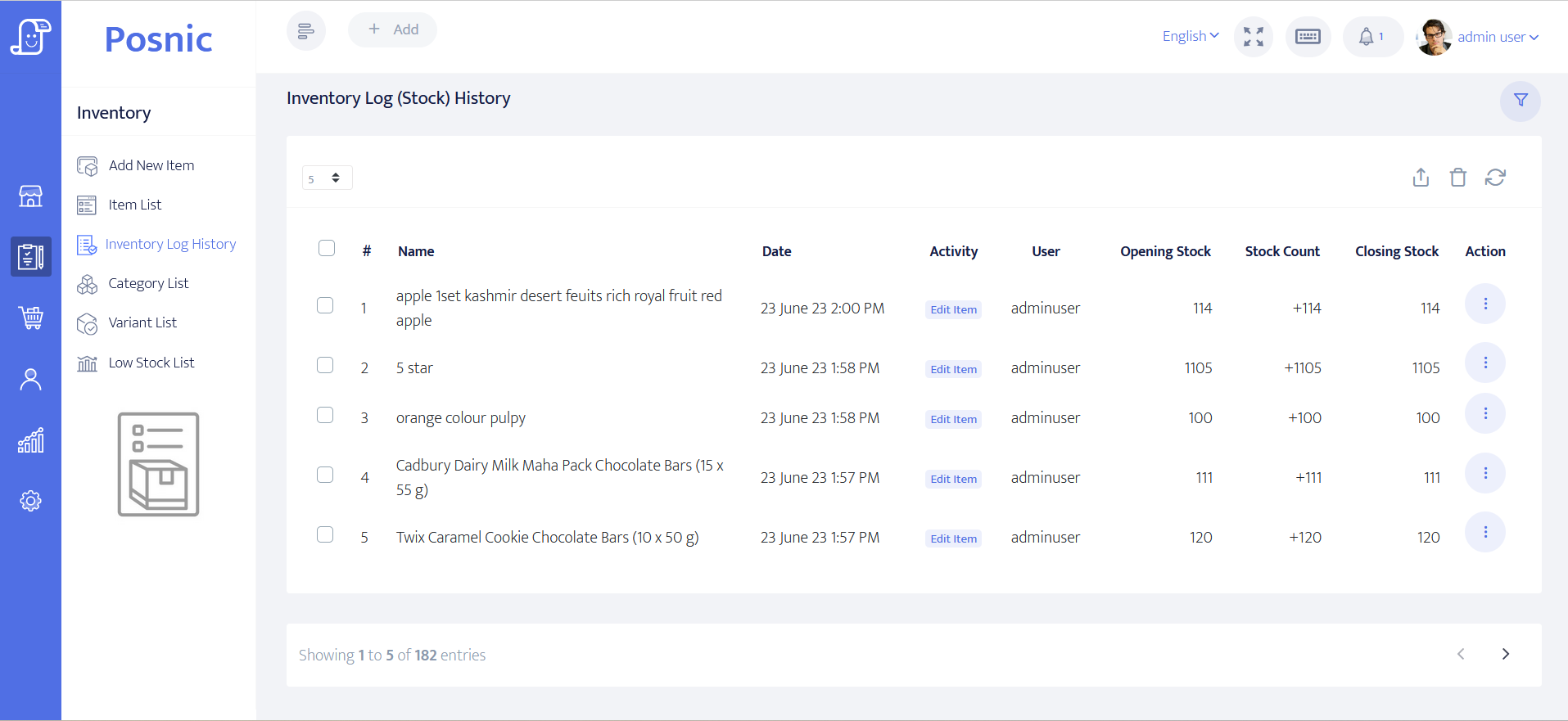
| Stock trail | Stock-log creation carries the item barcode reference and opening, change and closing quantities. | No scanner-led sale-and-return reconciliation was executed. |
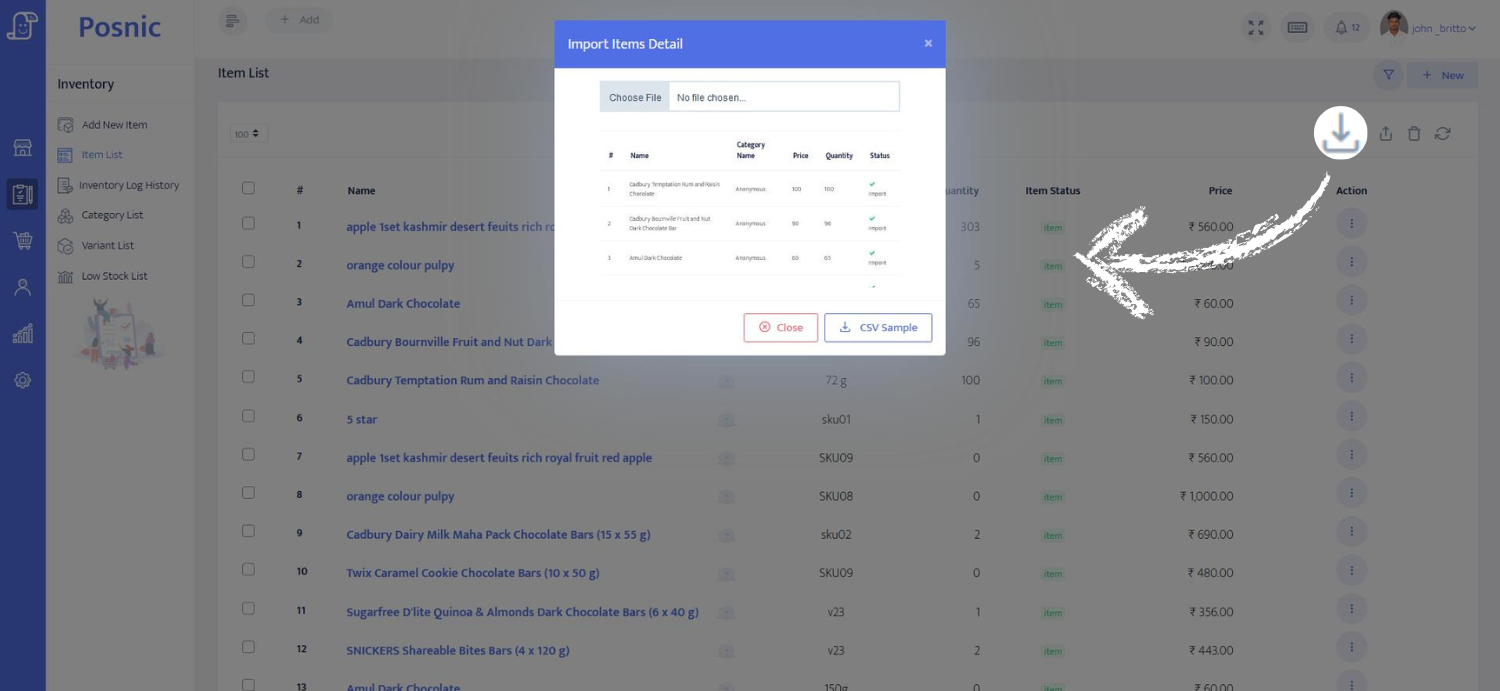
| Label route | The item module includes barcode preview, generation and print controls using vendored browser libraries. | No physical label printer, media, verifier or rescan result was produced. |
| Source tests | Five item-stack suites passed 775 tests; quick-item and sales call-path files passed another 15. | These tests support code behavior, not device compatibility or a complete operating day. |
| Hardware statement | The hardware matrix marks USB, Bluetooth and 2D keyboard-wedge scanners as supported by standard and excludes serial mode. | No named scanner model is physically certified by this evidence. |
| 2D processing | No accepted parser for GS1 Application Identifiers or GS1 Digital Link data was demonstrated in the reviewed product paths. | Treat expiry, lot, serial, variable-weight and multi-barcode use cases as unaccepted until tested end to end. |
Set up the catalogue before the scanner
- Export and back up the current item catalogue before changing identifiers.
- Keep barcode values as text so UPC and padded GTIN values do not lose leading zeroes in spreadsheets.
- Create separate records for every unit, pack or carton that the shop sells and make the unit visible in the item name.
- Resolve duplicate values and define a manual-search fallback for damaged or missing labels.
- Configure the scanner as HID keyboard-wedge input with an Enter suffix, then record its exact make, model, firmware and settings.
- Import a small representative set and verify name, price, tax, inventory policy and receipt text before importing the full catalogue.
- Keep the original import file, accepted-row count, rejected-row count and correction log as go-live evidence.
Run this acceptance deck on the exact counter
- Scan EAN-8, UPC-A and EAN-13 samples, including identifiers with leading zeroes, and compare every character with the item record.
- Scan a single unit, multipack and carton; confirm each one selects the intended record, price, tax and quantity rule.
- Test a damaged code, curved or reflective pack, missing label and manual-entry fallback without letting staff guess the product.
- Scan products carrying more than one barcode and confirm one physical item adds only one intended sale line.
- Repeat fast scans and slow scans with the search field focused and unfocused; record missed reads, double additions and wrong matches.
- Complete a sale, print the receipt and compare product, price, tax, quantity, payment and user details with the screen.
- Return the test item and reconcile the sale, return and stock log from opening quantity to closing quantity.
- If 2D is required, test the exact symbol and every needed data element; reject go-live when the scanner beeps but the POS cannot process the GTIN or required AIs.
Record the result instead of trusting the beep
The editable checklist contains 18 acceptance cases for identifiers, units, scanner input, difficult labels, rapid scans, receipts, stock, returns, label output and 2D data. Leave observed results blank until the exact counter is tested.
Product screens to include in the evidence pack
Questions buyers ask
Does Posnic support USB barcode scanners?
Posnic v1.6.1 documents USB keyboard-wedge scanners as supported by standard. That means the scanner types into the sale field like a keyboard. Posnic has not physically certified every make and model, so test the production scanner and PC.
How should a barcode scanner be configured for Posnic?
Use HID or keyboard-wedge mode and configure an Enter suffix. Serial or COM mode is not the supported path in the current hardware matrix. Confirm the exact transmitted value in a text field before testing a sale.
Can Posnic scan EAN, UPC and retail barcodes?
Posnic stores barcode identifiers as text and searches the barcode field. Test EAN-8, UPC-A and EAN-13 samples from the real catalogue, especially UPC values with a leading zero. Device and label quality still affect the result.
Does Posnic process QR Code or GS1 DataMatrix expiry and batch data?
A 2D imager in keyboard-wedge mode may transmit decoded text, but this review did not demonstrate Posnic parsing GS1 Application Identifiers for expiry, batch, weight or serial workflows. A beep is not proof that the host system used the data.
What should happen when two products share a barcode?
Do not approve the catalogue until the conflict is resolved. The acceptance test must prove that one scan selects one intended sellable item; staff should not choose between ambiguous results during checkout.
Can Posnic print barcode labels?
The v1.6.1 item module contains a barcode-label preview, generator and print route. Print and rescan labels on the actual printer and media because source code presence does not establish barcode grade or retail readability.
Primary sources used
Posnic v1.6.1 release
The stable release fixes the product version and download surface discussed in this review.
Pinned Posnic hardware matrix
The source document distinguishes keyboard-wedge scanner support from unsupported serial mode and records the physical-test boundary.
Pinned Posnic sale capture
The reviewed sale code shows scanner timing, Enter termination and the barcode-specific item request used for this page's product claims.
GS1 2D barcodes at retail POS
GS1 separates scanner decoding from host-system processing, covers GTIN formats and additional data, and provides current retail 2D implementation guidance.
GS1 GTIN Management Standard
The standard governs when a trade item needs a new GTIN and helps keep item identity separate from informal store naming.
GS1 barcode verification guidance
Verification evaluates barcode data and print quality; a normal scanner read alone is not a standards-grade verification result.