India GST evaluation, not a compliance slogan
GST billing software for Indian shops: an evidence and acceptance guide
A GST label on a bill is not enough. Verify the document type, Rule 46 particulars, item classification, tax treatment, credit or debit adjustments, e-invoice applicability and return reconciliation against the exact business before rollout.
Evidence and legal boundary
Reviewed 28 August 2026. This guide uses official CBIC, GST Portal and authorised Invoice Registration Portal material, plus current Posnic release source and focused archived evidence.
Current product release metadata is pinned to v1.9.0, source commit 567a176. Archived GST evidence remains pinned to b531ef4. No GST registration, production invoice series, live IRP submission, signed QR response, GSTR-1 filing, accountant sign-off or tax assessment was performed.
This page is an evaluation aid, not legal or tax advice. A qualified GST professional should approve the business rules and retained evidence. Read the research and correction policy.
Choose the document before configuring the tax button
Tax invoice
A registered person making a taxable supply may need a tax invoice with the applicable particulars. Registration status, supply type and timing matter.
Bill of supply
CBIC guidance distinguishes exempt supplies and composition taxpayers from ordinary taxable invoices. Do not print collected GST merely because the POS has a tax field.
Credit or debit document
A return or price correction is not just a negative sale. Preserve the original document reference, reason, value and tax effect in the document required for the case.
B2B and B2C
Recipient registration and invoice value affect the required details and reporting table. Test registered, unregistered and walk-in cases separately.
Intra-State and inter-State
CGST plus SGST or UTGST and IGST depend on place-of-supply rules, not the cashier's guess. Have an adviser define the decision before encoding it.
E-invoice when applicable
An ordinary invoice becomes a valid e-invoice workflow only after required document data is reported to an IRP and the IRN and signed QR result are handled correctly.
Rule 46 invoice acceptance matrix
CBIC states that there is no single prescribed invoice layout, but the applicable particulars must be present. Turn each required field into a visible test instead of approving a template by appearance.
| Control | What the rule covers | Acceptance evidence |
|---|---|---|
| Supplier identity | Legal or trade details, address and supplier GSTIN as applicable. | Print a sample and compare every character with the GST registration record. |
| Serial and date | A consecutive serial, within the permitted characters and length, unique for the financial year, plus issue date. | Test first bill, restart, branch, year change, cancellation and duplicate prevention. |
| Recipient and delivery | Recipient GSTIN or UIN and identity where required; unregistered-recipient and delivery details depend on the case. | Test B2B, B2C, requested recipient details and delivery address different from place of supply. |
| Item or service identity | HSN or SAC, description, and for goods the quantity and unit or UQC. | Accountant-approved item master, plus a scan or search test that selects the exact record. |
| Values and discounts | Total value and taxable value after the applicable discount or abatement. | Recalculate representative lines independently to the paise, including inclusive and exclusive pricing. |
| Tax rate and amount | Applicable CGST, SGST, UTGST, IGST or cess rate and amount. | Expected-results sheet for intra-State, inter-State, zero, exempt and reverse-charge cases relevant to the business. |
| Supply and delivery place | Place of supply with State name for inter-State supply and delivery address where different. | Test one local and one inter-State case using adviser-approved facts. |
| Reverse charge and signature | Reverse-charge indication and signature or digital-signature treatment where required, subject to current exceptions. | Approved template plus evidence that the actual issue method meets the current rule. |
Rule 46 has provisos and related rules. This matrix deliberately does not decide whether a particular field, threshold, exception or document applies to one business.
Offline billing and online GST obligations are separate
What can remain local
The Posnic desktop architecture can record a sale on the shop computer without making the counter wait for cloud connectivity. Item selection, amount calculation, local records and a normal receipt can be evaluated during an internet outage.
What still needs a connected process
GST Portal filing, taxpayer lookup, e-invoice reporting, IRN and signed QR retrieval, e-way bill work, cloud sync and any remote integration need connectivity when they apply. Queue, retry, duplicate and late-reporting behavior must be designed explicitly.
Current e-invoice checkpoints
As reviewed on 17 August 2026, the authorised IRP mandate guide lists e-invoicing from ₹5 crore aggregate annual turnover from 1 August 2023, subject to the governing notification, taxpayer class, document and exclusions. Its March 2025 release guidance also states that taxpayers with ₹10 crore or more AATO must report covered invoices, credit notes and debit notes within 30 days from the document date from 1 April 2025.
Thresholds and portal rules can change. Check the current official position and the entity's exact applicability before relying on these dates. Archived Posnic evidence has no demonstrated IRP submission, IRN or signed e-invoice QR workflow in this review.
What archived Posnic evidence actually establishes
| Area | Reviewed evidence | Do not infer |
|---|---|---|
| HSN data path | Item records contain HSN fields and the source exposes an HSN lookup path. Seven focused controller and service tests passed for success, empty and failure handling. | The bundled lookup is not proof that a code or rate is current or correct for a business's supply. |
| Tax configuration | Tax and tax-group create, edit and selection paths exist. Fifteen money-invariant tests passed, including exclusive tax added once and inclusive tax not added twice. | Tests do not decide classification, place of supply, reverse charge, cess or the correct rate. |
| Thermal receipt output | The receipt renderer accepts GSTIN and labelled tax rows. Eight sale-receipt formatting tests passed across 58 mm and 80 mm widths using synthetic CGST and SGST rows. | Paper fit is not Rule 46 approval, a physical printer test or proof that every required field is present. |
| General report output | Eight cash-up report formatting tests passed for widths, totals, payment labels, empty sections and long item names. | A cash-up or sales report is not a GST return and was not reconciled to portal data. |
| GST report paths | Eleven focused tests passed around GSTR-2-style purchase aggregation and GSTR-9 route access, success and failure boundaries. | No passing sales GSTR-1 or GSTR-3 result test was found in this focused run, and no return was filed. |
| Known report gaps | The pinned source includes GST report screens and export code, but the review also found unsupported GSTR-9 sections and fixed placeholder values in a GSTR-1 path. | Do not treat current GST report output as certified, complete or portal-ready without reconciliation and correction. |
| E-invoice and portal | No demonstrated IRP integration, IRN response, signed QR verification or GST Portal filing path was found. | Local billing does not satisfy a separate online reporting obligation where one applies. |
The 49 passing supporting tests were run against an archived evidence snapshot: 16 receipt/report renderer tests, 15 money-invariant tests, seven HSN lookup tests and 11 GST purchase/annual-report endpoint tests. They establish only the boundaries described above.
Product screens help evaluation, not certification
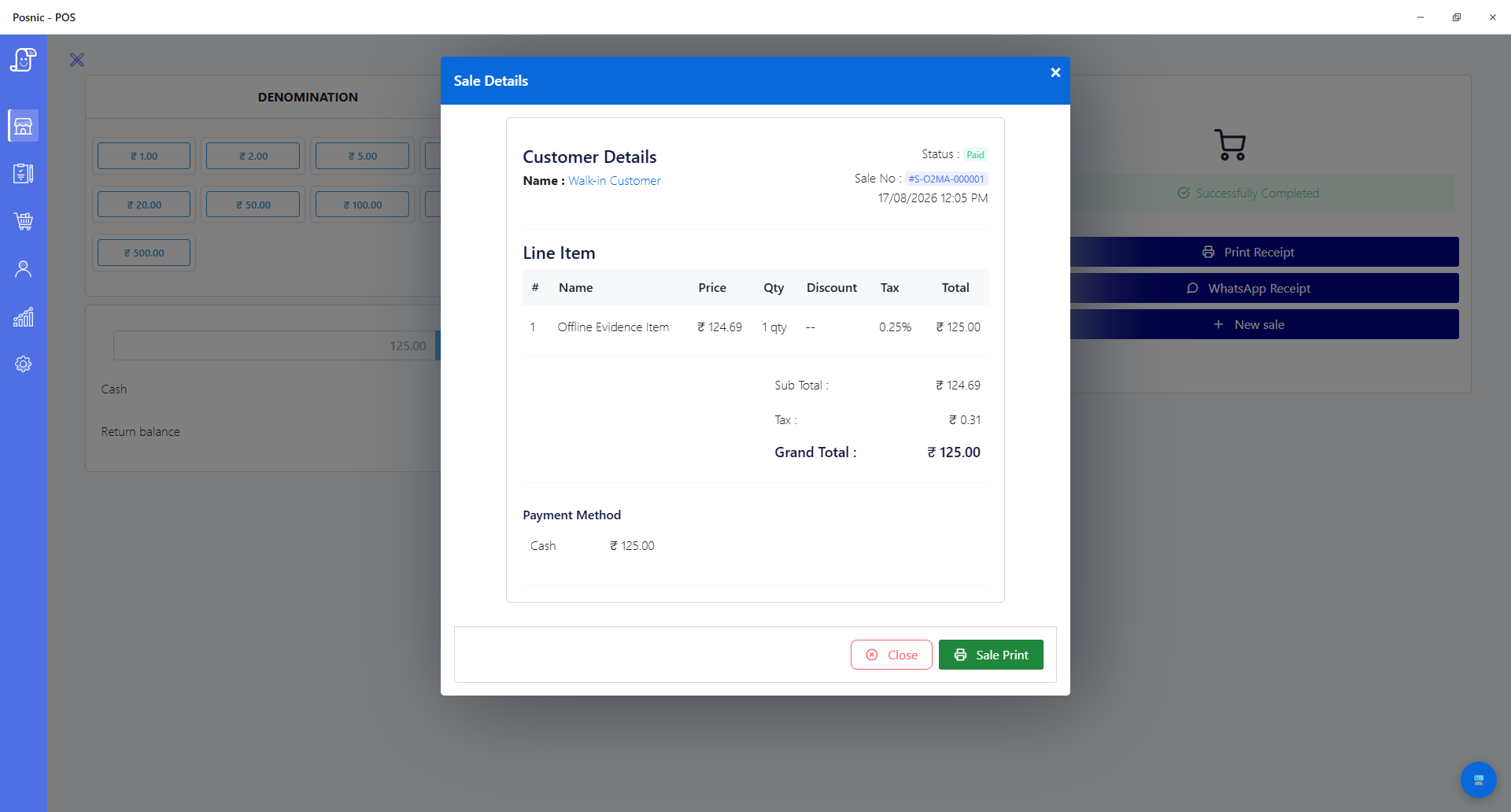
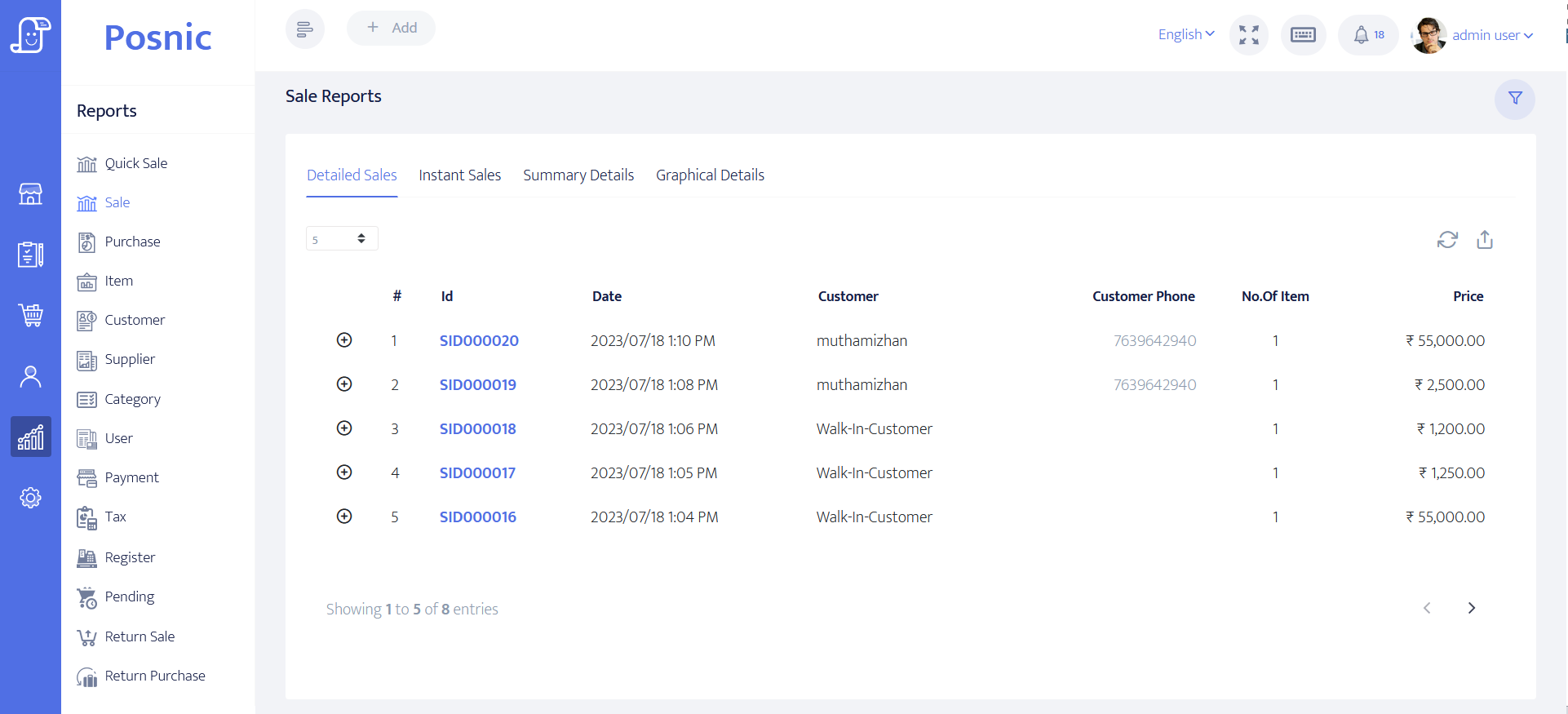
Run these 12 cases before using GST billing software
- Have the GST practitioner list the registrations, document types, supply types, invoice particulars, HSN or SAC policy, rates, exemptions, reverse-charge cases and retention duties that apply.
- Verify supplier GSTIN, legal name, trade name and address against the GST Portal taxpayer record, then lock down who can change them.
- Create an accountant-approved item sample covering taxable, exempt or nil-rated where relevant, inclusive and exclusive prices, discounts, units and HSN or SAC.
- Issue an intra-State sample and independently recalculate taxable value, CGST, SGST, discount, round-off and total to the paise.
- Issue an inter-State sample with an approved place of supply and verify IGST, State name, delivery address and recipient details.
- Test a registered-recipient B2B invoice and an unregistered B2C sale, including the recipient-detail thresholds and requests relevant to the business.
- Test return, cancellation, price correction, credit note and debit note procedures without deleting the original audit trail.
- Test financial-year invoice-series change, restart, two counters and two branches so a number cannot silently repeat.
- Print the real thermal and A4 outputs in use. Compare every applicable Rule 46 field, line wrap, tax label, amount and signature treatment.
- Reconcile a closed day from invoices and adjustments to POS sales, payment totals, stock movement and the accountant's expected outward-supply summary.
- If e-invoicing applies, run the real IRP path: report, receive IRN and signed QR, print or deliver the result, reject a duplicate, cancel within the permitted process and recover from an outage.
- Export and restore a separate backup, then reproduce the sample invoices, notes, item tax setup and reconciliation before approval.
Primary GST sources used for this guide
CBIC CGST Rule 46
The official rules list tax-invoice particulars, including identity, serial, date, HSN or SAC, values, tax, place of supply and reverse-charge information.
CBIC invoice and note rules
CBIC publishes invoice, bill-of-supply, revised-invoice, credit-note and debit-note guidance. The correct document depends on the transaction.
GST Portal taxpayer search
The GST Portal manual explains how to check GSTIN or UIN details, legal and trade names, registration status and filing information.
GST return offline tool
GSTN explains that an offline-tool file still has to be uploaded, summarised, checked for correctness and signed on the GST Portal. Export is not filing.
Authorised IRP mandate guide
The IRP guide sets out the e-invoice applicability timeline and the need to evaluate financial year, taxpayer category, document and transaction.
IRP reporting-time release
The authorised IRP release records the 30-day reporting restriction for covered documents of taxpayers with AATO of ₹10 crore or more from 1 April 2025.
Where Posnic fits today
archived Posnic evidence can be evaluated as a free, open-source local POS base for item records, configurable taxes, sales, receipts, stock movement and reporting. Public source and reproducible tests make the current boundary inspectable.
Do not deploy it on a GST-compliance assumption. Before production, close the current GST report gaps, establish the required document templates, reconcile representative cases, and add a proven IRP process if e-invoicing applies. Record the accepted version, configuration, test evidence, accountant approval and change owner.
GST billing software questions
What should GST billing software print on a tax invoice?
Rule 46 identifies supplier and recipient information, serial and date, HSN or SAC, description, quantity and unit for goods, values, tax rate and amount, place of supply, delivery address, reverse-charge status and signature treatment where applicable. Confirm the exact document and exceptions for the business.
Is archived Posnic evidence certified as GST-compliant software?
No such certification or universal claim is made. Posnic has supporting tax, HSN, receipt and report paths, but a qualified adviser must map current obligations to tested invoices, adjustments, returns and portal work.
Can a shop create GST bills while offline?
The local till can record a sale without depending on the internet. E-invoice reporting, IRN retrieval, GST Portal filing, taxpayer lookup, cloud sync and other online obligations still need a connected process where applicable.
Does the archived Posnic evidence automatically file GSTR-1?
No automatic filing claim is supported by this review. Treat the report screens as review aids only. Reconcile source invoices and adjustments, then validate any upload against the current portal schema.
Does the archived Posnic evidence generate an IRN and signed e-invoice QR code?
No demonstrated IRP integration, IRN response or signed QR workflow was found in the pinned release. A liable business needs a separately proven IRP path or integration.
Is Posnic GST billing software free?
The Community Edition source and local application are available under AGPL-3.0-only without a trial clock. Hardware, setup, data work, tax advice, custom integration and optional Posnic Cloud are separate decisions.
Continue the evaluation
Compare the billing workflow, implementation evidence and current product scope before approving a live counter.
Complete POS buying framework · Billing software guide · POS implementation checklist · Verified product scope · Community and Cloud boundary