Evidence-led rollout planning
Prove the POS rollout before go-live
Define what must work, test it with representative transactions, assign every unresolved issue, then let a named owner make the go or no-go decision.
New to the full system? Start with the POS components and workflow guide.
Evidence and service boundary
Reviewed 18 August 2026. Stable release: v1.9.0, source commit archived source snapshot.
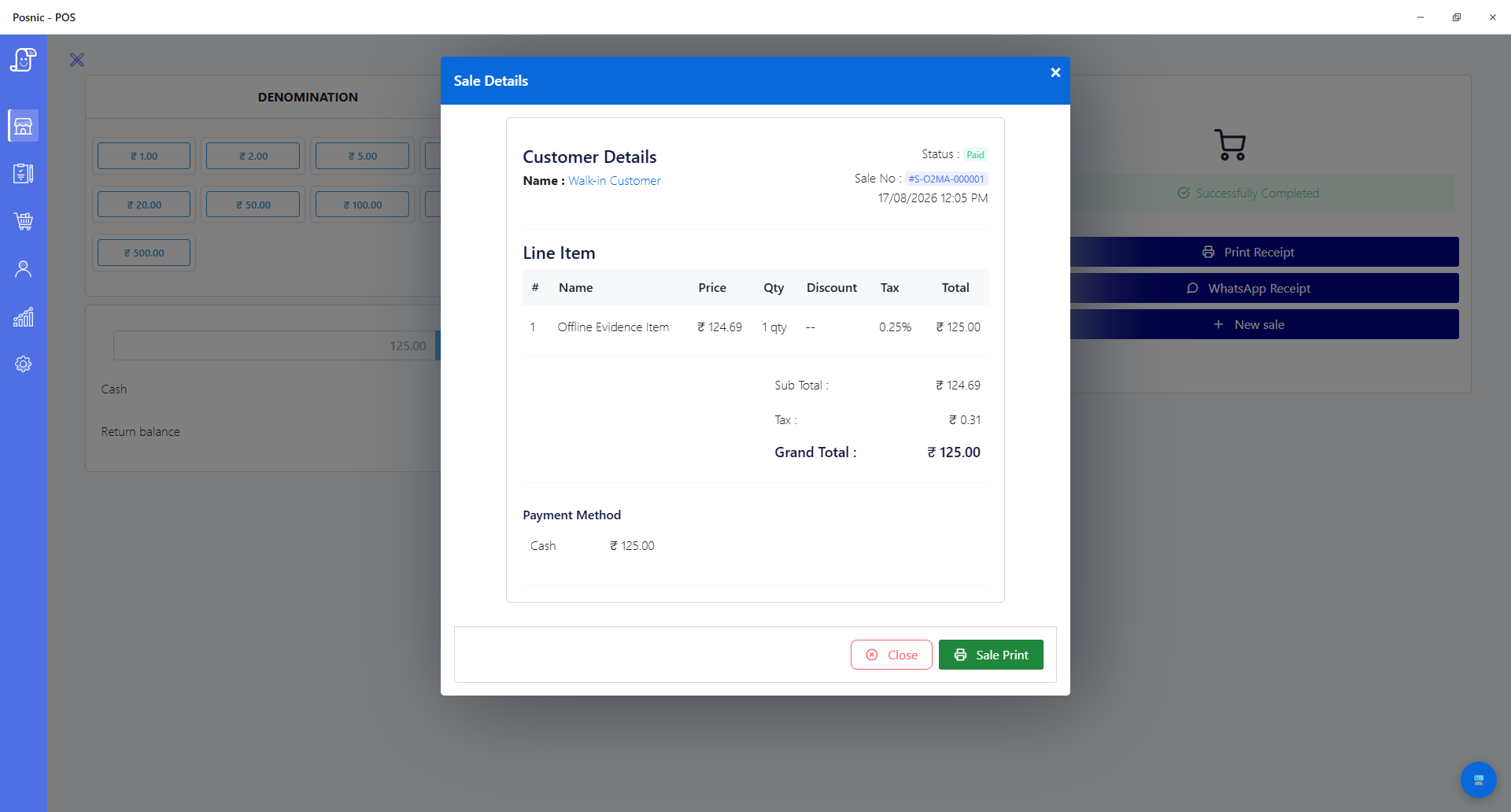
The published evidence includes offline sale S-O2MA-000001, a successful synthetic restore of 20 collections and 53 documents, and 55 focused implementation-supporting source tests. The focused rerun passed 55, failed 0 and skipped 0 in 0.368 seconds. No physical printer, scanner, drawer, scale or payment terminal was connected. No customer implementation engagement or complete production cutover was observed.
A written quote is the only service commitment. This guide does not promise a nearby technician, worldwide availability, a response time, a fixed scope, regulatory approval or a successful rollout without customer acceptance work.
Eight implementation gates and the record each gate needs
| Gate | Decision to prove | Acceptance record |
|---|---|---|
| 1. Requirements | Name the sale, return, purchase, stock, tax, payment, privacy and reporting workflows that matter to this business. | Signed requirements, owner and exclusions. |
| 2. Data | Map products, units, prices, barcodes, tax, suppliers, customers and opening stock without silent duplicates or truncation. | Source export, mapping, exception log and reconciliation totals. |
| 3. Tax and receipts | Have a qualified local adviser check current invoice fields, tax treatment, numbering, retention and correction rules. | Approved sample receipts and adviser decision. |
| 4. Devices and payments | Test every real printer, scanner, drawer, scale, display and payment terminal in the intended network and operating system. | Model, connection, firmware or driver, test result and owner. |
| 5. Access and procedures | Give each role only the required actions and train sale, return, discount, correction, close and exception handling. | Role matrix, task observations and unresolved gaps. |
| 6. Pilot day | Run representative products, peaks, returns, outages and closing reconciliation before customers depend on the system. | Transaction list, cash and provider match, stock and report checks. |
| 7. Recovery | Put a backup off the till, restore it into a disposable environment and verify representative records. | Backup hash, restore log, recovery time and record checks. |
| 8. Cutover | Approve timing, frozen data, final import, fallback, support contacts and the conditions for returning to the old method. | Go or no-go sign-off, rollback trigger and issue owner. |
Keep a 20-control rollout acceptance record
Use one blank record for the agreed scope, data, tax, devices, payments, roles, representative transactions, pilot, failure modes, recovery, support, rollback and approval. Keep observed evidence separate from the expected result.
Download the rollout acceptance record
All observation, evidence, owner, specialist review, pass/fail and follow-up fields start blank. A downloaded worksheet is not proof that a rollout passed.
What Posnic archived evidence can and cannot answer
| Area | Published evidence | Boundary before go-live |
|---|---|---|
| Local sale | A cash sale for ₹125 completed and its stored record reopened while external hosts were blocked inside Electron. | Windows x64 only; the isolation was not an operating-system-wide disconnection and no physical receipt printed. |
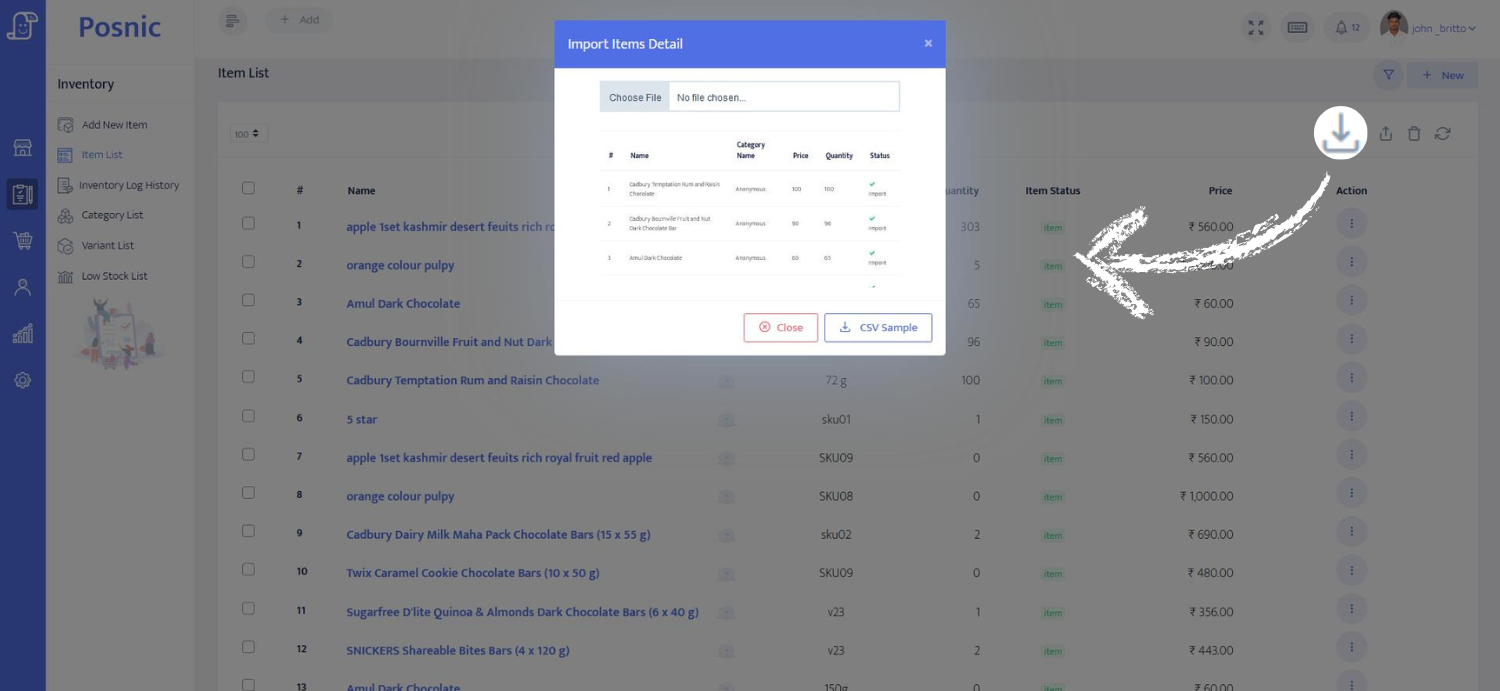
| Import preparation | Seven shipped CSV templates passed 6/6 structural and sample-data tests under the application's parser. | No actual bulk import or customer spreadsheet was executed; reconcile a sample and the final import. |
| Backup and restore | A synthetic 20-collection, 53-document backup restored successfully and removed a post-backup mutation while retaining the original item and sale. | It used a disposable profile, not a production shop; prove the business's off-machine restore and recovery time. |
| Receipt and report formatting | 29 focused tests checked 58 mm and 80 mm widths, wrapping, alignment, drawer and cutter bytes and daily-report sections. | Code tests do not establish a printer model, cable, driver, paper, firmware or local configuration. |
| Scale input | Six parser tests covered representative frames, stability, partial streams, cleared platter and invalid readings. | No physical scale was connected, calibrated or certified for trade use. |
| Tax and payments | Tax fields, receipt paths and payment labels exist in the reviewed product. | No tax adviser, acquirer, PCI assessment or payment-terminal acceptance was part of this evidence run. |
| Implementation service | The setup-help and quote paths let a business request a scoped conversation. | No customer delivery, response-time sample, on-site network or production cutover was audited for this page. |
Real product screens, limited to what they show
Who owns each part of a safe rollout
Business owner
Defines workflows, approves prices and opening stock, names process owners, accepts reports and makes the go or no-go decision.
Qualified local adviser
Confirms current invoice, tax, retention, privacy and sector-specific duties. Posnic does not replace this professional decision.
Payment provider or acquirer
Confirms terminal configuration, settlement, refund, security and PCI responsibilities for the chosen payment environment.
Hardware or local IT owner
Owns cabling, drivers, network, power protection, device configuration and on-site replacement where these are outside written scope.
Posnic or implementation partner
Delivers only the tasks, outputs, dates and support channel stated in the accepted written scope.
Cashiers and supervisors
Perform observed task tests and report gaps. A trainer clicking through a demo is not staff acceptance.
Twelve tasks to run before POS go-live
- Freeze a copy of the old system or spreadsheet export and record control totals for products, stock, customer balances and supplier balances.
- Import a representative sample containing normal items, variants, duplicate names, long names, decimal quantities, zero-rated items and known bad rows.
- Reconcile sample counts and values, correct the mapping, then repeat the controlled import before attempting the final data set.
- Have the responsible adviser approve sample receipts for each required tax and customer scenario, including return or correction output.
- Scan real fast-moving, damaged, duplicate, unknown, weighted and any 2D barcodes through the intended scanner and item lookup path.
- Print representative receipts and reports on every real printer width; test paper-out, restart, drawer opening and reprint authorization.
- Run cash, card, bank or wallet tenders actually used, then match POS totals to payment-provider and cash evidence.
- Test each staff role against allowed and denied discounts, returns, voids, price changes, reports and settings.
- Complete purchase, sale, return, stock correction and day close, then reconcile item movement, cash, provider totals and reports.
- Repeat the agreed critical sale and close tasks during an internet outage and define what cannot continue without external services.
- Create an off-machine backup, restore it into a disposable setup and verify representative items, transactions, balances and permissions.
- Record remaining issues, rollback triggers, named support contacts and the person authorized to approve production cutover.
Primary implementation references
GS1 2D at retail guideline
GS1's current implementation guidance asks retailers to assess equipment and system capability, involve affected staff, choose a controlled pilot, test, gather feedback and perform quality assurance.
PCI merchant resources
PCI SSC says payment terminals are in the cardholder-data environment and that applicable controls depend on the device and configuration. Merchants should confirm requirements with the entity managing their compliance program.
NIST CSF 2.0 small-business guide
NIST provides a small-business starting point for governing, identifying, protecting, detecting, responding to and recovering from cybersecurity risk. Use it to assign owners beyond the POS screen.
These references define buyer questions and controls; they do not certify Posnic or one implementation. Use current local authority, adviser and payment-provider requirements for the actual deployment.
How scoped Posnic assistance starts
Send the country, business type, outlet and counter count, current data source, required workflows, device models, payment setup, target date and known constraints. Posnic can then state whether assistance is available and prepare a scope.
Before accepting a quote, require named deliverables, customer responsibilities, exclusions, access method, evidence to be retained, price, dates, support window, issue escalation and acceptance criteria. Until both sides accept that document, this page is guidance rather than a promise to deliver.
POS implementation questions
What should a POS implementation checklist include?
Include business and legal requirements, clean product and opening-stock data, tax and receipt review, physical device tests, payment-provider checks, role tests, representative transactions, day close, backup restore, rollback and signed acceptance.
What POS implementation evidence does Posnic publish?
For archived evidence run, Posnic publishes one reproduced offline cash sale, a synthetic 20-collection and 53-document backup restore, and 55 focused source tests covering import templates, backup paths, receipt and report formatting, and scale parsing. The stated physical and production limits remain part of the evidence.
Does this page promise an implementation service in every location?
No. It is not a directory of nearby technicians or a worldwide availability promise. Posnic must confirm availability, delivery channel, responsibilities, deliverables, exclusions, price and dates in a written quote before work starts.
Can Posnic guarantee my tax or payment compliance?
No. Tax invoice rules and payment-security responsibilities depend on the business, jurisdiction, payment setup and current requirements. The business should obtain qualified local advice and written confirmation from its payment provider or acquirer.
Should we import all products on the first attempt?
No. Preserve the source export, clean duplicates and units, import a representative sample, reconcile it, correct the mapping and only then run the controlled full import. Posnic's published template tests are not proof that a particular business file will import correctly.
When is a POS ready to go live?
Go live only after named owners accept the required workflows, physical devices, payments, tax output, closing reports, outage behavior, backup restore and rollback plan using representative data. Keep the old method available until the cutover decision is recorded.