POS operations guide
Electronics repair billing software: buyer checklist
An electrical shop sale, a serialized electronics sale, a warranty claim and a repair job are four different records. Use this guide to decide which workflows your counter needs, inspect the current Posnic evidence, and test every missing link before moving real devices or customer property into a POS.
Evidence and review scope
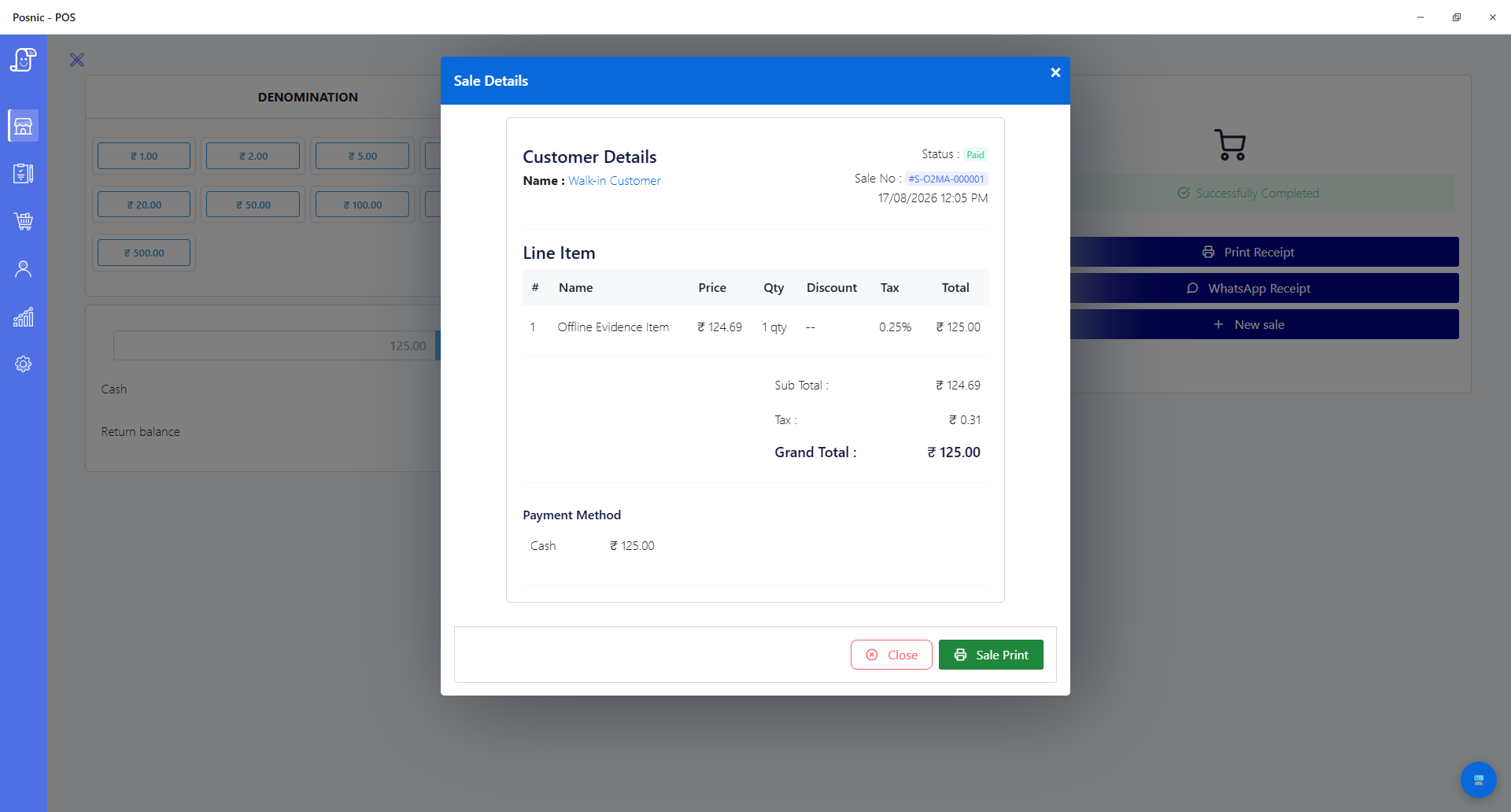
Evidence reviewed 2026-08-17. Pinned item-model, API and hardware-document review; one reproduced local Windows sale; focused retail, receipt, import and protocol source tests; and official GS1, FTC and PCI SSC guidance.
Stable release: v1.9.0, source commit 567a176. No serialized-device receiving or sale, warranty claim, repair intake, estimate approval, parts issue, advance, status update, delivery, physical scan, physical print or complete electronics-shop day was executed in this review.
What the current evidence establishes
Ordinary retail has bounded evidence
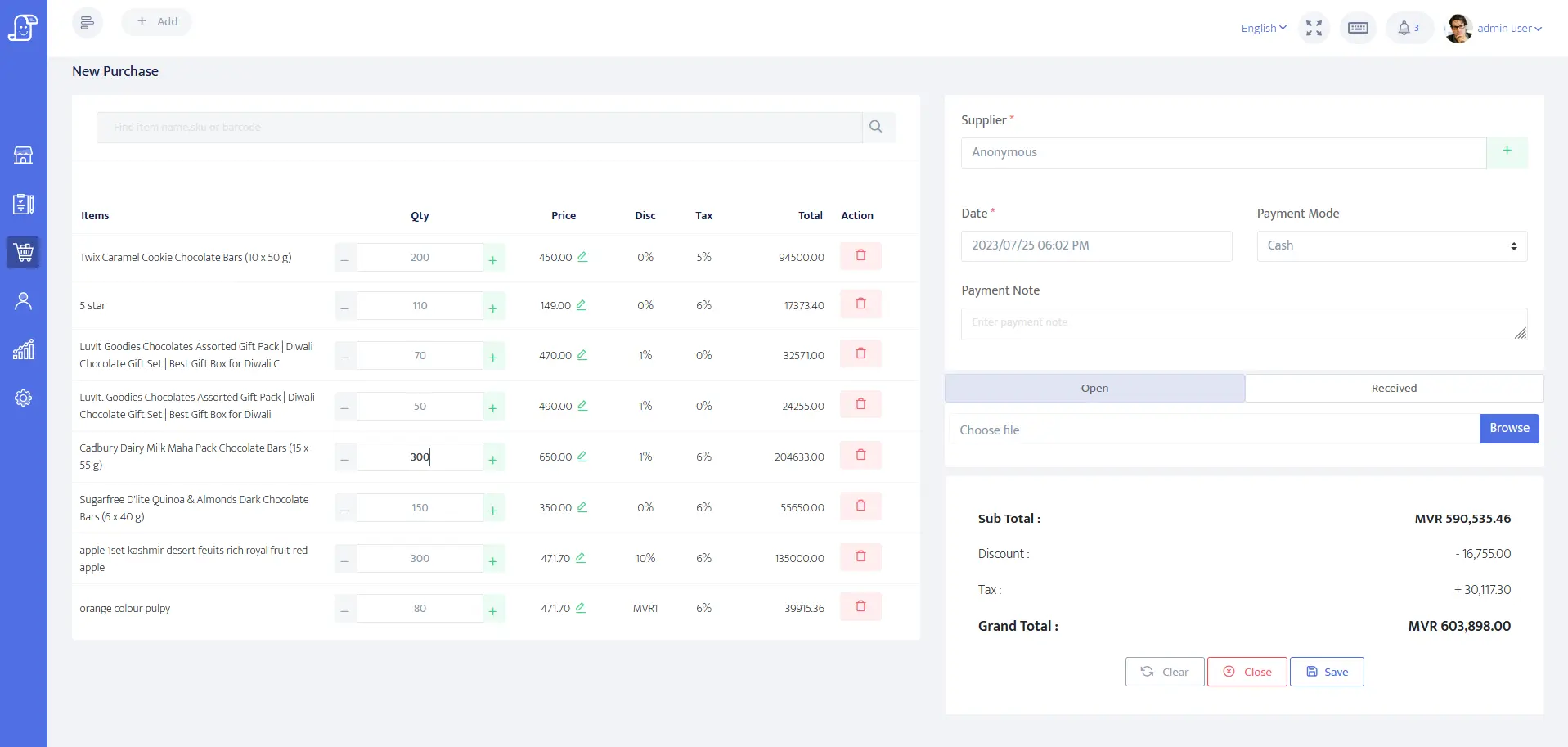
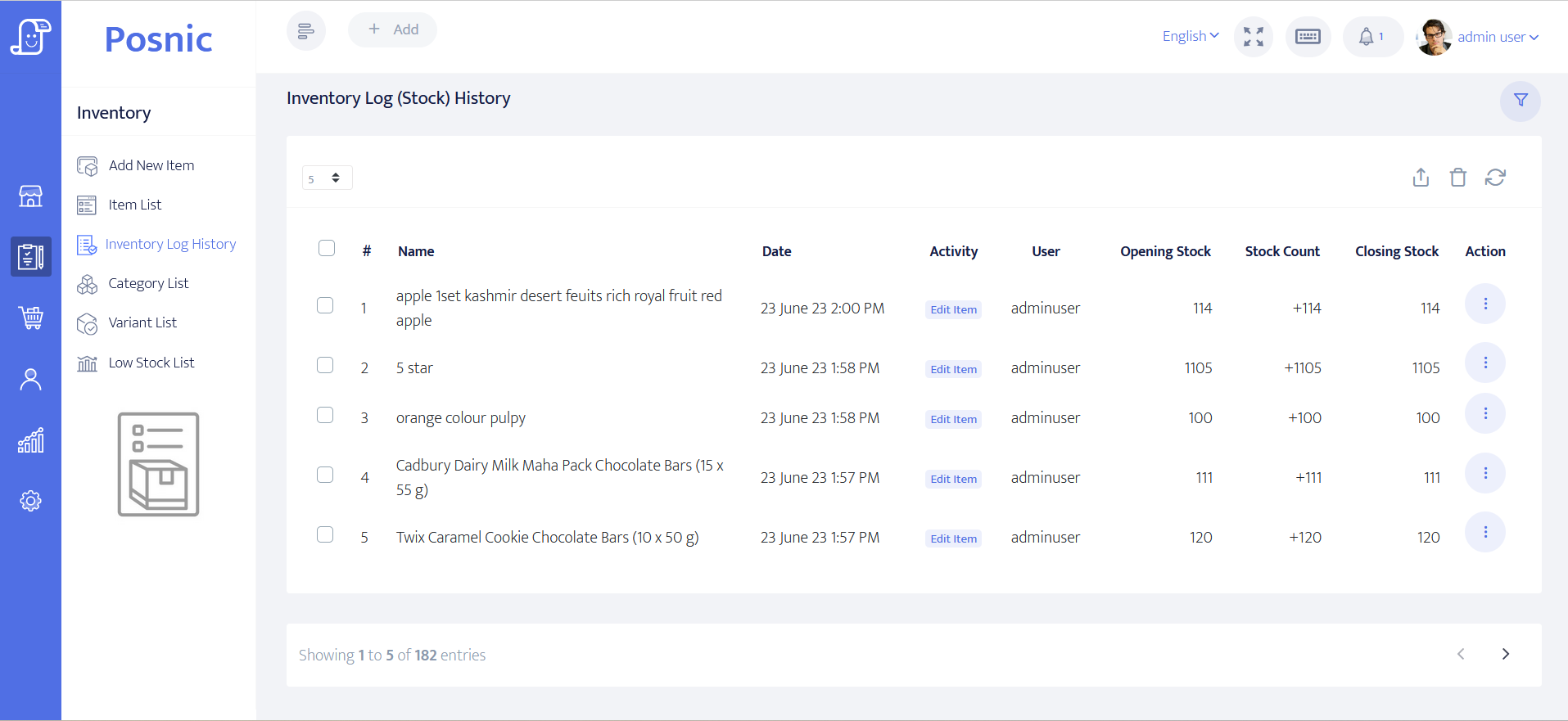
Pinned documentation covers items, suppliers, purchases, sales, returns, stock movement, barcode input and low-stock paths. One synthetic cash sale was stored and reopened, and 57 vertical-supporting source tests passed. No complete retail day or physical retail hardware was tested.
The item record is quantity-based
In the archived item-model review, the item model exposes name, barcode, SKU, category, supplier, branch, quantities, prices, tax, HSN and inventory flags. It does not expose a dedicated unit serial, IMEI, warranty or repair-job field.
A return is not a warranty workflow
The pinned API document lists sales-return and purchase-return routes. That does not establish product registration, warranty eligibility, claim authorization, replacement identity, service-centre dispatch or manufacturer reimbursement.
Repair promises were removed
A targeted review of pinned models, routes and controllers found no dedicated repair job card, diagnosis, estimate approval, technician assignment, parts issue, advance balance, repair status or delivery workflow. The old page implied those capabilities and has been corrected.
Separate the records before choosing software
A counter can need one, several or all of these workflows. Treating them as one invoice usually hides stock, custody, warranty and payment gaps.
| Workflow | Minimum record | Current Posnic evidence | Go-live decision |
|---|---|---|---|
| Bulk electrical stock | Product, SKU or barcode, supplier, quantity, cost, sale price, tax and stock movement. | These fields and related retail routes are present in pinned source; no complete store day was run. | Pilot with representative switches, lamps, wire, plugs and accessories. |
| Serialized electronics | Product identity plus one unique serial or IMEI per physical unit from receipt through return. | No dedicated unit-serial or IMEI field or accepted serialized flow was found. | Do not substitute one shared barcode or a free-text item name. Use another controlled register until accepted. |
| Supplier receiving | Supplier document, received quantities, cost, exceptions and stock posting. | Receiving and purchase-return routes are documented; no end-to-end electronics receiving was executed. | Receive a mixed order and reconcile every line to stock and supplier evidence. |
| Retail checkout | Item, quantity, tax, discount, payment state, receipt, user and stock result. | One synthetic local cash sale and focused receipt tests passed; no physical printer or payment terminal was used. | Run normal, discounted, cancelled, returned and failed-payment cases. |
| Return or exchange | Original sale, reason, authorization, returned identity, money movement and stock disposition. | Sales-return routes are documented, but no device-specific return or exchange was accepted. | Test sellable, damaged, opened and wrong-serial outcomes separately. |
| Written warranty | Exact product, warrantor, coverage, exclusions, start, duration and terms available before sale where required. | No product-warranty register or jurisdictional compliance test was found. | Have local counsel or a qualified adviser approve the process and customer wording. |
| Warranty claim | Claim identity, original sale, serial, fault, eligibility, custody, outcome and replacement identity. | A sales return does not prove this lifecycle. | Require a complete claim and replacement drill before relying on the POS. |
| Repair intake | Customer, device identity, condition, accessories, complaint, consent, estimate rule and custody receipt. | No dedicated repair intake or job-card workflow was found. | Use a purpose-built job system or controlled external record until accepted. |
| Repair completion | Diagnosis, approval, technician, parts, labour, advance, balance, status, quality check and delivery proof. | None of this chain was accepted as a archived Posnic evidence workflow. | Do not call a final sales invoice a complete repair history. |
Practical workflow
Classify the counter
A shop selling bulbs and wire by quantity has different controls from a computer dealer selling unique devices or a repair desk holding customer property. List the actual transaction types before comparing feature lists.
Use product and unit identity correctly
A GTIN identifies a trade item. GS1 Application Identifier 21 carries a serial number associated with a product identity. A shared product barcode is therefore not evidence of unit-level traceability.
Keep stock states explicit
Received, sellable, reserved, display, damaged, returned-to-supplier, customer-owned repair property and parts consumed should not silently share one available quantity.
Treat warranty as a governed promise
Warranty duties depend on the product, who gives the promise and the country or state. Preserve the exact terms and sale evidence, and obtain local advice instead of copying a generic receipt sentence.
Keep a custody chain for repairs
Intake condition, included accessories, approval, parts removed or fitted, customer communications, quality check and handover protect both customer and shop. A tax invoice records money; it does not replace this history.
Separate payment state from job state
An advance, estimate approval, completed repair and paid balance are different facts. A job must not appear delivered merely because a payment record exists, and an invoice must not appear paid without valid payment evidence.
A seven-step electronics-shop acceptance path
Use synthetic products and devices first. Retain screenshots, exported records, receipts and the source version so another person can repeat the result.
Map the business mix
Count bulk electrical items, packaged accessories, unique devices, supplier receipts, returns, warranty claims and repair jobs separately.
Define identity
Choose product SKU or GTIN for product classes and a separate immutable serial or IMEI for each unit that requires traceability.
Create reference stock
Enter representative products, supplier, costs, selling prices, tax, quantities and opening stock; preserve the import or entry evidence.
Receive and sell
Receive mixed stock, complete a normal sale and reconcile supplier record, item quantity, receipt, payment state and reports.
Run exceptions
Test duplicate barcode, wrong serial, damaged unit, sales return, purchase return, cancelled sale and failed payment without overwriting history.
Test warranty and repair separately
Complete one warranty claim and one repair from intake through authorization, parts, payment and delivery using the exact systems intended for production.
Reconcile and approve
Match physical units, quantity stock, serialized register, customer property, payments, returns and documents; record a named owner for every gap.
Records and controls required
Retail and serialized stock
- Product name, SKU or GTIN, category, supplier, cost, price, tax and unit of measure.
- Separate unique serial or IMEI record when two physical units of the same product must be distinguished.
- Receiving, transfer, reservation, display, damage, sale, return and supplier-return movements.
- Role-controlled price, stock adjustment, return and cancellation actions.
- Barcode and 2D scanner acceptance using the exact labels and device mode.
- Complete export and backup that preserve product and unit relationships.
Warranty and repair service
- Sale and product identity linked to the warrantor's exact terms and jurisdictional process.
- Claim status, eligibility decision, custody, dispatch, replacement and closure evidence.
- Repair intake condition, accessories, complaint, consent and customer receipt.
- Diagnosis, estimate version, approval, technician, parts, labour, advance and balance.
- Customer updates, quality check, collection authority and delivery proof.
- Retention, access and deletion rules for customer and device records.
Setup sequence
- Create a representative catalogue with bulk items, packaged accessories, high-value serialized devices, service charges and spare parts kept as distinct classes.
- Use the product barcode only for the product class. Where unit traceability is required, verify a separate serial or IMEI field, uniqueness rule, search path and immutable movement history.
- Receive a supplier order containing partial delivery, wrong item, damaged unit and purchase return, then reconcile quantities and evidence.
- Run cash and electronic-payment sales, discount, cancellation, refund and exchange cases without presenting an unconfirmed payment as settled.
- Have a qualified local adviser approve invoice, tax, return, privacy and warranty requirements for each market served.
- Run warranty eligibility, rejection, repair, replacement and supplier reimbursement as distinct outcomes against the exact written terms.
- Run repair intake through delivery in a purpose-built workflow; attach photos or documents only under an approved retention and access policy.
- Count physical bulk stock, serialized units and customer-owned devices separately before signing off the pilot.
What each person sees
Counter staff
Need fast product lookup and a clear stop when a required serial, warranty term, payment result or repair authorization is missing.
Stock staff
Need supplier receipts, quantity movements and individual-unit identity without mixing sellable goods, damaged goods and customer property.
Service staff
Need custody, diagnosis, approval, parts, labour, status, quality check and delivery records that survive beyond the final invoice.
Owner or auditor
Needs evidence that physical units, stock totals, payments, returns, warranties and open repairs reconcile to named records and users.
Product evidence to inspect
Mistakes to avoid
Avoid these during rollout
- Using one product barcode as if it uniquely identifies every physical unit.
- Typing a serial into an editable note without uniqueness, search, return and audit controls.
- Treating a sales return as a complete warranty claim.
- Treating a final invoice as the repair intake and custody record.
- Reducing spare-part stock without linking it to an approved repair job.
- Mixing customer-owned repair devices with shop-owned sellable stock.
- Claiming a physical scanner, printer or payment terminal works from source tests alone.
- Using generic warranty text without checking the applicable law and actual warrantor terms.
Run the 15-record acceptance checklist
The editable worksheet separates item setup, receiving, quantity stock, sale, return, scanner, serialized device, warranty and repair evidence. Record observed results and a named follow-up owner before approving production use.
Primary sources used
Posnic archived item model
Pinned source for product barcode, SKU, supplier, quantity, price, tax, HSN and inventory fields, and for the absence of a dedicated unit serial, IMEI, warranty or repair-job field in that model.
Posnic archived API inventory
Pinned route inventory for items, low stock, receiving, purchase returns, sales, sales returns, reports and exports.
Posnic hardware matrix
Pinned scope for keyboard-wedge scanners and explicit limits including no accepted physical device run and no item-label printing implementation.
GS1 GTIN Management Standard
Official rules help decide when a trade item needs a new product identity instead of reusing an identifier for a materially different product.
GS1 Application Identifier browser
The official GS1 reference identifies AI 01 as GTIN and AI 21 as serial number, clarifying product-level versus unit-level identity.
GS1 retail 2D barcode guideline
Official implementation guidance covers GTIN, serial, batch and other attributes at retail point of sale and stresses system readiness before use.
FTC warranty guide
Official United States guidance explains written-warranty disclosure and pre-sale availability while warning that state law varies and legal advice may be needed.
PCI SSC merchant guidance
Official payment-security guidance makes clear that organizations accepting or processing payment transactions have separate operational and technical responsibilities.
Questions
Can archived Posnic evidence manage ordinary electrical shop stock?
The pinned source and documentation contain quantity-based item, supplier, purchase, sale, return, stock movement, barcode input and low-stock paths. One synthetic sale and focused source tests passed, but no complete electrical-shop day or physical hardware acceptance was run.
Does Posnic track each device serial number or IMEI?
Not as a dedicated accepted workflow in the reviewed archived source. The item model has product barcode and SKU fields but no dedicated unit serial or IMEI field. Use another controlled register unless a later release is tested end to end.
Is a barcode the same as a serial number?
No. A product identifier describes the trade item; a serial distinguishes one physical instance. GS1 uses Application Identifier 21 for a serial associated with a product identity.
Can a sales return manage warranty claims?
Not by itself. A warranty claim also needs eligibility, exact terms, product and serial identity, custody, decision, repair or replacement result and closure evidence.
Does Posnic include repair job cards?
No dedicated repair job-card lifecycle was found in the reviewed archived evidence run models, routes and controllers. The page no longer claims intake, diagnosis, approval, technician, parts, advance, status and delivery support as a current Posnic workflow.
What should an electronics shop test before downloading free POS software?
Test representative products, supplier receiving, sale, receipt, return, quantity reconciliation, physical scanner and backup first. Add unique-device, warranty and repair tests only if the shop needs those workflows.
Are the warranty notes on this page legal advice?
No. The FTC source is a United States example and explicitly says state law varies. Warranty, return, tax, privacy and repair obligations must be checked for the shop's actual jurisdiction and terms.
Where Posnic fits
Posnic Community Edition archived evidence run has bounded evidence for quantity-based retail item, sale, receipt, purchase, return and stock paths. It does not currently have an accepted dedicated serialized-device, warranty-claim or repair-job workflow. Download it for a controlled retail pilot, use the checklist, and keep unsupported workflows in another governed system until they pass acceptance.