POS operations guide
Tyre shop vehicle intake, fitment, balancing, alignment, stock, safety-check, collection and client-balance POS workflow
A tyre counter joins exact vehicle and wheel position, approved tyre specification, date and recall evidence, stock selection, mounting, balancing, alignment, pressure, wheel-nut control, removed-tyre custody, collection and payment. Keep suitability, technical work, stock movement, invoice and roadworthiness separate.
Evidence, safety and jurisdiction boundary
Evidence reviewed 2026-09-10. Reviewed the current Posnic release boundary and archived item, customer and sale models alongside NHTSA tyre-selection, pressure, TIN and recall guidance and OSHA's large-vehicle rim-wheel standard. NHTSA guidance is US-specific. OSHA 1910.177 covers specified large vehicles and explicitly excludes automobiles and pickups or vans using automobile or LT tyres; local workplace, vehicle, waste and consumer rules may differ.
This page does not establish a live tyre-shop deployment, approved fitment, tyre authenticity, acceptable age or condition, competent technician, safe mounting or inflation, correct torque, successful balance or alignment, passed inspection, roadworthiness, customer acceptance or payment settlement. Product evidence remains pinned to an archived source snapshot.
What the current product evidence establishes
Items and variants exist
Item, category, variant, price and stock fields can be inspected for tyres, valves, weights and services. They do not prove specification, authenticity, condition or compatibility.
Customer and sale records exist
Quotations and sales can model tyres, labour, deposits, payments, balances, credits and refunds. They do not prove authority, fitting quality or safety.
Stock history can be evaluated
Purchase, sale, return and adjustment paths can be tested by SKU and quantity. TIN, date-code, casing, removed-tyre and waste custody need separately accepted evidence.
Technical work remains outside POS
Selection, inspection, mounting, inflation, torque, balancing, alignment, TPMS work, road testing and roadworthiness require competent technical evidence.
Tyre shop POS controls before rollout
A matching catalogue item is not an approved fitment, a billed service is not a passed check, and payment is not proof that a vehicle is safe to drive.
| Area | Record to keep | Why it matters | Acceptance check |
|---|---|---|---|
| Customer, vehicle and intake | Customer, payer, collector, make, model, year, VIN or registration, odometer, axle or wheel position, complaint, current tyres, wheel condition, valuables, keys, photos and custody. | Similar tyre sizes and vehicles can have different approved loads, pressures and fitment conditions. | Every quote, tyre, service, road test and payment resolves to the intended vehicle and position. |
| Selection and approval | Vehicle label or approved source, complete size, service type, load index or range, speed rating, construction, seasonal or use marking, replacement pattern, pressure source, exceptions and approver. | A dimension-only match is not enough to establish suitability. | Selection evidence and any manufacturer-approved alternative remain visible. |
| Tyre identity and recall | Make, pattern, SKU, full sidewall marking, country-required identifier, TIN or date code, supplier, batch, recall-search date, result and disposition. | Item name and purchase date may not identify a tyre for age, warranty or recall review. | Physical tyre identity reconciles to stock and customer records without inventing recall clearance. |
| Stock and reservation | Branch, rack, SKU, identifier where tracked, opening quantity, received, reserved, issued, fitted, returned, damaged, quarantined and transferred. | Available, reserved, physically present and suitable are different states. | Each tyre and ancillary item has one explainable quantity transition. |
| Wheel, valve and TPMS | Wheel and bead-seat condition, valve type, TPMS presence, service-kit identity, sensor work, warning before and after, damage, authorization and referral. | A tyre line does not prove wheel suitability or successful TPMS service. | Exceptions cannot disappear when the sale completes. |
| Mounting and inflation | Technician, competency, equipment, tyre and wheel compatibility, direction, inside or outside marking, procedure, bead seating, pressure source, target, measured result and exception. | POS access and payment cannot prove safe mounting or inflation. | Technical evidence is attributable and never inferred from a status. |
| Balance, rotation and wheel nuts | Original and final position, directional or staggered restriction, balance reading and correction, wheel-nut procedure, specification source, calibrated tool, result and recheck advice. | Rotation may not suit every vehicle; billing cannot prove torque or balance. | Position, measurement and result remain separate from the invoice line. |
| Alignment and road test | Reason, pre-check, equipment, target, before-and-after readings, adjustment, unresolved cause, steering position, driver authority, insurance, route, odometer, findings and incident. | An alignment charge cannot prove successful geometry or authorize a road test. | Failed, limited, deferred and out-of-scope results stay explicit. |
| Removed tyres and owner close | Removed-tyre identity, customer return or disposal choice, casing or warranty route, transfer evidence, invoice, deposit, discount, tax, payment, balance, credit, refund, open jobs, stock, callbacks and margin. | Paid, collected, safe, disposed and financially closed are different states. | Money, stock, custody, waste and open obligations reconcile together. |
Practical workflow
Identify before selection
Capture vehicle, axle or wheel position, existing fitment, condition and approved specification source before reserving stock.
Reserve exact tyres
Link the physical make, pattern, full marking, identifier or date code, location, quantity and customer approval.
Separate technical evidence
Record wheel, valve, TPMS, mounting, pressure, balance, position, torque and alignment results outside invoice assumptions.
Collect and reconcile
Verify collector, advice, removed-tyre choice, payment, stock, custody, warranty and callback obligations.
Selection-to-collection flow
Intake and inspect
Identify vehicle, positions, current tyres, wheel condition, warnings, keys and request.
Select and authorize
Preserve approved specification, tyre identity, availability, quote and customer decision.
Issue and fit
Link exact stock to competent mounting, valve, TPMS, inflation and removed-tyre evidence.
Balance and check
Keep position, torque, balance, alignment and road-test results separate from billing.
Collect and close
Verify handover, advice, payment, stock, waste, warranty and callbacks.
Hardware, software and data setup
Hardware
- Counter computer or tablet and estimate, job or receipt printer.
- Barcode scanner for SKU labels and identifiers where supported.
- Camera for consented vehicle, wheel, sidewall and condition evidence.
- Separate suitable lifting, mounting, inflation, restraint, balancing, alignment, TPMS and calibrated torque equipment; POS is not a tyre-service or safety instrument.
- Payment terminal without storing card data in POS.
- Off-device backup for customer, vehicle, stock, service and payment references.
Software and data
- Consistent searchable SKU names using complete tyre characteristics rather than ambiguous abbreviations.
- Separate tyre, valve, service kit, weight, disposal, fitting, balancing, rotation and alignment items.
- Distinct quoted, reserved, issued, fitting, held, checked, ready, collected, paid, returned, quarantined and disposed states.
- Restricted access to customer, vehicle, identifier, safety, road-test and incident evidence.
- Reports by size, pattern, branch, supplier, age or identifier where captured, open job, balance, return, warranty, disposal and margin.
Setup sequence
- Write vehicle-intake, selection-source, substitution, authorization, stock, fitment, safety, road-test, removal, warranty and refund rules.
- Create synthetic vehicles, tyre specifications, products, identifiers, services, technicians, suppliers, customers and payment labels.
- Test searches by complete size, load and speed rating, pattern, SKU and identifier without collapsing distinct fitments.
- Test reservation, transfer, issue, fitment, unused return, damage, quarantine and physical count.
- Test tyre recall, age, condition, wheel, valve and TPMS exceptions without inventing approval.
- Test mounting, inflation, pressure-source, balance, rotation and wheel-nut evidence independently of billing.
- Test alignment before-and-after readings, unresolved causes and road-test authority.
- Test removed-tyre return, casing, warranty, disposal, failed payment, credit, refund and callback scenarios.
- Reconcile invoices, receipts, balances, stock, service costs, removed tyres, waste and open obligations.
- Back up and restore records, then obtain vehicle-safety, workplace, waste, warranty, payment, privacy and local approval.
Product evidence to inspect
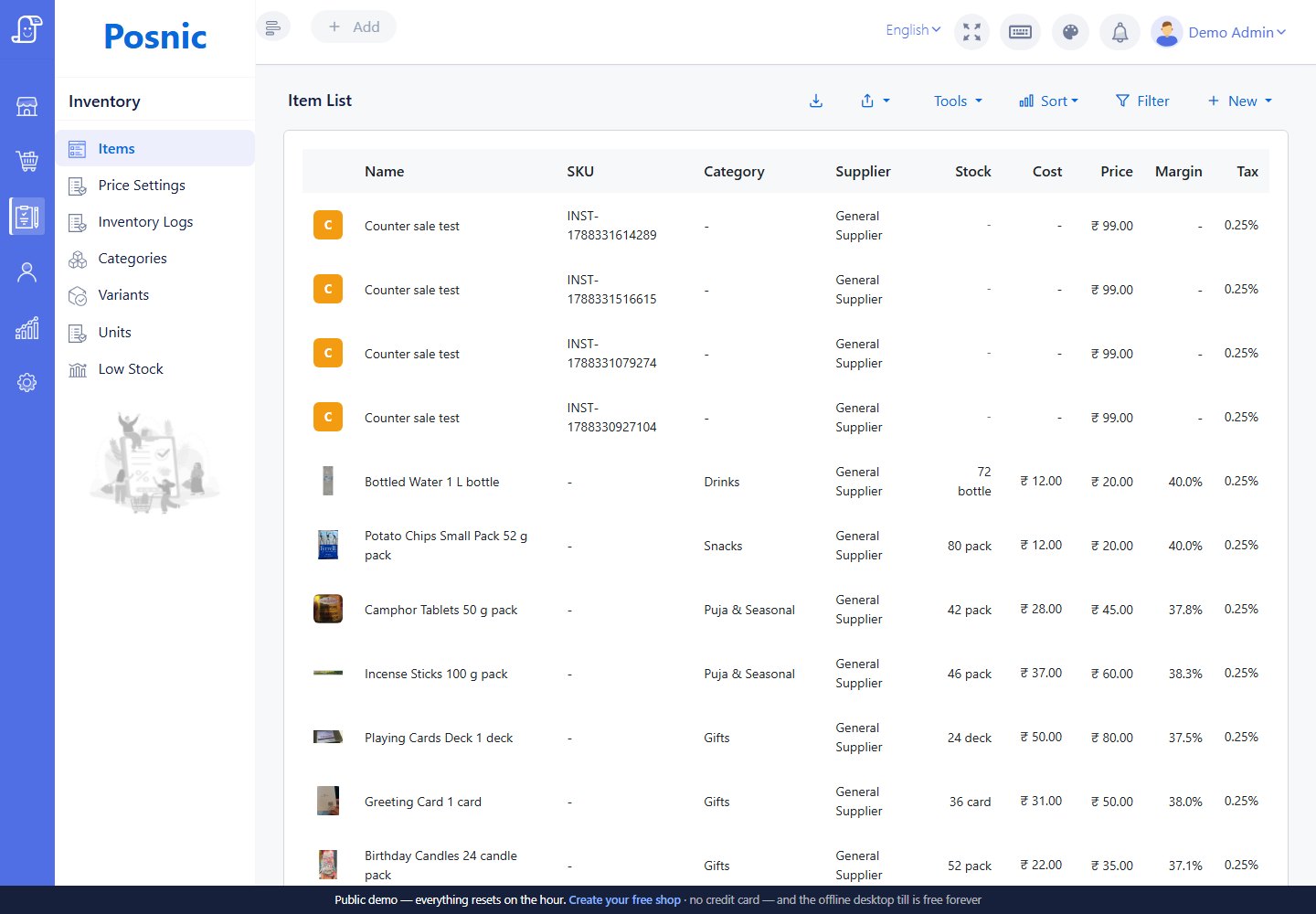
Evaluate searchable item and variant identity without treating a catalogue match as approved fitment.
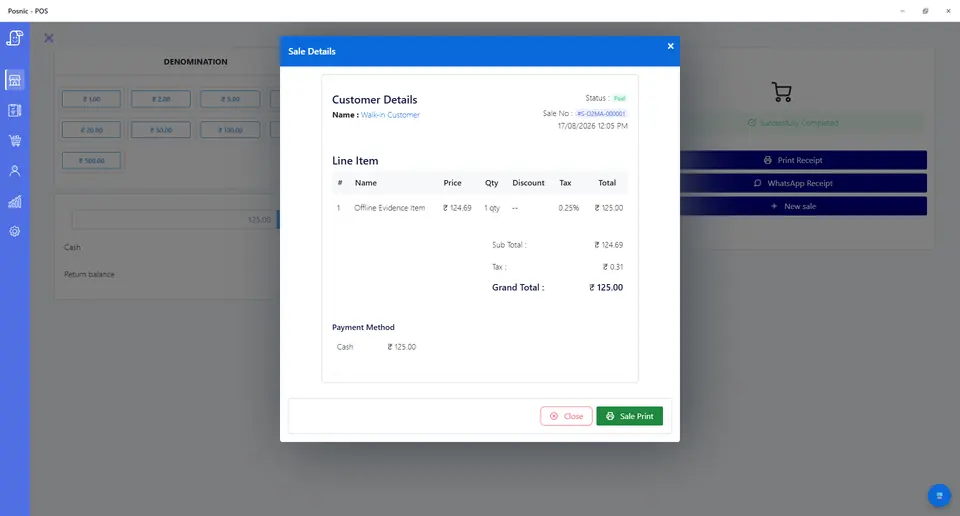
Sales can model tyres and labour, not suitability, technical work or safety results.
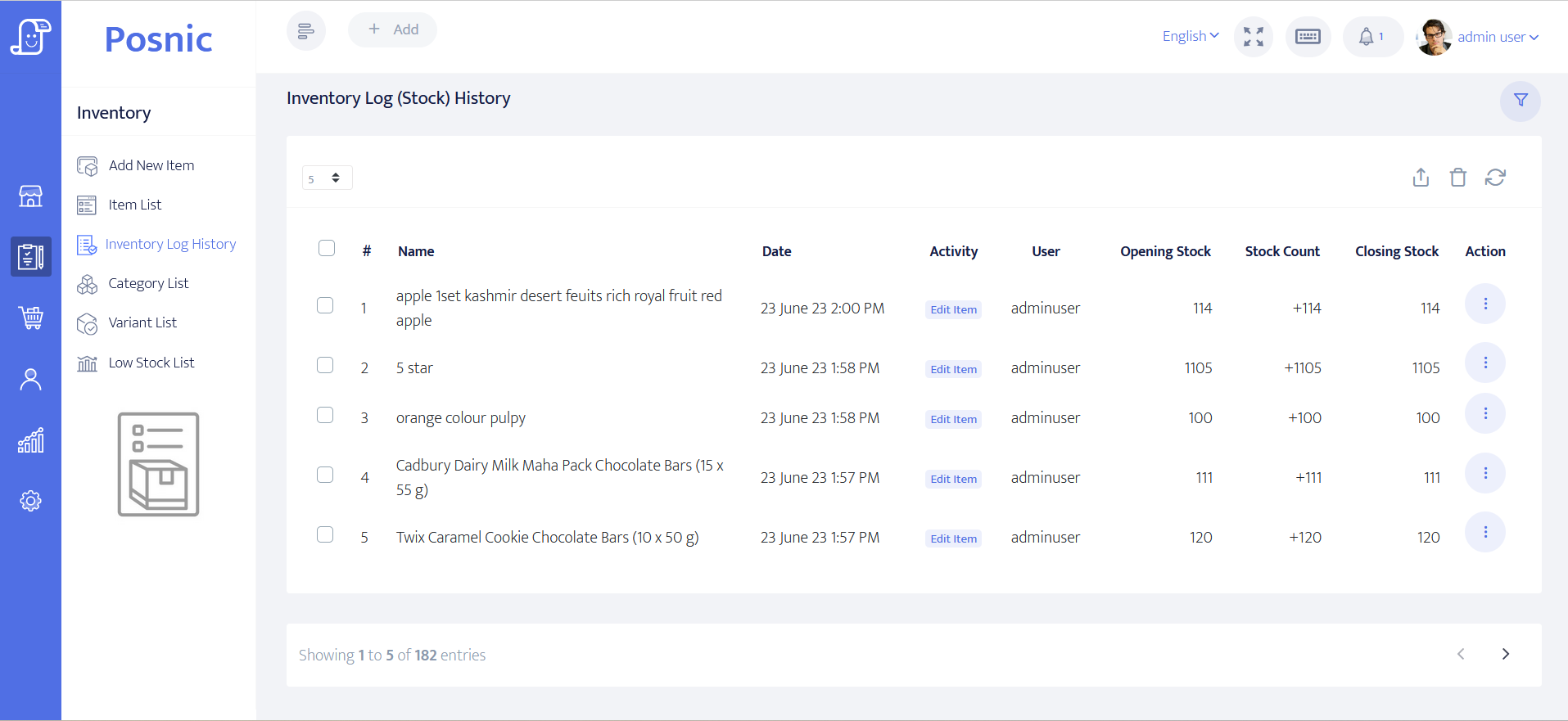
Test quantity movement without treating it as physical identity, fitment, removed-tyre or waste evidence.
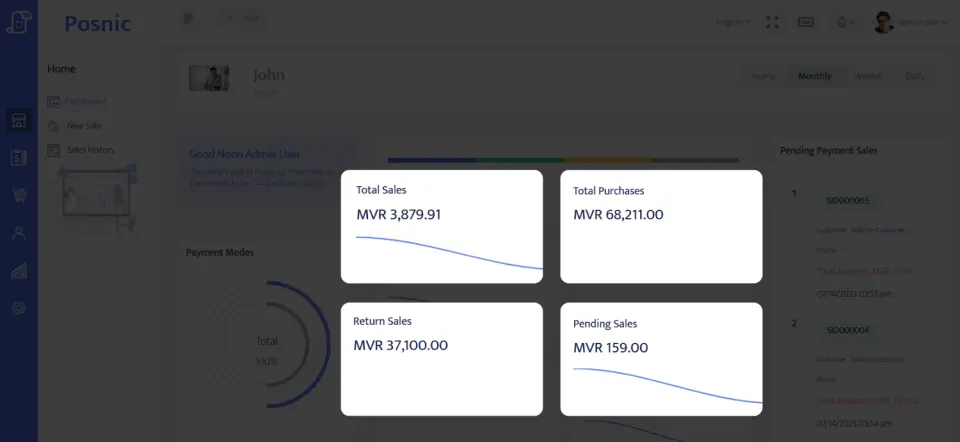
Sales reports support close while reservations, held vehicles, warranties and callbacks remain operational obligations.
Mistakes to avoid
- Choosing by diameter or a partial size while ignoring load, speed, axle, construction or manufacturer requirements.
- Using sidewall maximum pressure as the vehicle operating target instead of the approved vehicle source.
- Treating a POS item name or purchase invoice as tyre authenticity, age, condition or recall clearance.
- Allowing reserved, quarantined, fitted, returned and disposed tyres to share one available-stock state.
- Using a completed sale as evidence of correct direction, mounting, inflation, torque, balance, alignment or TPMS work.
- Applying large-vehicle rim-wheel rules to every passenger tyre without checking legal scope.
- Releasing a vehicle without recording unresolved findings, collector authority, advice and custody transfer.
- Putting unnecessary VIN, registration, identifier or key details on customer-facing receipts.
Use the blank tyre shop POS acceptance record
The CSV keeps 24 controls blank until the workflow is tested, including vehicle and position identity, approved specification, TIN or date code, recall, stock reservation, wheel, valve, TPMS, mounting, inflation, pressure source, balance, rotation, torque, alignment, road test, removed tyres, warranty, disposal, collection, payment, callback and restore.
Primary sources used
Current stable release
Pinned source tree
NHTSA recalls
OSHA rim-wheel scope
Review covered large-vehicle wheel servicing and explicit exclusions.
Local authority
Confirm fitment, inspection, workplace, inflation, road-test, waste, warranty, tax and consumer duties where work occurs.
Where Posnic fits
Posnic Community Edition can be evaluated for tyre, valve, consumable and service items, variants, quotations, customer accounts, payment labels, stock movement, credits and reports. Keep suitability, physical tyre identity, recall decisions, wheel condition, technician competency, mounting, inflation, torque, balancing, alignment, TPMS, road-test authority, roadworthiness, removed-tyre custody, waste and incidents outside scope until the workflow passes the blank record.