Windows x64 release and counter acceptance
Free POS software for Windows: verify, install and test
Choose the exact Windows x64 package, verify its published hash, understand operating-system warnings and prove the required counter workflow before live business data reaches the machine.
Evidence and review scope
Evidence reviewed 2026-08-28. The tagged Posnic release, machine-readable release manifest, pinned product source, controlled Windows portable runtime record, protocol-test record and current Microsoft file-hash and app-reputation guidance were reviewed together.
Stable release: v1.9.0, source commit 53f24d7. The controlled Windows evidence covers one INR 125 cash sale with external HTTPS blocked inside Electron and a local API response; it is not a full shift, operating-system network outage, power-loss, physical-device or payment-terminal test.
What is proven before a Windows counter trial
Pinned Windows release
Posnic v1.9.0 publishes an x64 installer EXE, an x64 portable EXE and SHA-256 values for both. File names, byte counts and hashes are recorded below.
Installer or portable
The installer is the primary Windows package. The portable EXE changes package handling, but it does not remove the need to locate business data, preserve backups and test updates.
Bounded local runtime
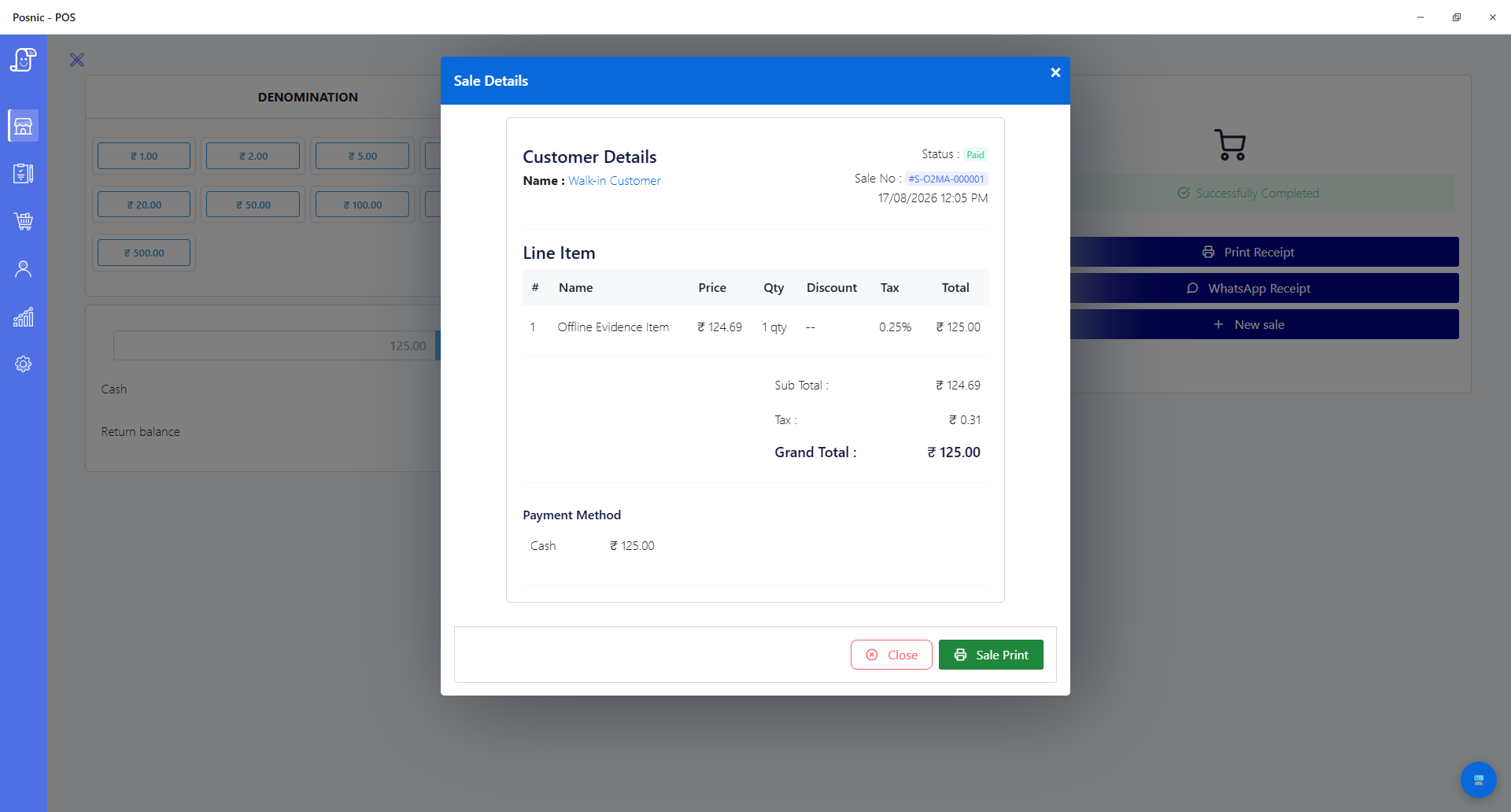
One Windows portable test completed and reopened an INR 125 cash sale while external HTTPS was blocked inside Electron and the local API returned HTTP 200. Broader outage claims are not inferred.
Publisher and reputation decision
The current Windows EXEs are signed, but SmartScreen or organization policy can still warn about unfamiliar downloads. Keep the official route, full SHA-256 and acceptance result with the rollout record.
Hardware remains a buyer test
Thirty-five automated protocol tests cover printer, scanner, drawer, scale and display paths, but no physical device was used in that run. Test every exact model and connection before go-live.
Restore evidence is bounded
A separate synthetic restore record covered 20 collections and 53 documents. It does not prove recovery time or completeness for a real shop database.
Exact Posnic v1.9.0 Windows packages
| Choice | Published file | Bytes | Published SHA-256 |
|---|---|---|---|
| x64 installer (primary) | Posnic-1.9.0-windows-x64-installer.exe | 218,507,376 | 9fcd8967598eb04ce5741c5c546d3cf790e726584445e946689de265485f59cc |
| x64 portable | Posnic-1.9.0-windows-x64-portable.exe | 218,669,944 | 556ef622e7e2ace79e05c14ff5cb66f2e316e88cd35d1e8b90061cf1dfdeff88 |
| Checksum list | SHA256SUMS.txt | 2,154 | f0633b816149d002665c17a884674fc14a8bedc3eb78c93b29b778e68966a266 |
Windows evidence and the remaining acceptance gap
| Evidence | Observed result | Boundary | Buyer action |
|---|---|---|---|
| Tagged release manifest | Two Windows x64 EXEs have exact names, byte counts, SHA-256 values and signing status. | A published release does not prove security, installation success or workflow fit. | Use the canonical route, match the full hash and preserve the result. |
| Controlled Windows portable run | One cash sale for INR 125 was completed and reopened; external HTTPS was blocked inside Electron and the local API returned HTTP 200. | Not an OS-wide adapter, router, power, full-shift, synchronization or payment-terminal test. | Reproduce the required sale and outage paths on the target machine. |
| Hardware protocol suite | Thirty-five automated cases passed across printer, scanner, drawer, scale and display protocols. | No physical device, driver, cable or Windows spooler was exercised in that run. | Test each production model repeatedly, including disconnect and reconnect. |
| Synthetic restore | One fixture restored 20 collections and 53 documents. | The fixture is not a customer database and does not establish recovery time or completeness for a shop. | Restore an off-device backup into a separate clean profile and reconcile records. |
| Website download event | Analytics can record a click from this page to the official download route. | A click does not prove download completion, installation, first sale, active use or retention. | Measure later funnel stages separately with an appropriate privacy boundary. |
Verify a Windows EXE before running it
- Open posnic.com/download.html and follow its Windows link to the tagged v1.9.0 GitHub release.
- Choose the x64 installer for the normal installation path or the x64 portable EXE for a contained evaluation. Do not assume portable means stateless.
- Download SHA256SUMS.txt from the same release and identify the entry for the exact EXE file name.
- In PowerShell, run Get-FileHash with Algorithm SHA256 against the downloaded path.
- Compare all 64 hexadecimal characters with the published value. If any character differs, do not run the file; delete it and investigate a fresh official download.
- Read the exact SmartScreen or policy message. A matching hash confirms byte identity against the published value, not independent safety or permission to override an administrator's policy.
- Launch first in a clean Windows test profile without live products, customers, credentials or business records.
- Record the Windows build, package name, bytes, local hash, warning, reviewer, time and final decision in the verification log.
Prove the target Windows counter before go-live
- Record the exact Windows edition and build, CPU architecture, user permissions, package choice, first-launch behavior and application data location.
- Load a small representative set of products, taxes, prices, payment modes and users; reconcile accepted and rejected records.
- Complete the shop's required sale, held bill, return, void, discount, receipt reprint and close paths with expected totals and permissions.
- Run every required physical printer, scanner, drawer, scale and customer display on its production driver, port and cable, including disconnect and reconnect.
- Interrupt each relevant dependency separately: external internet, local network, local service and peripheral connection. Check error handling and duplicate risk after recovery.
- Create an off-device backup, restore it into a separate clean Windows profile and reconcile sales, stock, users, settings and elapsed recovery time.
- Export the business records the owner would need to leave or recover and open them in a neutral tool with row and field checks.
- Rehearse an update and rollback while preserving the previous package, data, configuration and acceptance record.
- Name the owners for counter incidents, hardware, backups, updates, security, tax review and the final stop/go decision.
Keep a 20-record Windows verification log
Retain the release route, exact EXE, Windows build, bytes, local and published hashes, trust warning, decision and post-install acceptance results. A failed or blank control stays visible as a go-live gap.
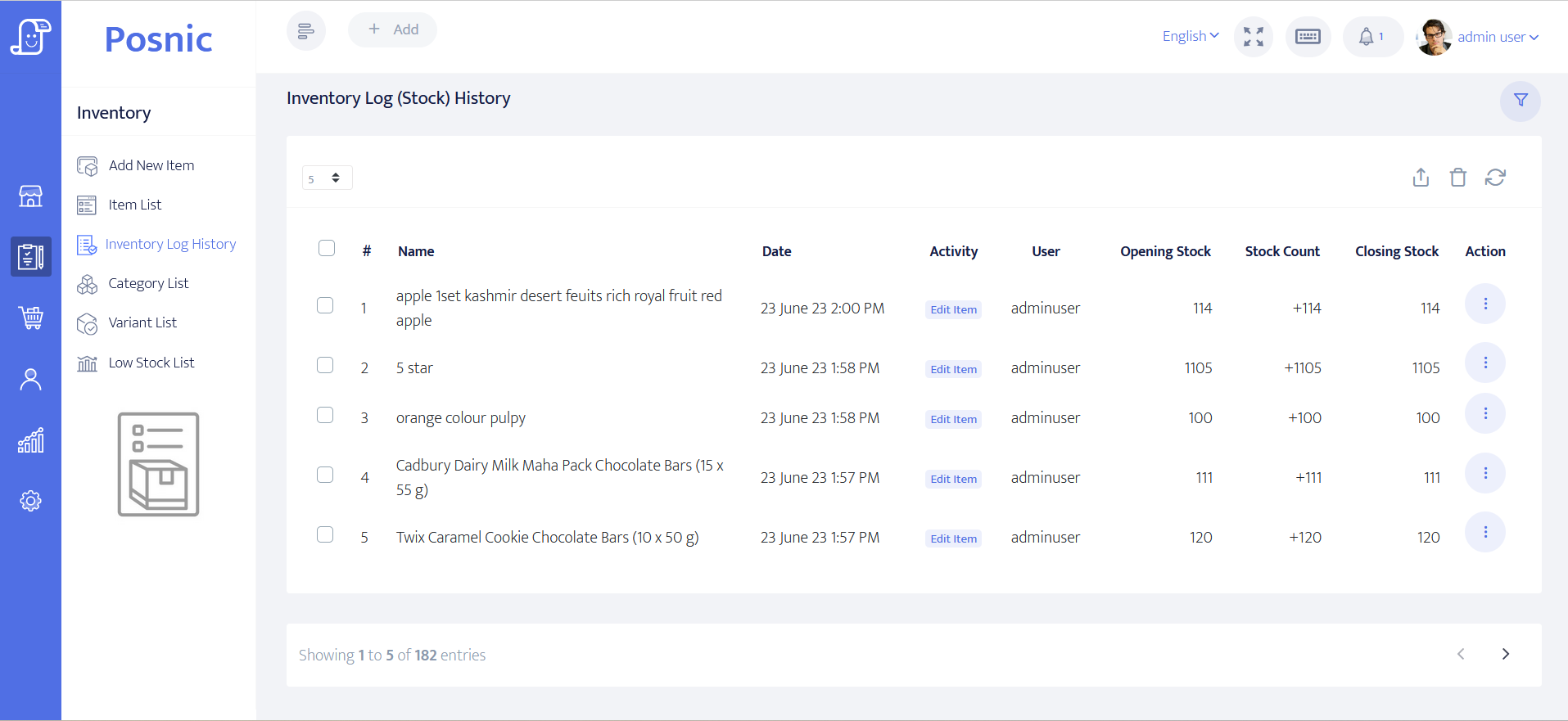
Inspect the tested application, then reproduce the result
Questions buyers ask
Is Posnic v1.9.0 free POS software for Windows?
The local desktop release can be downloaded and used without a Posnic account or trial clock. Hardware, setup, backup, support and optional hosted services remain separate operating decisions and costs.
Should I choose the Windows installer or portable EXE?
The installer is the primary package for the normal Windows installation path. The portable EXE can help with a contained evaluation, but it does not remove application data, backup, update or rollback responsibilities.
Why can Microsoft Defender SmartScreen warn about Posnic?
The current Windows EXEs are signed, but SmartScreen or organization policy can still warn about newly downloaded software. Confirm the official route and full hash, then follow the applicable policy.
Does a matching SHA-256 value prove the EXE is secure?
No. It supports that the local bytes match the bytes represented by the published value, assuming the value came from a trusted route. It is not a malware verdict, code audit or proof of suitability.
Does Posnic keep billing through any Windows outage?
That broad claim has not been established. The published controlled run covers one cash sale while external HTTPS was blocked inside Electron and the local API remained available. Test the exact internet, LAN, local-service, power and recovery paths your counter depends on.
Are all Windows printers and scanners compatible?
No universal model claim is made. Automated protocol tests do not replace the exact physical device, driver, connection and repeated counter workflow. Treat each required model as an acceptance test.
Primary sources used
Posnic v1.9.0 release
Official tagged release with the Windows installer, portable EXE and checksum asset.
Posnic stable release manifest
Machine-readable Windows file names, byte sizes, architecture, SHA-256 values and signing status used on this page.
Microsoft Get-FileHash
Official PowerShell documentation for calculating SHA-256 and comparing file content.
Microsoft SmartScreen reputation
Official guidance on publisher reputation, file-hash reputation, unsigned apps and Smart App Control boundaries.
Windows app and browser control
Microsoft support guidance for reputation-based protection and the controls that can affect downloaded apps.