Stable-release hotel restaurant decision record
Hotel and resort restaurant POS evaluation
Archived Posnic evidence has inspectable table-order, dine-type, PAX, KOT, KOT-report, unprinted kitchen-change, branch, register, receipt, report, backup and till-lock paths. It is not presented here as a hotel PMS, guest folio, room-charge, room-service, banquet, minibar or accepted outlet-consolidation system.
Reviewed 18 Aug 2026 against an archived evidence snapshot. Current release: v1.9.0.
Why this existing owner was strengthened
The two supplied Search Console exports contained three direct hotel billing or resort POS queries with five impressions and no clicks. That is evidence for improving this existing canonical owner, not for creating another URL.
| Included query | Clicks | Impressions | Decision |
|---|---|---|---|
| resort pos | 0 | 2 | Admitted to this hotel and resort restaurant owner |
| billing machine for hotel near me | 0 | 2 | Admitted to this hotel and resort restaurant owner |
| billing software for hotels | 0 | 1 | Admitted to this hotel and resort restaurant owner |
Excluded from the owner: "hospitality epos support scotland" and "hospitality epos london" had 18 combined impressions and no clicks, but they express support or local-supplier intent. Posnic does not claim a customer, office, reseller, installer, hardware stock or support operation in either market from those words.
Data boundary: the exports contain only query, clicks and impressions. They do not contain date, landing page, country, device, CTR or position, so this page makes no claim about trend, ranking, geography or the URL that received an impression.
Inspect the interface without treating it as hotel proof
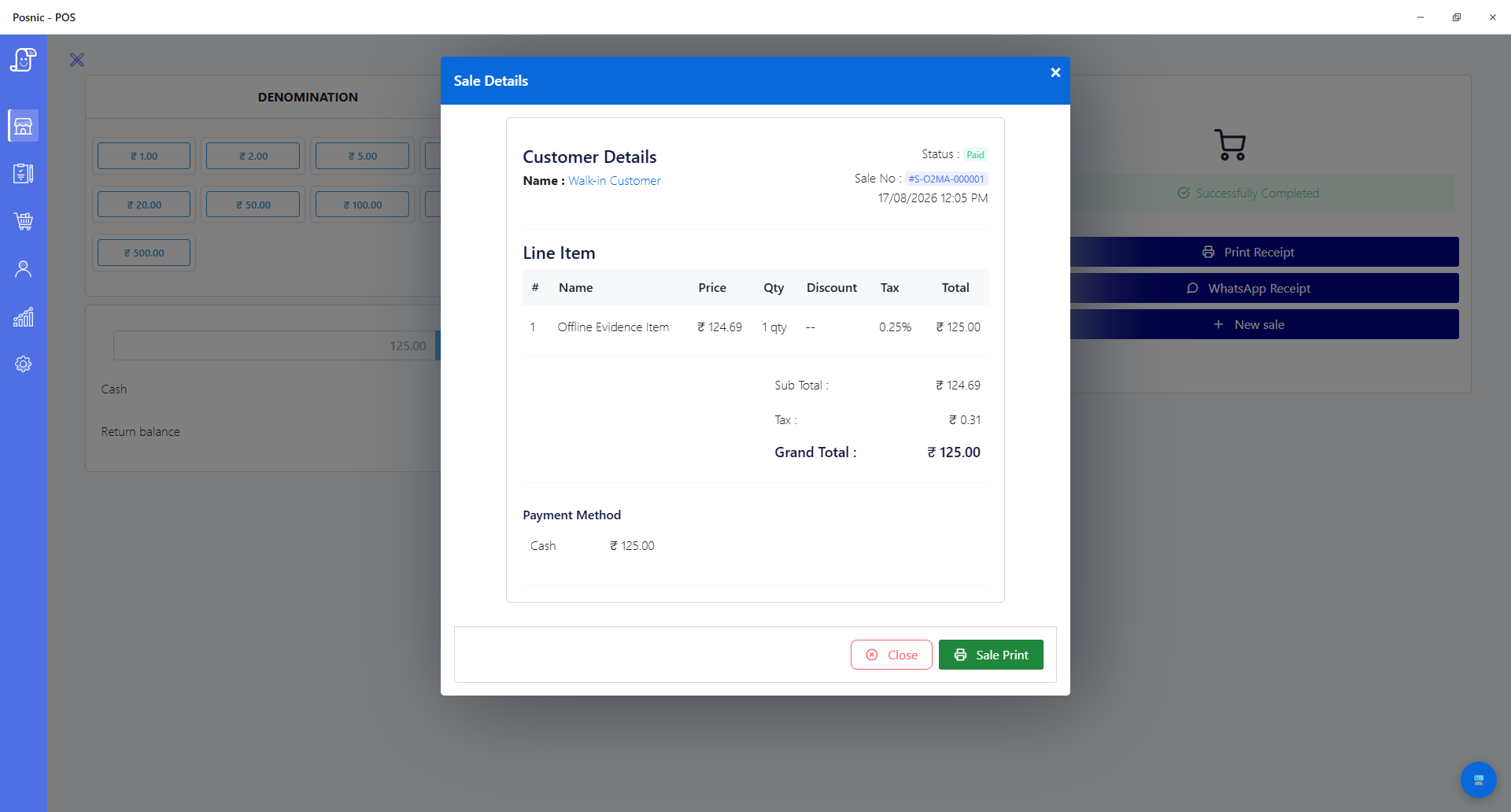
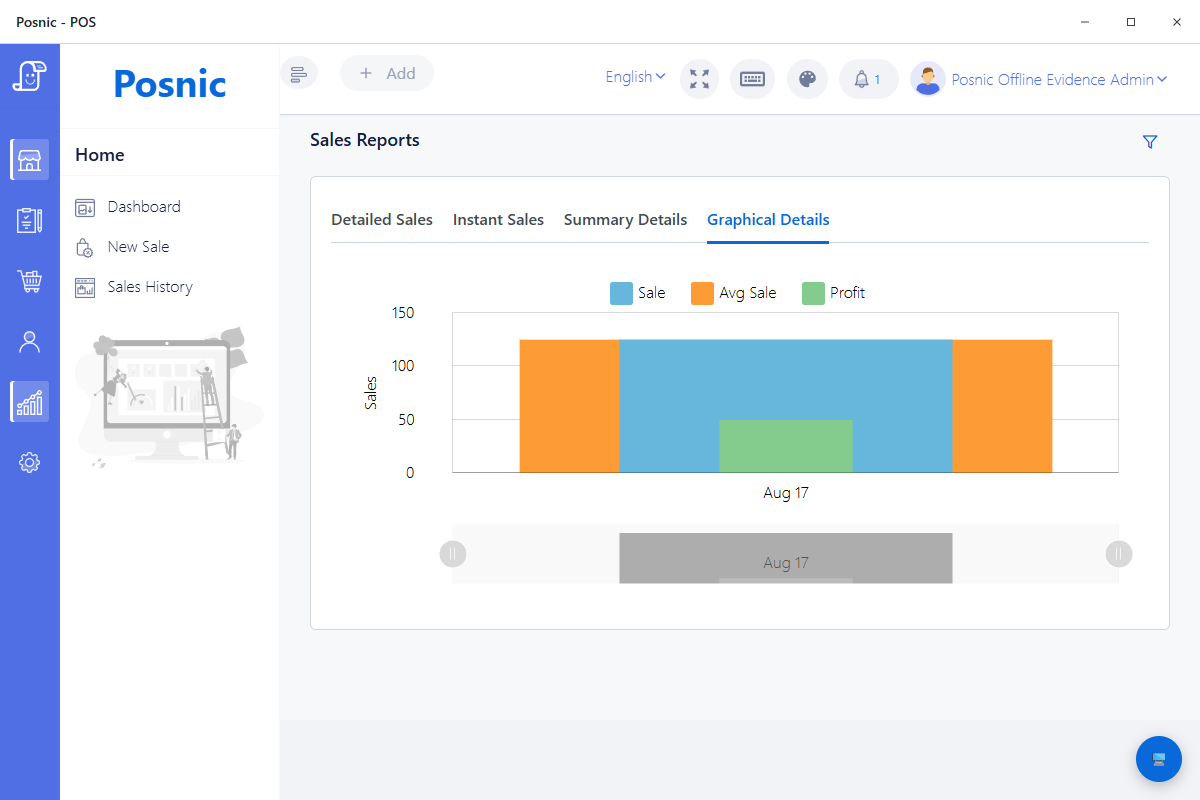
These captures came from the existing Posnic evidence run. Neither is a hotel customer, guest folio, room charge, kitchen ticket, outlet close or PMS reconciliation.
What the tagged public source establishes
The exact tag and lockfiles were reproduced on Windows 11 Pro 10.0.26200 (Windows_NT) with Node.js 24.19.0 and npm 11.17.0. The selected checks support bounded restaurant acceptance questions; failures, skips and the absent live shift prevent a hotel-readiness claim.
| Evidence path | Observed result | Useful acceptance question | Boundary |
|---|---|---|---|
| KOT interface | Table selection, takeaway, PAX, create, view, edit, discount, cancel and print controls are present | Can staff retain the agreed table, party size and item changes through preparation and close? | Interface presence is not an accepted service shift or hotel guest workflow. |
| Sale and KOT service | Table-Order is stored as unpaid KOT with table number, dine type and person count | Do representative dine-in and takeaway records preserve the accepted state and totals? | It does not authenticate a hotel stay or post a folio charge. |
| KOT report interface | Summary, item, discount, cancellation, open-item and table report views are present | Which report rows can be reconciled to accepted order and preparation records? | No every-report runtime or property-level reconciliation was completed. |
| Kitchen change-job source | The source fetches unprinted KOT changes and exposes a mark-printed path | Can additions and cancellations reach the exact approved station once and recover after failure? | No item-to-station route or physical kitchen or bar printer was accepted. |
| Generic branch source | Selected branch, tenant, role and dashboard paths ran; seven real-database isolation checks were skipped | Can each accepted outlet and property map to the correct identity, access and reporting boundary? | A generic branch is not proof of a hotel F&B outlet or consolidated property close. |
| Register and close source | Selected register, receipt, report, backup and till-lock paths ran; two register field-count checks failed | Can one outlet reconcile opening, sales, corrections, tenders, cash and recovery evidence? | No provider, bank, PMS, accounting or complete outlet close was reconciled. |
Reproduction boundary: 136 desktop checks passed in 23.422 seconds. The selected API attempt ran 2,757 checks in 46 suites: 2,738 passed, 12 failed and 7 were skipped in 24.168 seconds.
Twelve failed checks and seven skips stay in the decision
A failing unit expectation is not proof of a live customer outage, and a skipped real-database check is not a failure. Both are evidence boundaries that prevent the affected paths from supporting a production hotel decision without triage and a representative acceptance run.
| Suite | Result | Observed boundary | Decision |
|---|---|---|---|
| Setting model tests | 4 failed | One tax-group propagation expectation did not observe its update. Three payment-key expectations did not reach their expected result because the isolated run lacked ENCRYPTION_KEY. | Do not use this run as accepted tax propagation or payment-gateway configuration evidence. |
| Sale repository tests | 6 failed | Three find-by-ID expectations, two fallback document-number expectations and one QR-order creation expectation disagreed with the source result. | Do not infer accepted retrieval, fallback numbering or QR-order creation from this run. |
| Register model tests | 2 failed | The source exposed 20 fields instead of 18 and six hidden-by-default fields instead of four. | Review schema and test intent before using the suite as register-close evidence. |
| Real-database tenant isolation | 7 skipped | CI_MONGODB_URI was not supplied, so the selected cross-shop database assertions did not run. | Run them against an approved private test database before multi-property acceptance. |
Twelve outcomes this evidence does not prove
PMS and folio posting
No accepted guest-stay lookup, room-charge post, duplicate protection, status, retry, reversal or POS-to-PMS reconciliation was established.
Reservations and guest identity
No hotel reservation, room assignment, check-in state, guest profile, privacy notice or identity-match workflow was accepted.
Room service
No complete room identity, delivery state, guest contact, tray collection, posting, payment and exception workflow was established.
Banquets and events
No function sheet, package, deposit, headcount, schedule, amendment, final billing or cancellation workflow was accepted.
Minibar
No room capture, staff identity, timestamp, posting, dispute, replenishment or stock-reconciliation workflow was established.
Hotel outlet model
Generic branches do not prove restaurant, bar, room-service, event and property mapping or consolidated hotel accounting.
Station routing
Multiple printer names and KOT change jobs do not prove menu-item routing, station fallback, duplicate prevention or physical output.
Payment acceptance
No payment terminal, gateway settlement, chargeback, refund, room-charge authorization or PCI responsibility map was accepted.
Guest privacy
No data-purpose, minimization, access, disclosure, retention, deletion, incident or jurisdiction-specific privacy acceptance was completed.
Physical service devices
No receipt or kitchen printer, drawer, scanner, tablet, kiosk, display or payment device was connected in this review.
Complete close and recovery
No opening-to-close outlet shift reconciled POS, cash, provider, bank, PMS, accounting, stock, reports and restore evidence.
Production approval
The selected API run had 12 failures and 7 skips. The lockfiles also reported 27 npm audit findings; severity alone is not exploitability, but triage and qualified review remain required.
Run one representative hotel restaurant shift before approval
The downloadable record leaves every observation, evidence, owner, specialist review, decision and follow-up field blank. Fill it with the exact property, outlets, menu, staff, systems, tenders, devices, outage paths and reporting cutoff.
| Stage | Run with representative evidence | Retain before approval |
|---|---|---|
| 1. Scope and ownership | Name the property, outlets, POS, PMS, payment, accounting, kitchen, identity and reporting systems. | Approved source-of-truth and responsibility map including unsupported workflows and failure owners. |
| 2. Menu and service | Configure representative menu items, tables, PAX, takeaway, roles, taxes, discounts and complimentary rules. | Approved inputs, permissions, expected totals and rejected access evidence. |
| 3. KOT and preparation | Run new, amended and cancelled table orders through every required kitchen and bar destination. | Order IDs, timestamps, station output, print marks, duplicate checks and failure evidence. |
| 4. Hotel handoffs | Exercise eligible and ineligible stays, room posting, duplicate retry, reversal, room service, banquet and minibar needs. | Accepted PMS contracts and reconciled references, or a named external owner for every unproved step. |
| 5. Payment and privacy | Run approved cash and non-cash samples plus guest-data access, retention and incident controls. | Provider, bank, privacy, tax, accounting and security evidence from qualified owners. |
| 6. Close and recover | Reconcile one opening-to-close outlet shift, every property handoff, service interruption, backup and restore. | Close reports, source-system totals, unresolved differences, recovery timing, issue owners and final sign-off. |
Use independent controls for integration and trust
These primary sources define interoperability, payment and privacy questions. They do not certify Posnic and do not replace the property's legal, security, accounting, payment, tax, employment or brand review.
Hotel system responsibilities
Review AHLA HTNG completed workgroups for PMS, folio, food-and-beverage ordering, point-of-sale and back-office integration scopes.
Hospitality specifications
Open AHLA HTNG technical specifications to identify the relevant POS, PMS, payment, receivables and integration documents for the actual project.
Travel interoperability
Review OpenTravel messaging functions for the broader reservation, profile, payment, dining and partner-message domains that a hotel interface may need to own.
Guest-data privacy
Use the NIST Privacy Framework to frame data processing, privacy risks, responsibilities and lifecycle outcomes without treating it as local legal advice.
Payment responsibility
Read PCI SSC merchant guidance to map the actual devices, software, providers, card-data flow and validation responsibility.
Keep each hospitality question with the right owner
| Need | Use this owner | Reason |
|---|---|---|
| Hotel restaurant scope, PMS boundary, room posting and property handoffs | This hotel and resort restaurant guide | It owns the hotel F&B acceptance decision and preserves the integration gaps. |
| Broad menu, table, KOT and restaurant shift evaluation | Restaurant POS evidence | The restaurant owner covers generic food-service operation without assuming a hotel context. |
| Restaurant reports and menu-analysis boundaries | Restaurant report evidence | Report reconciliation and menu analysis are a separate decision. |
| Branch identity, tenant isolation and consolidated controls | Multi-branch POS evidence | Generic branch readiness is useful but does not become hotel outlet proof. |
| Exact printers, tills and displays | POS hardware compatibility | Physical acceptance is model, driver, connection, configuration and counter specific. |
| Internet, local service and recovery behavior | Offline POS evidence | PMS, network, payment, device, power and local service failures need distinct tests. |
| Bar-specific tabs, prices, licensing and closeout | Bar and pub POS evidence | Bar workflows have additional acceptance and legal boundaries. |
Hotel and resort restaurant POS questions
What hotel restaurant evidence has Posnic published?
The reviewed tag contains table-order KOT, table number, dine type, PAX, KOT create, edit, cancel and print interfaces, KOT reports, unprinted kitchen-change jobs, generic branch controls, registers, receipts, reports, backups and till locks. In this reproduction, 2,874 selected checks passed, 12 failed and seven were skipped. No complete hotel food-and-beverage shift was executed.
Does the archived Posnic evidence integrate with a hotel PMS?
No accepted PMS connector, authenticated guest-stay lookup, folio posting, duplicate protection, reversal or reconciliation workflow was established. Keep room posting disabled or in an accepted external process until the exact integration contract passes.
Can Posnic post restaurant charges to a guest room?
Not as an established workflow in this review. A room charge requires an authenticated current stay, approved amount and tax mapping, idempotent posting, visible status, reversal, retry and reconciliation evidence across POS and PMS.
Does Posnic provide room service, banquet or minibar workflows?
No complete room-service, banquet, event or minibar workflow was established. A generic item or note does not prove room identity, delivery state, deposits, package changes, posting, disputes or stock reconciliation.
Do Posnic branches equal hotel outlets?
No. Generic branch and tenant-scoping paths can be evaluated, but restaurant, bar, room service, event and property identities need an approved mapping, access model, accounting handoff and consolidated reconciliation.
Can Posnic route KOT items to kitchen and bar printers?
The source contains KOT print paths, unprinted change jobs, a mark-printed path and multiple printer-name settings. This review did not establish item-to-station routing or connect a physical kitchen or bar printer, so the exact routing and fallback must pass locally.
A download, record request, source click or local test is not a completed shift, PMS integration, folio result, payment result, customer, hotel deployment or revenue outcome.