POS operations guide
Building materials POS and billing software checklist
A cement bag, paint tin, pipe length, loose fitting and cut board do not create the same stock movement. Define product identity, selling unit, document state, customer balance and despatch evidence first, then prove one representative order from receipt through return before moving real stock or credit.
Evidence and review scope
Evidence reviewed 2026-08-19. Pinned item, unit, customer, sale, receiving and report source review; one previously reproduced local Windows sale; existing receipt, report and hardware-protocol evidence; five relevant rows from the supplied Search Console query export; and official UNECE, GS1, OpenPeppol, NIST, PCI SSC and W3C guidance.
Stable release: v1.9.0, source commit archived source snapshot. No complete building-supply day, pack conversion, cut-length or area calculation, quotation, order allocation, despatch note, proof of delivery, enforced customer credit limit, formal credit note, legal-for-trade scale, physical device set, local tax acceptance or production restore was executed.
What the current evidence establishes
Sale and quantity fields exist
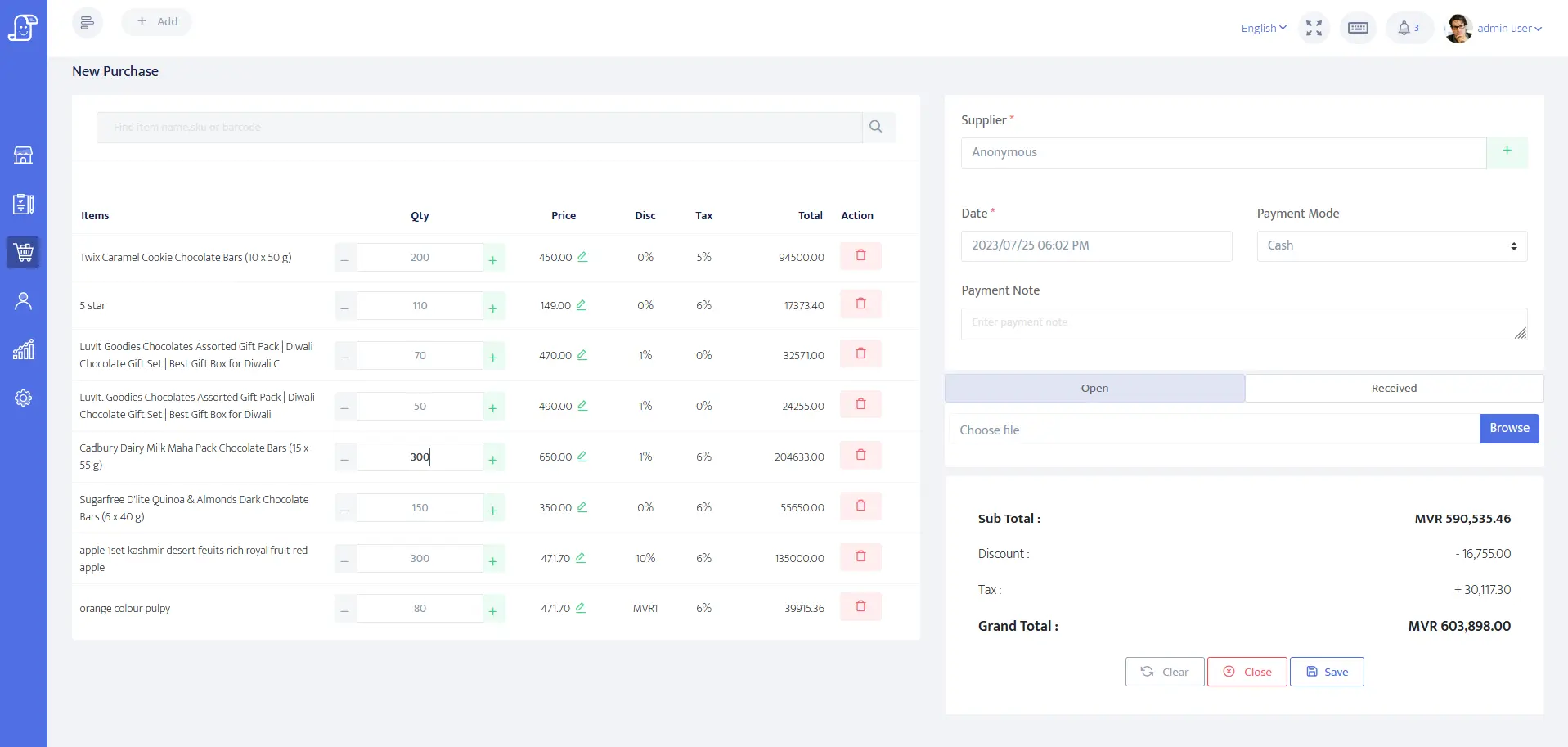
The pinned item and sale sources expose item identity, barcode, SKU, supplier, quantity, unit label, price, tax, discount and tracked-stock fields. One INR 125 local cash sale was stored and reopened, but it was not a building-material order or full counter day.
Decimal quantities need product-specific proof
Sale quantities accept decimals down to 0.001 and sale lines carry a unit label. That does not prove approved rounding, length, area, volume, weight, cut-piece remainder or legal-metrology behavior for any material.
A unit label is not pack conversion
The reviewed unit value is a short label and the item record references one unit. No accepted carton-to-piece, box-to-length or pallet-to-bag conversion engine was found. Use separate controlled SKUs or another accepted process until mixed units reconcile exactly.
Customer balance paths need enforcement tests
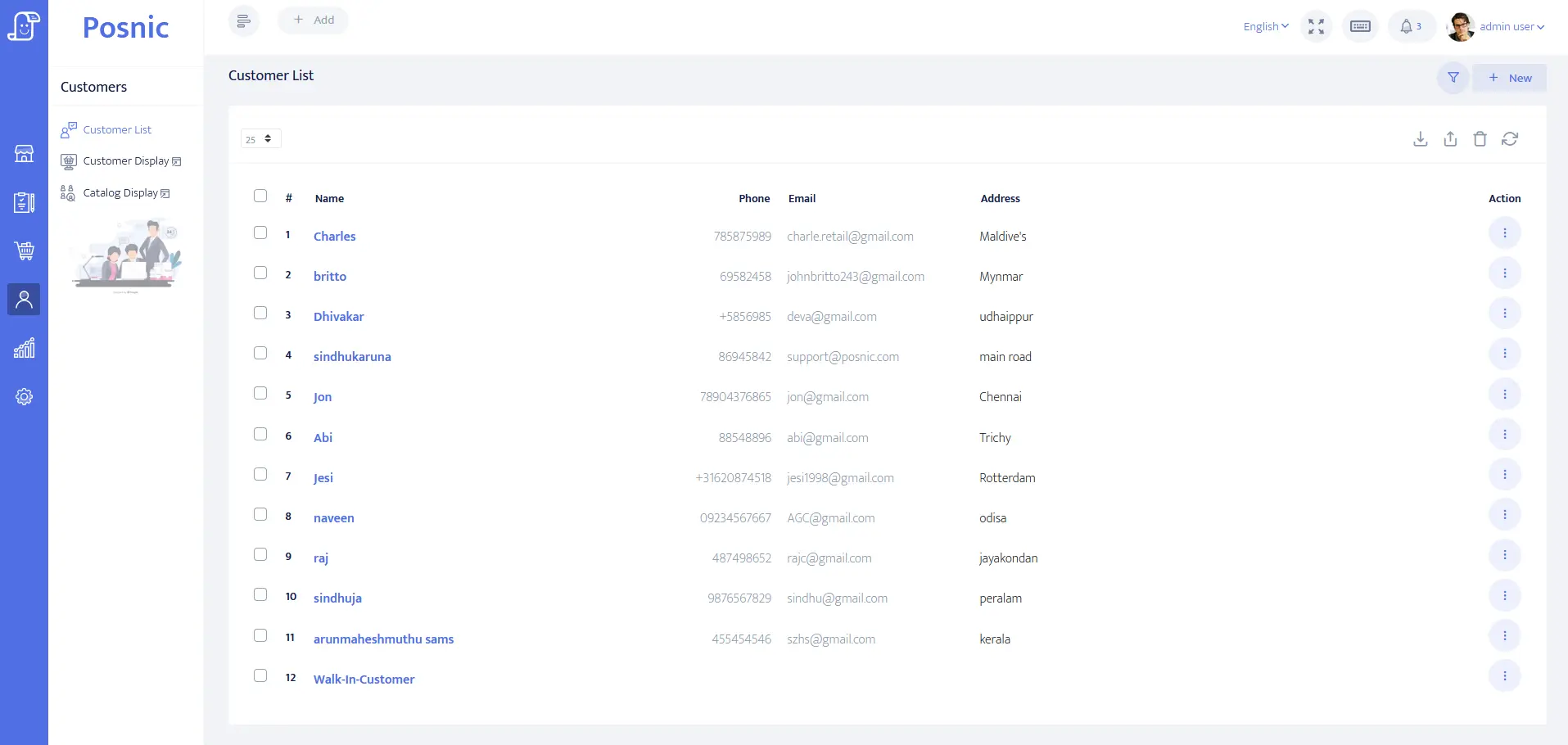
Customer and sale sources expose credit, balance, terms, partial-payment, payment-pending and outstanding-report fields. Their presence does not prove that credit limits, overdue holds, collections, corrections or write-offs are enforced end to end.
Receiving and stock paths are narrower than fulfilment
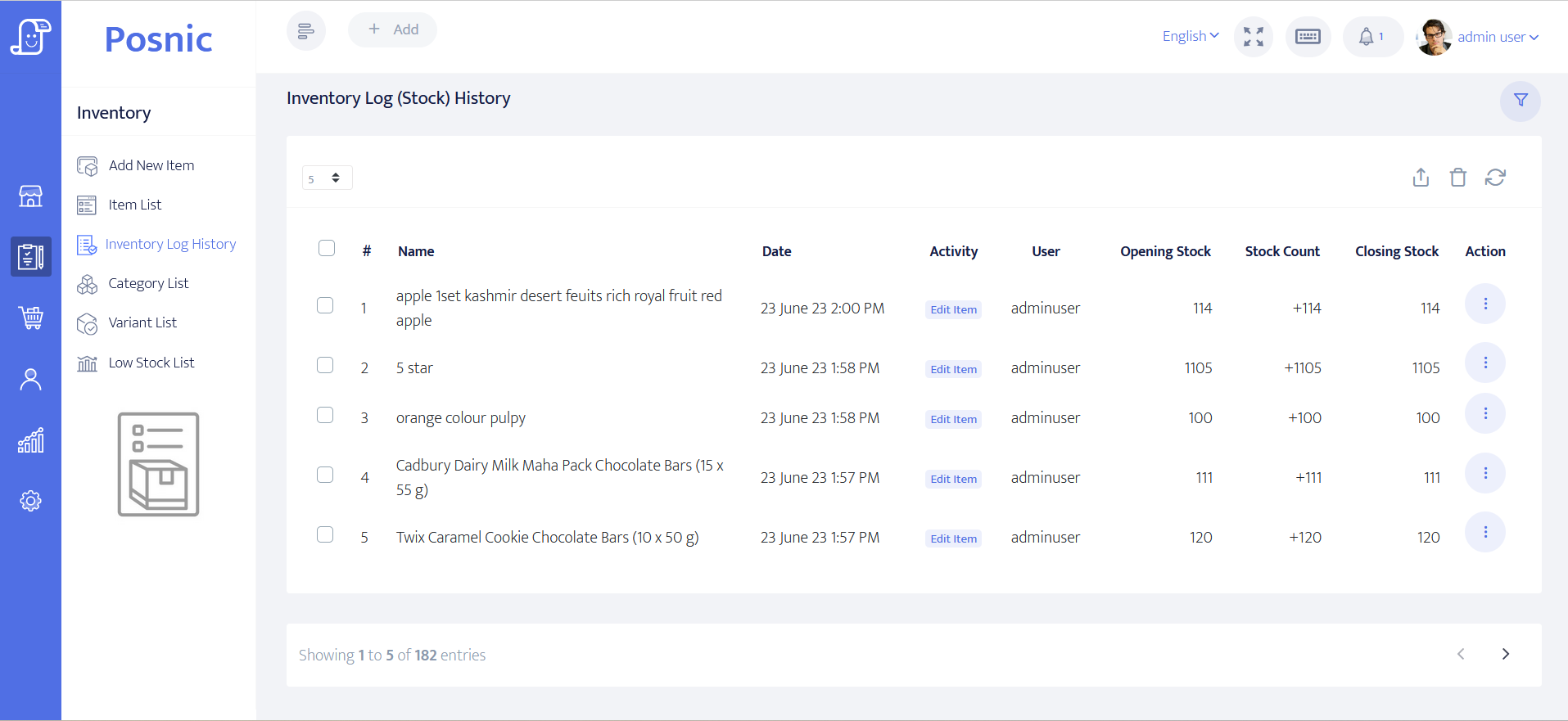
Supplier receiving, purchase return and stock movement paths exist. No accepted quotation, sales-order allocation, pick, despatch, proof-of-delivery or route-delivery lifecycle was found in the reviewed evidence.
Hardware evidence is protocol-only
Thirty-five receipt, report, cutter, drawer and scale protocol checks passed without a physical printer, scanner, drawer, scale, display, cable, driver or Windows spooler. Test the exact installed counter and yard devices.
Match every building-supply promise to a record
Keep commercial documents and physical movement distinct. A screen or field is evidence only for the state it actually records.
| Workflow | Minimum record | Current Posnic evidence | Go-live decision |
|---|---|---|---|
| Product and selling unit | Stable SKU or GTIN, description, base stock unit, selling unit, precision, tax and price owner. | Item identity, barcode, SKU, unit, quantity, price and tax fields exist. | Load representative bags, tins, pieces, lengths and weighted items; reject ambiguous units. |
| Pack or dimensional conversion | Source unit, destination unit, exact ratio or formula, rounding, remainder and audit history. | No accepted automatic pack, length, area or volume conversion engine was found. | Use controlled separate SKUs or an external calculation until every conversion reconciles. |
| Quotation and customer order | Versioned quote, approval, order ID, agreed price, expiry, allocation and change history. | No complete quotation or customer-order lifecycle was established. | Keep the approved quote and order in a controlled system and carry its ID into the sale. |
| Customer account sale | Customer, terms, limit, prior balance, invoice, payment, amount due and collection history. | Supporting customer, partial-payment, balance and outstanding-report fields exist. | Test limit breaches, partial payment, later collection, correction and overdue handling. |
| Supplier receiving | Supplier document, ordered and received quantities, unit, cost, shortage, damage, return and stock result. | Receiving, supplier, purchase-return and stock paths exist. | Receive and return a mixed synthetic load; reconcile documents, quantities, costs and physical count. |
| Pick and despatch | Order reference, allocated and picked quantities, vehicle or carrier, despatch note, shortages and proof of delivery. | No complete despatch or proof-of-delivery lifecycle was accepted. | Keep fulfilment external until shared IDs, failures, returns and reconciliation pass. |
| Invoice and credit note | Unique document IDs, source order or delivery, line units, tax, amount due, correction reason and original reference. | Sale, return and payment fields exist; no locally accepted formal credit-note workflow was proved. | Have the accountant or tax owner accept every document type and correction path. |
| Scale, scanner and printer | Named model, connection, driver, precision, label or barcode type, failure behavior and service owner. | Protocol tests used no physical device and make no model certification claim. | Test each device with real materials and applicable legal-metrology requirements. |
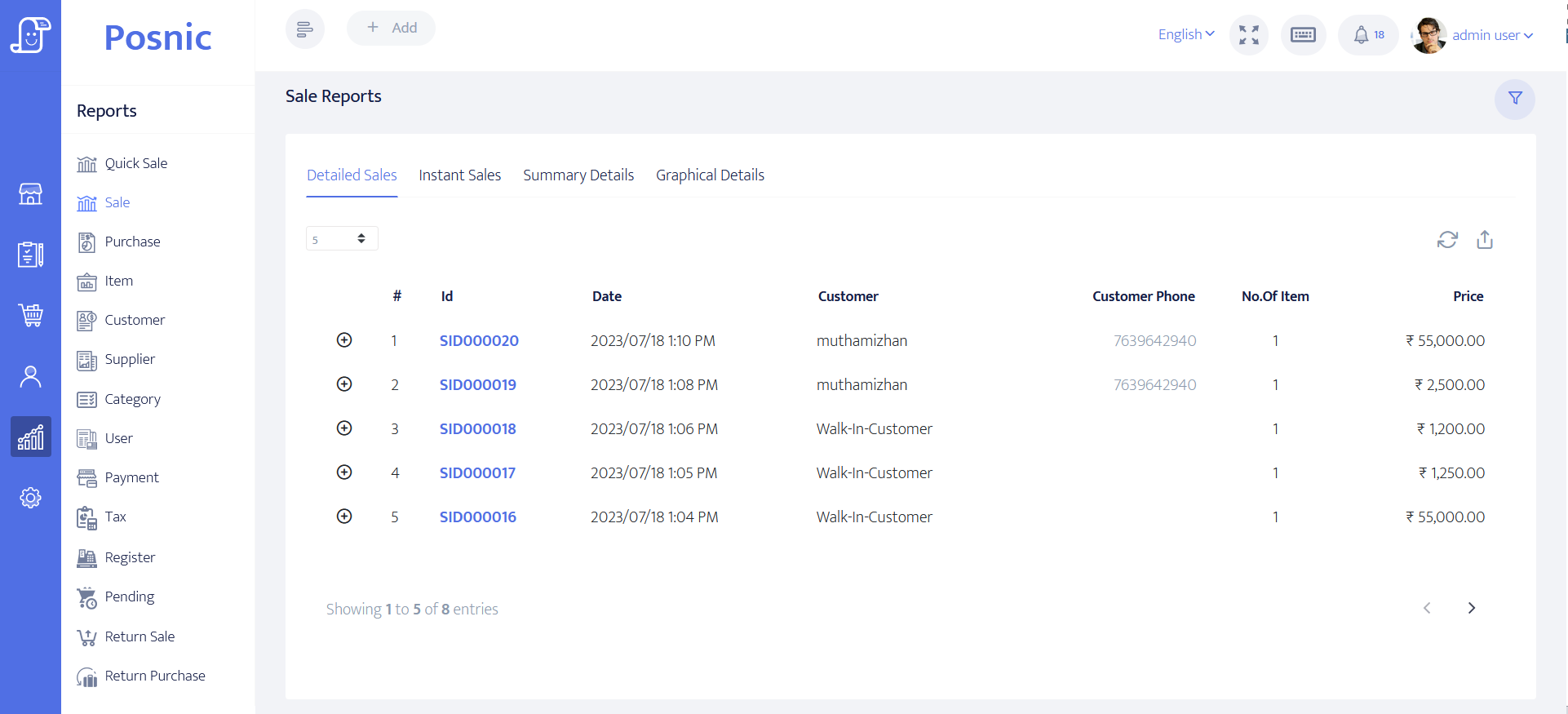
| Closing and recovery | Invoices, money, receivables, stock, despatch, returns, adjustments, backup and restored totals. | Reports and bounded backup evidence exist, not a completed building-supply close. | Reconcile one full pilot day and restore it on a clean test device before rollout. |
Practical workflow
Classify each material before import
Record whether stock is controlled by piece, pack, mass, length, area or volume. State the precision, permitted rounding and who owns conversions. UNECE Recommendation 20 codes are used in interoperable trade documents, but local sales and measurement law still applies.
Give each trade item a stable identity
A single tin, case and pallet can be different trade items. GS1 defines a GTIN for products or services that are priced, ordered or invoiced and its management rules cover pack or case quantity changes. Map every scanned code to one unambiguous unit and quantity.
Keep quotation, order, despatch and invoice separate
OpenPeppol publishes distinct order, despatch-advice, invoice and credit-note transactions. Even when a small business uses simpler documents, preserve separate IDs and states so an approved price is not mistaken for picked stock or a despatch note for payment.
Reconcile customer credit with physical delivery
Approved terms, credit limit, invoice amount, payment received, amount due, overdue state and proof of delivery are different facts. Do not release another load merely because an invoice exists or a customer record has a balance field.
Treat measuring and payment devices as separate systems
A decimal quantity in POS does not certify a commercial scale. In the United States, NIST Handbook 44 covers weighing and measuring devices; other markets have their own authorities. Payment terminals also remain within the merchant and provider security process.
Use another system where the record belongs
Construction estimating, project pricing, customer approvals, yard allocation, vehicle scheduling, proof of delivery, accounting and warehouse control may sit outside POS. Define shared IDs, retries, corrections and daily reconciliation instead of hiding those gaps in free-text notes.
An eight-step building-materials acceptance path
Use synthetic customers and a small catalogue that represents the hard cases. Retain source documents, screenshots, exports, receipts and physical counts so another person can repeat the decision.
Map the document chain
Name the owner and system for quotation, order, allocation, pick, despatch, delivery, invoice, payment, return and credit note.
Define product identities
Choose stable SKUs or GTINs for each sellable pack or unit and record descriptions that dispatch staff can distinguish.
Define units and precision
Set base stock unit, selling unit, ratios or formulas, permitted decimals, rounding and remainder treatment before import.
Receive representative stock
Receive complete, short, damaged and returned supplier lines and reconcile quantities, costs and physical count.
Run customer-account sales
Test approved price, full and partial payment, amount due, overdue state, limit exception, correction and later collection.
Run fulfilment exceptions
Test split load, short pick, substitution, failed delivery, customer return and stock that cannot return to sellable status.
Reconcile the pilot day
Match source order, invoice, payment, receivable, despatch, return, stock movement, physical count and accounting evidence.
Restore and approve
Restore an off-machine backup on a clean test device and record named owners for every failed or external control.
What the pilot must include
Hardware
- The exact counter or yard computer with its operating system and user permissions.
- The exact A4 or receipt printer with every required invoice and operational document.
- The exact scanner and every barcode type used on pieces, packs or pallets.
- Any commercial scale or measuring device with applicable approval, precision and failure procedure.
- Payment terminal, network, power protection and an off-machine backup destination.
Software and data
- Product identity, base unit, sell unit, precision, tax, cost, price and supplier ownership.
- Customer identity, billing and delivery address, terms, limit, balance and status.
- Separate quote, order, despatch, invoice, payment, return and correction references where required.
- Receiving, stock movement, damage, cut remainder, count and adjustment controls.
- Daily exports, reconciliation, backup, clean restore and rollback procedures.
Setup sequence
- Choose synthetic customers representing cash, approved account and blocked or overdue states.
- Build a small catalogue containing a piece, pack, fractional quantity, cut length, weighted material and service item.
- Document each base unit, sell unit, conversion, precision and rounding owner before import.
- Use separate controlled SKUs when the installed release cannot perform a required conversion safely.
- Record approved prices and changes outside cashier memory; prove every permitted override.
- Receive a mixed supplier load with shortages, damage and a purchase return.
- Run cash, account and partial-payment sales plus later collection and a limit exception.
- Carry an external quote or order ID into the sale and despatch evidence where the POS lacks that state.
- Run a split delivery, short delivery, customer return and formal correction with original references.
- Compare system stock with a physical count and explain every variance or cut remainder.
- Have the tax, accounting, payment, accessibility and measurement owners accept their controls.
- Restore an off-machine backup on a clean device and sign off every unresolved gap.
What each person sees
Counter staff
Need the approved customer, item, selling unit, price, tax and payment state without silent conversion or verbal pricing.
Yard and despatch staff
Need ordered, allocated, picked, short, loaded, delivered, returned and damaged quantities kept distinct.
Credit and accounts staff
Need invoice, payment, amount due, terms, overdue state, correction and accounting evidence that reconciles.
Owner or auditor
Needs margin, discount, receivable, stock, despatch, return, device and restore exceptions with named owners.
Product evidence to inspect
Mistakes to avoid
Avoid these during rollout
- Using one unit label while staff silently convert bags, boxes, pieces, lengths or weight.
- Rounding a measured quantity without an approved precision and remainder rule.
- Changing a global item price to satisfy one customer's quote.
- Calling a sale invoice a quotation, pick list, despatch note or proof of delivery.
- Releasing another load without checking amount due, terms and approved credit state.
- Returning damaged or cut material directly to sellable stock.
- Calling a decimal quantity field a certified commercial-scale integration.
- Treating a CSV export as posted accounting without IDs and reconciliation.
- Approving software before the exact printer, scanner, scale and payment terminal pass.
- Keeping the only backup on the counter computer or accepting restore without totals.
Run the 22-record building-materials acceptance pack
Record the operating model, item identities, units, conversions, prices, credit, receiving, order, despatch, correction, device, reconciliation and restore evidence. Observation and approval fields stay blank until the installed system is exercised.
Primary sources used
Pinned Posnic item model
Item identity, barcode, SKU, supplier, quantity, price, tax, unit and tracked-stock fields.
Pinned Posnic sale model
Sale-line quantity and unit plus customer, payment, balance and stock-related fields.
Pinned Posnic customer model
Customer address, tax identity, credit-limit, balance and payment-term fields.
Pinned Posnic receiving model
Supplier receiving, payment-state, purchase-return and inventory-update paths.
UN/ECE Recommendation 20 code list
OpenPeppol's published implementation list identifies UN/ECE Recommendation 20 unit codes used in electronic billing.
GS1 General Specifications
Official GS1 system rules for trade-item identity and barcode data.
GS1 GTIN management rules
Official rules include pack or case quantity and other changes that may require a distinct identity.
OpenPeppol ordering
Official ordering profile used to distinguish an order and response from later fulfilment and billing records.
OpenPeppol despatch advice
Official business process for goods prepared and sent to a consignee.
NIST Handbook 44
Current U.S. technical requirements for commercial weighing and measuring devices; other markets have their own authorities.
PCI SSC merchant process
Official merchant guidance for protecting payment-account data and selecting validated payment solutions.
W3C WCAG 2.2
Current W3C accessibility recommendation for web content including kiosk and mobile devices.
Questions
Can Posnic convert cartons, boxes, pieces and lengths automatically?
No accepted automatic pack, length, area or volume conversion engine was found in this review. Use separate controlled SKUs or another system until every representative mixed-unit transaction reconciles exactly.
Can Posnic sell fractional quantities?
The pinned sale model accepts decimal quantities down to 0.001 and carries a unit label. Test the exact product, rounding, receipt, return, stock deduction and any legal-metrology requirement before relying on it.
Can Posnic track customer credit and partial payments?
Customer credit, balance and payment-term fields plus sale partial-payment, amount-due and outstanding-report paths exist. Test limits, overdue holds, collection, correction and write-off behavior end to end.
Does Posnic include quotations and sales orders?
No complete quotation or customer-order lifecycle was established in the reviewed evidence. Keep those records in a controlled external process and carry stable references into sale and fulfilment records.
Does Posnic include despatch notes or proof of delivery?
No complete despatch or proof-of-delivery lifecycle was accepted. Keep allocation, loading, carrier, shortage, delivery and return evidence in an appropriate system until the integration passes.
Can a shop connect a weighing scale?
The existing evidence covers protocol logic without a physical scale or model certification. Test the exact device, driver, precision, tare, failure behavior and applicable local approval with the responsible authority.
Is a sales return the same as a credit note?
Not automatically. A formal credit note may need its own identifier, issue date, correction reason, tax treatment and reference to the original invoice. Have the local tax and accounting owner accept the document path.
What should a building-materials shop reconcile each day?
Match quotes or orders, invoices, payments, receivables, despatches, returns, stock movements, adjustments, physical exceptions and accounting evidence. Preserve every unresolved difference.
Where Posnic fits
Posnic Community Edition can be evaluated for item setup, decimal-quantity sales, customer records, partial payments, supplier receiving, quantity stock and reports. Do not rely on it for automatic pack or dimensional conversion, quotation, order allocation, despatch, proof of delivery, formal credit-note compliance, legal-for-trade scale behavior or accounting until the exact release and surrounding process pass the acceptance record.