POS operations guide
Wholesale POS software: buyer and acceptance guide
Wholesale counter sales, customer-account sales and distribution are not the same workflow. This guide maps the records a wholesaler needs, shows what archived Posnic evidence actually exposes, identifies the missing price-tier, pack-conversion, dispatch and accounting controls, and gives a repeatable pilot before real stock or credit is moved.
Evidence and review scope
Evidence reviewed 2026-08-18. Archived source snapshot review; customer, supplier, receiving, sale, inventory and report documentation review; 1,411 focused API source tests; one previously reproduced synthetic local sale; and official GS1 and PCI SSC guidance.
Stable release: v1.9.0, source commit 567a176. No complete wholesale day, customer-specific automatic price tier, quantity-break rule, carton-to-piece conversion, credit-limit enforcement, dispatch flow, sales order, quotation, route delivery, B2B portal, EDI, accounting integration, WMS, physical device or production cutover was accepted.
What the current evidence establishes
Core counter and stock records exist
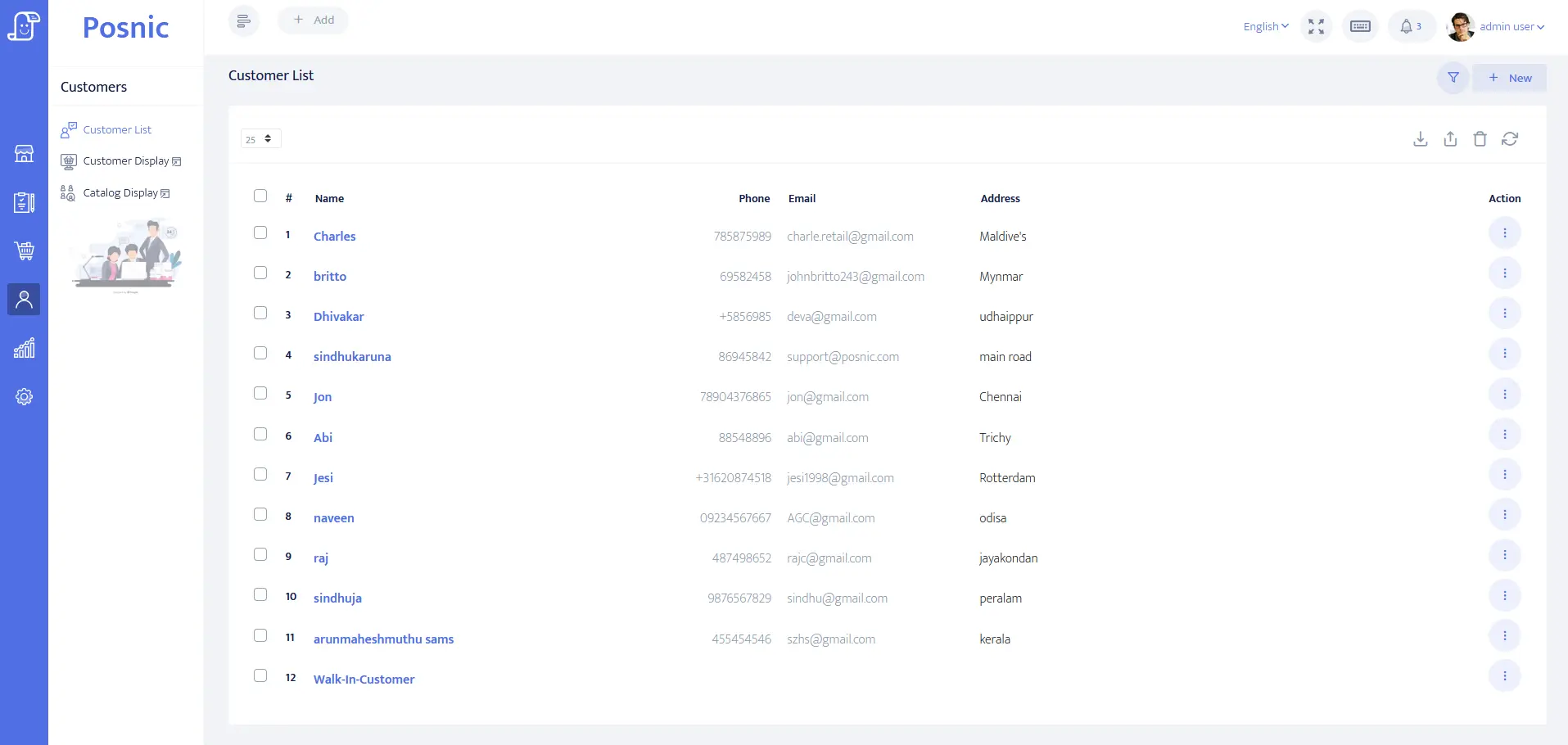
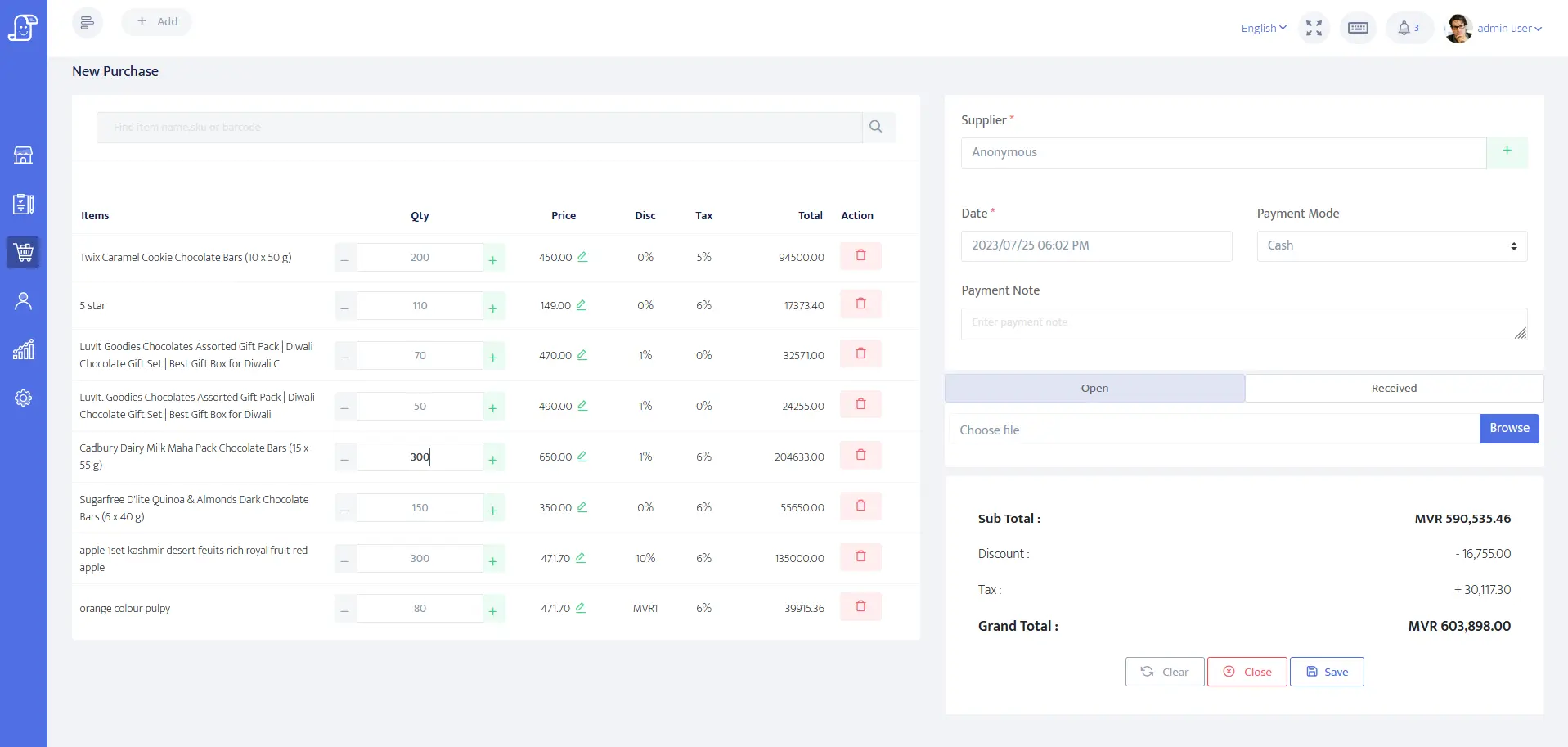
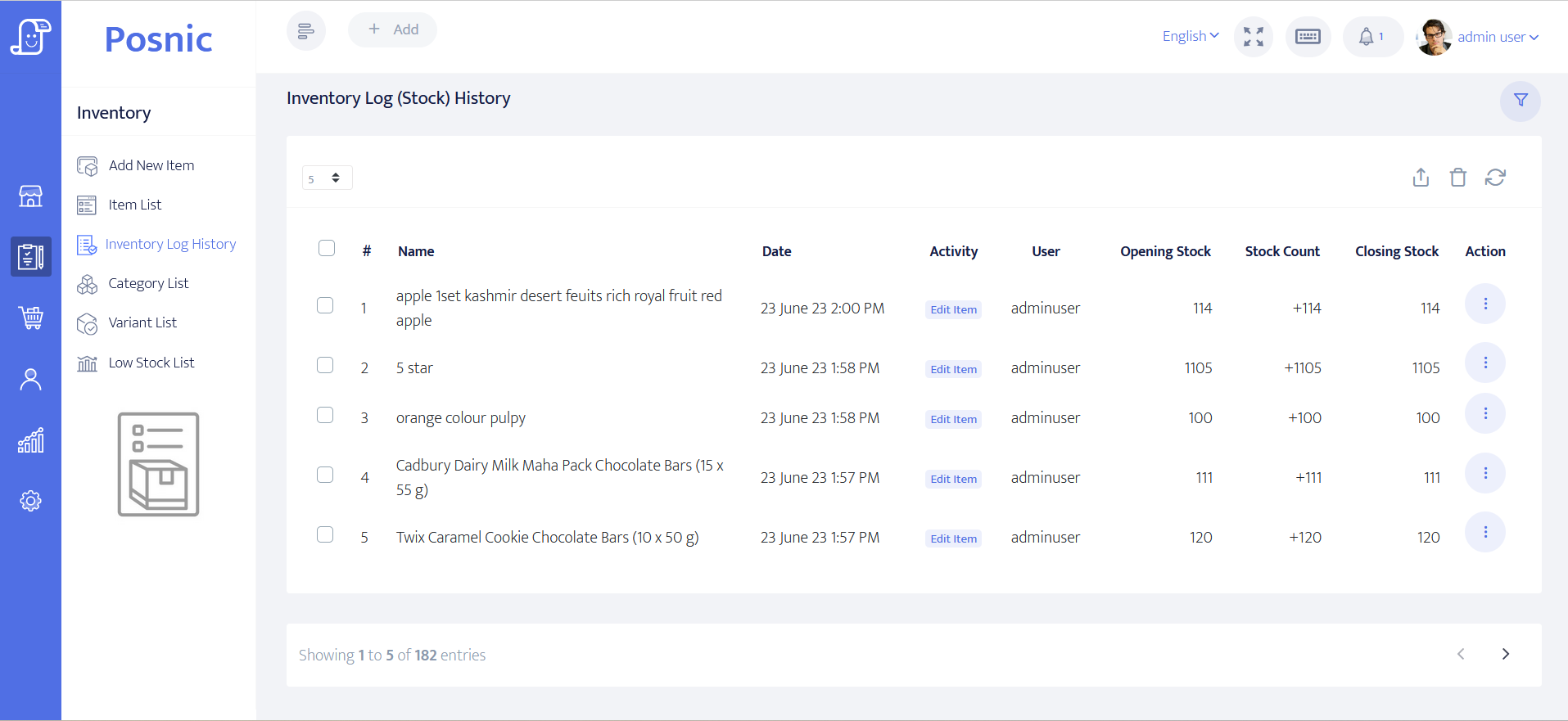
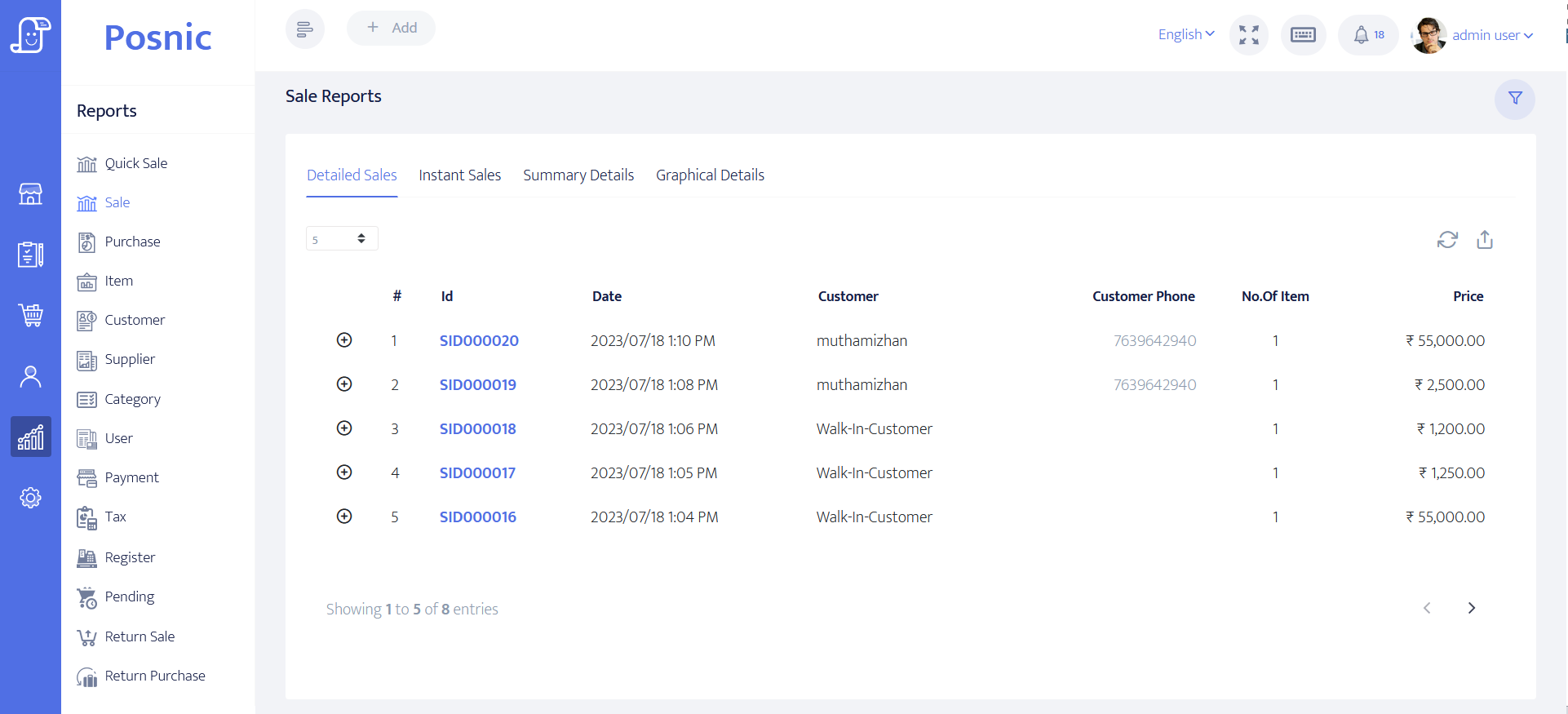
The pinned item, sale and receiving sources expose products, supplier, quantity, unit, cost and selling prices, taxes, customer references, payment state, purchases, returns and stock movement. This supports a controlled counter-sales pilot, not a complete distribution system.
Credit and partial-payment fields need a workflow test
The customer model exposes credit limit, current balance and payment terms; the sale model exposes customer, paid amount, balance, partial balance and payment status; and the API lists customer outstanding reports. Their presence does not prove that every limit, collection and correction is enforced end to end.
Automatic wholesale pricing is not established
The reviewed customer-category model contains identity and description fields, not a price list. The item model has general price fields and bulk price-update routes, but no accepted customer-specific tier or quantity-break engine was found. Staff must not treat a category label as a pricing control.
Focused source suites passed
Fourteen Jest suites covering customer categories, customers, suppliers, receiving, sales, sales reports, inventory and stock logs passed 1,411 tests. These are source-level results; no complete wholesale order, dispatch, payment collection or physical count was run.
Match each wholesale promise to a record
A product screen is useful evidence only for the record it actually controls. Keep unsupported distribution work in a named external process until an exact release passes acceptance.
| Workflow | Minimum record | Current Posnic evidence | Go-live decision |
|---|---|---|---|
| Cash-and-carry sale | Customer or walk-in, items, quantities, tax, discount, payment, user, receipt and stock result. | Sale, payment, item and stock paths exist; one synthetic local cash sale was reproduced previously. | Run a representative counter shift with normal, cancelled, failed-payment and returned sales. |
| Customer account | Customer identity, billing and shipping address, tax identity, terms, limit, balance and collection history. | Customer and sale models expose supporting fields; outstanding report routes are documented. | Test limit, partial payment, overdue collection, correction and write-off behavior with an accountant. |
| Customer price tier | Approved price list, customer assignment, effective dates, quantity breaks, overrides and audit history. | No price field exists in the reviewed customer-category model; item prices and bulk item-price updates are not customer tiers. | Do not promise automatic wholesale pricing until a representative price matrix passes end to end. |
| Carton, box and piece | Base unit, pack ratio, sell unit, conversion rule, barcode per level and exact stock deduction. | The item model exposes one unit field; no accepted pack-conversion engine was found. | Use separate controlled SKUs or another system until mixed-unit conversion reconciles without manual arithmetic. |
| Supplier receiving | Supplier, document, items, quantities, costs, payment state, exceptions, return and stock posting. | Receiving, supplier, purchase-return and pending-payment paths exist; no complete wholesale receipt was executed. | Receive and return a mixed order, then reconcile supplier evidence, stock and payment. |
| Dispatch and delivery | Sales order, allocation, pick, pack, dispatch note, carrier, proof of delivery, shortage and return. | No complete dispatch, route-delivery or proof-of-delivery lifecycle was found in the reviewed evidence. | Keep a controlled fulfillment record outside Posnic unless the exact integrated flow is accepted. |
| Accounting integration | Mapped accounts, tax, receivables, payables, inventory value, posting IDs, retries and reconciliation. | Reports and exports exist; no named accounting connector or accepted posting-and-reconciliation flow was found. | Treat export as input evidence, not as a posted ledger. Test a supported integration with the accountant. |
| Warehouse management | Bins, put-away, reservation, picking, cycle count, transfer, damage and immutable movement history. | Branch and quantity-stock paths do not establish WMS bin, allocation or fulfillment controls. | Use a WMS when physical operations require those controls and prove the POS handoff. |
| B2B online ordering or EDI | Buyer account, catalogue, contract price, order approval, availability, message status and exception handling. | No accepted B2B portal, electronic ordering or EDI workflow was found. | Keep order capture external and reconcile accepted orders into the counter process until integration is proven. |
Practical workflow
Classify the business before choosing software
A cash-and-carry counter may need fast billing and quantity stock. An account wholesaler adds customer terms and collections. A distributor adds orders, allocation, warehouse work, dispatch and delivery evidence. Write down which model the business actually runs.
Define product identity and unit rules first
Use stable SKUs or GTINs and decide the stock base unit before import. A carton barcode, inner-pack barcode and piece barcode can represent different trade items. Do not improvise conversion at checkout.
Separate approved price from cashier discretion
A wholesale price list needs ownership, effective dates, customer assignment, quantity rules and exception evidence. A manual discount or globally updated item price is not the same control.
Keep credit state and payment state distinct
Credit limit, approved terms, invoice balance, payment received, overdue amount and customer wallet or advance are different facts. Reconcile them before the next delivery is released.
Reconcile invoice, money and stock
Every test sale should produce three matching stories: what was invoiced, what was paid or remains due, and what physical quantity moved. Investigate differences before adding more users or locations.
Know when POS must hand off
Quotations, sales orders, route delivery, proof of delivery, EDI, accounting, warehouse bins and complex fulfillment may belong in another system. Define IDs, retry rules and daily reconciliation at each handoff.
An eight-step wholesale POS acceptance path
Use synthetic customers and a small representative catalogue. Retain exports, receipts, screenshots, physical counts and the exact release so another person can repeat every result.
Map the operating model
Separate walk-in counter sales, account sales, pre-orders, warehouse fulfillment, route delivery, returns and supplier receiving.
Define master data
Create customer, supplier, product, tax, SKU or GTIN, base unit, price owner, payment term and opening-stock rules.
Build the price matrix
List retail, wholesale, customer, quantity and date-based prices, then mark each rule as native, manual or external.
Receive representative stock
Test complete, partial, damaged and returned supplier lines and reconcile quantities, costs, documents and payment state.
Run account sales
Test approved price, discount override, partial payment, unpaid balance, limit exception, return and later collection.
Run fulfillment exceptions
Test short pick, substitution, split dispatch, failed delivery, customer return and goods that must not return to sellable stock.
Reconcile all records
Match invoice, payment, outstanding balance, supplier state, physical stock, system stock, reports and any external accounting or delivery record.
Restore and approve
Restore an off-machine backup into a clean environment, repeat critical totals and record named owners for accepted gaps before go-live.
Records and controls required
Master data
- Customer identity, billing and shipping addresses, tax identity, terms, limit and status.
- Supplier identity, payment state and return process.
- Product SKU or GTIN, description, base unit, pack levels, tax, cost, sell prices and reorder level.
- Named owner and effective date for every price list or override rule.
- Opening stock and opening receivable or payable balances reconciled to approved evidence.
Transactions and controls
- Sale, cancellation, return, exchange, partial payment and later collection with original references.
- Purchase receipt, shortage, damage, purchase return and supplier payment.
- Permission control for price, discount, credit, return, stock adjustment and report export.
- Physical count and stock-movement review by product and location.
- Daily close that reconciles invoices, money, balances, returns, discounts and stock exceptions.
External systems and recovery
- Order, dispatch, delivery, accounting, ecommerce, EDI or WMS handoff with shared IDs and failure ownership.
- Tax and invoice acceptance for every jurisdiction and document type used.
- Exact scanner, printer, network and payment-provider acceptance on the real counter.
- Complete export, off-machine backup, clean restore and replacement-device procedure.
- Rollback and cutover plan that preserves the previous source records.
Setup sequence
- Choose one representative customer from each real account type and use synthetic names for the pilot.
- Import a small catalogue containing single units, full packs, taxable items, discounted items and returned goods.
- Define the base stock unit and refuse mixed-unit go-live until every conversion produces the expected deduction.
- Document each required customer or quantity price and prove whether Posnic, a controlled manual step or another system owns it.
- Receive one mixed supplier order and reconcile complete, short, damaged and returned lines.
- Run cash, full-credit and partial-payment sales, then collect a later balance and verify the outstanding report.
- Run cancellation, sales return and exchange cases without deleting or overwriting the original transaction.
- Export sales, purchase, stock and outstanding evidence and compare it with the accountant's required records.
- Count physical stock and reconcile every variance before expanding the catalogue.
- Restore an off-machine backup on a clean test device and obtain owner sign-off with all unsupported workflows named.
What each person sees
Counter staff
Need the approved customer, item, unit, price and payment state without relying on memory or silent manual calculations.
Stock and dispatch staff
Need received, available, reserved, picked, damaged, returned and dispatched quantities kept distinct across systems.
Credit and accounts staff
Need invoice, payment, balance, terms, overdue state, correction and accounting-posting evidence that can be reconciled.
Owner or auditor
Needs margin, discount, receivable, stock, supplier and fulfillment exceptions with named users and retained source records.
Product evidence to inspect
Mistakes to avoid
Avoid these during rollout
- Calling a customer category an automatic price list without proving the selected customer changes the approved item price.
- Using one unit label while staff silently convert cartons, boxes and pieces.
- Changing the global selling price to satisfy one customer's agreement.
- Treating a partial payment as a fully settled invoice.
- Releasing another order without checking overdue balance and approved terms.
- Posting a supplier receipt without recording shortages, damage or purchase returns.
- Calling a sales invoice a pick list, dispatch note or proof of delivery.
- Calling a CSV export an accounting integration without posting IDs and reconciliation.
- Calling branch stock a WMS without bin, reservation, pick and cycle-count controls.
- Starting production before a clean restore and physical stock reconciliation.
Run the 21-record wholesale acceptance worksheet
Record the exact customer, product, unit, price, credit, receiving, dispatch, accounting, stock, device and restore evidence. A blank or failed row remains a named go-live gap.
Primary sources used
Posnic archived user guide
Pinned sale, return, purchase, stock, customer, outstanding-balance and report documentation.
Posnic customer model
Pinned customer identity, address, tax, credit-limit, balance and payment-term fields.
Posnic customer-category model
Pinned category fields used to verify that no customer price-list field is exposed in this model.
Posnic item model
Pinned item, unit, supplier, quantity, cost, selling-price, tax and stock fields.
Posnic sale model
Pinned customer, payment, paid amount, balance, partial balance and stock-related sale fields.
Posnic receiving model
Pinned supplier receiving, payment-state, return and inventory-update paths.
Posnic API inventory
Pinned routes for customers, outstanding reports, items, bulk price updates, suppliers, receiving, sales, returns and reports.
GS1 GTIN guidance
Official trade-item identity reference for product and packaging-level decisions.
GS1 SSCC guidance
Official identifier reference for logistic units such as pallets or cases moving through a supply chain.
PCI SSC merchant process
Official merchant guidance for protecting payment-account data and selecting validated payment solutions.
Questions
Is Posnic wholesale POS software free?
Posnic Community Edition archived evidence run has a zero software price for local use and public AGPL-3.0-only source. Hardware, setup, data preparation, support, accounting, fulfillment and optional cloud services can still create costs.
Does Posnic automatically apply a wholesale price for each customer?
No accepted customer-specific price-tier flow was found. Customer categories exist, but the reviewed category model exposes name and description rather than a price list. Test the exact price matrix and keep unsupported rules in a controlled external process.
Can Posnic track credit and partial payments?
Customer credit, balance and payment-term fields, sale balance fields and outstanding-report paths exist in the pinned source. A wholesaler must still test limits, partial payment, later collection, corrections and overdue handling end to end.
Can Posnic convert cartons, boxes and pieces automatically?
No accepted conversion engine was found in this review. The item model exposes one unit field. Use separate controlled SKUs or another system until representative mixed-unit sales reconcile exactly.
Can Posnic record supplier purchases and returns?
Supplier, receiving, payment-state, purchase-return and stock paths exist in the pinned source. Run a mixed receipt and return against physical stock and supplier documents before relying on them.
Does Posnic include dispatch, route delivery or proof of delivery?
No complete dispatch or delivery lifecycle was found in the reviewed evidence. Keep those records in a purpose-built process and reconcile shared order and invoice identifiers.
Does Posnic integrate with accounting software?
No named accounting connector or accepted posting-and-reconciliation flow was found. Reports or exports can provide source evidence, but they are not a posted general ledger.
Is Posnic a warehouse management system?
No WMS claim is made. Quantity stock and branch paths do not by themselves establish bins, put-away, reservation, picking, packing, cycle counts or fulfillment control.
Where Posnic fits
Posnic Community Edition can be evaluated for wholesale counter sales, customer records, partial payments, supplier receiving, quantity stock and reports. Do not rely on it for automatic customer price lists, pack conversion, dispatch, route delivery, B2B ordering, EDI, accounting or WMS until the exact release and integration pass the worksheet. Optional cloud services require their own acceptance.