Hardware POS workflow
Hardware store quotation to invoice workflow for POS
A hardware counter often starts with a site estimate, then becomes a deposit, stock hold, pick list, delivery and final invoice. Treat each state as a separate business record so a quoted price does not turn into missing stock, disputed credit or a tax invoice issued too early.
Evidence and review scope
Reviewed 2026-09-01. This page is a business workflow guide for hardware stores, paint shops, electrical counters, plumbing suppliers and building-materials retailers. It separates the workflow a shop should control from the product evidence Posnic can currently point to.
Stable release: v1.9.0. Product boundary is pinned to the archived source snapshot. No complete quotation, stock reservation, dispatch, proof-of-delivery, formal credit-note or construction-site order lifecycle was accepted from that evidence.
Quote to invoice is not just a billing button
Customer request
Capture who is asking, the delivery site, the required date and whether this is a cash sale, account sale or project quote. A site name alone is not enough when the invoice and delivery addresses differ.
Quote version
Save a numbered quote with item, unit, quantity, price, discount, tax treatment, validity date and salesperson. When rates change, create a new version instead of editing yesterday's promise silently.
Price validity
Cement, steel, cable, paint and fittings can move quickly. Staff need to know whether the customer accepted the old price, a revised price or a price that must be approved by the owner.
Stock hold
A quotation is not always a reservation. Define whether stock is held only after approval, deposit, purchase order or credit check, and show expiry so unavailable stock is released back to the counter.
Deposit and credit
Deposits, contractor credit and partial payments need separate evidence. The final invoice should show what was supplied, what was already collected and what remains due.
Dispatch boundary
Picking and delivery are not the same as invoicing. Keep ordered, picked, loaded, delivered, short and returned quantities distinct so disputes can be settled from records, not memory.
The document chain for a hardware quotation
A small shop can run this with simple forms, spreadsheets and POS references. The important part is that each commercial state has one owner and one source of truth.
| Stage | Record to keep | Why it matters | Go-live check |
|---|---|---|---|
| Enquiry | Customer, site, requested items, unit and required date. | Stops the counter from mixing one contractor's sites or one customer's repeated quotes. | Every quote starts from a named customer and site. |
| Quotation | Quote ID, version, price, tax treatment, validity, terms and owner approval. | Protects margin when supplier cost or customer quantity changes. | Expired quotes cannot be converted without review. |
| Approval | Customer acceptance, purchase order, deposit or credit approval. | Separates a proposed price from a committed sale. | Staff can prove who approved the conversion. |
| Reservation | Reserved quantity, expiry, branch, bin or yard location. | Prevents the same stock from being promised twice. | Reserved stock is visible and released when the quote expires. |
| Picking | Picked quantity, substitute item, shortage and damaged material. | Shows what left the shelf or yard before delivery. | Short pick and substitution need owner or customer acceptance. |
| Delivery | Vehicle, site, receiver, delivered quantity and exception note. | Reduces disputes for site orders and account customers. | Proof of delivery is matched before closing an order. |
| Invoice | Invoice ID, source quote, supplied items, unit, tax, payment and balance due. | Creates the financial record only for what was actually supplied. | Invoice lines match delivered or collected items. |
| Collection | Cash, card, bank transfer, UPI, cheque or credit ledger update. | Keeps deposits, partial payments and dues visible. | Daily close reconciles tender and receivable changes. |
| Return or correction | Original invoice, reason, item condition, restock decision and correction document. | Prevents damaged, cut or wrong material from returning to sellable stock without review. | Every correction references the original supply record. |
| Day close | Quotes converted, invoices issued, payments, receivables, stock changes and exceptions. | Shows whether commercial records and physical stock agree. | Unresolved differences have named follow-up owners. |
A safe conversion sequence
- Create a synthetic contractor and two delivery sites before testing with real customer data.
- Quote a mixed basket: bagged item, box item, length item, loose item, special order item and delivery charge.
- Set a quote validity date and a rule for price changes after supplier cost changes.
- Record whether stock is merely quoted or actually reserved, and when a reservation expires.
- Take a deposit or approve credit and connect that record to the quote reference.
- Pick a full order, a short order and a substituted item so staff can see exception handling.
- Run customer pickup and site delivery as separate fulfilment cases.
- Convert only the supplied items to an invoice, then reconcile payment, deposit and amount due.
- Return one sellable item and one damaged or cut item without hiding the condition change.
- Close the day by matching quotes, invoices, payment, receivables, stock movement, returns and unresolved exceptions.
Controls the owner should accept
Commercial controls
- Quote ID and version stay visible after conversion.
- Expired quote conversion needs a fresh approval.
- Customer-specific prices do not overwrite the global item price.
- Deposits reconcile against invoice, cancellation or refund.
- Credit limit and overdue exceptions are visible to the owner.
Inventory and delivery controls
- Reserved stock has branch, quantity, expiry and release rules.
- Picked, short, substituted and delivered quantities stay separate.
- Cut lengths, damaged goods and opened packs need restock decisions.
- Supplier special orders show customer, quote and expected arrival.
- Daily close reconciles stock movement with invoices and delivery evidence.
Product evidence to inspect
Use the blank acceptance record
Download the 20-control quote-to-invoice record and keep observed results blank until the installed workflow is tested. It covers customer identity, quote versions, price validity, reservation, deposit, picking, delivery, invoice, credit, return and day-close evidence.
Primary sources used
Pinned Posnic item model
Item identity, barcode, SKU, supplier, quantity, price, tax, unit and tracked-stock fields.
Pinned Posnic sale model
Sale-line quantity and unit plus customer, payment, balance and stock-related fields.
Pinned Posnic customer model
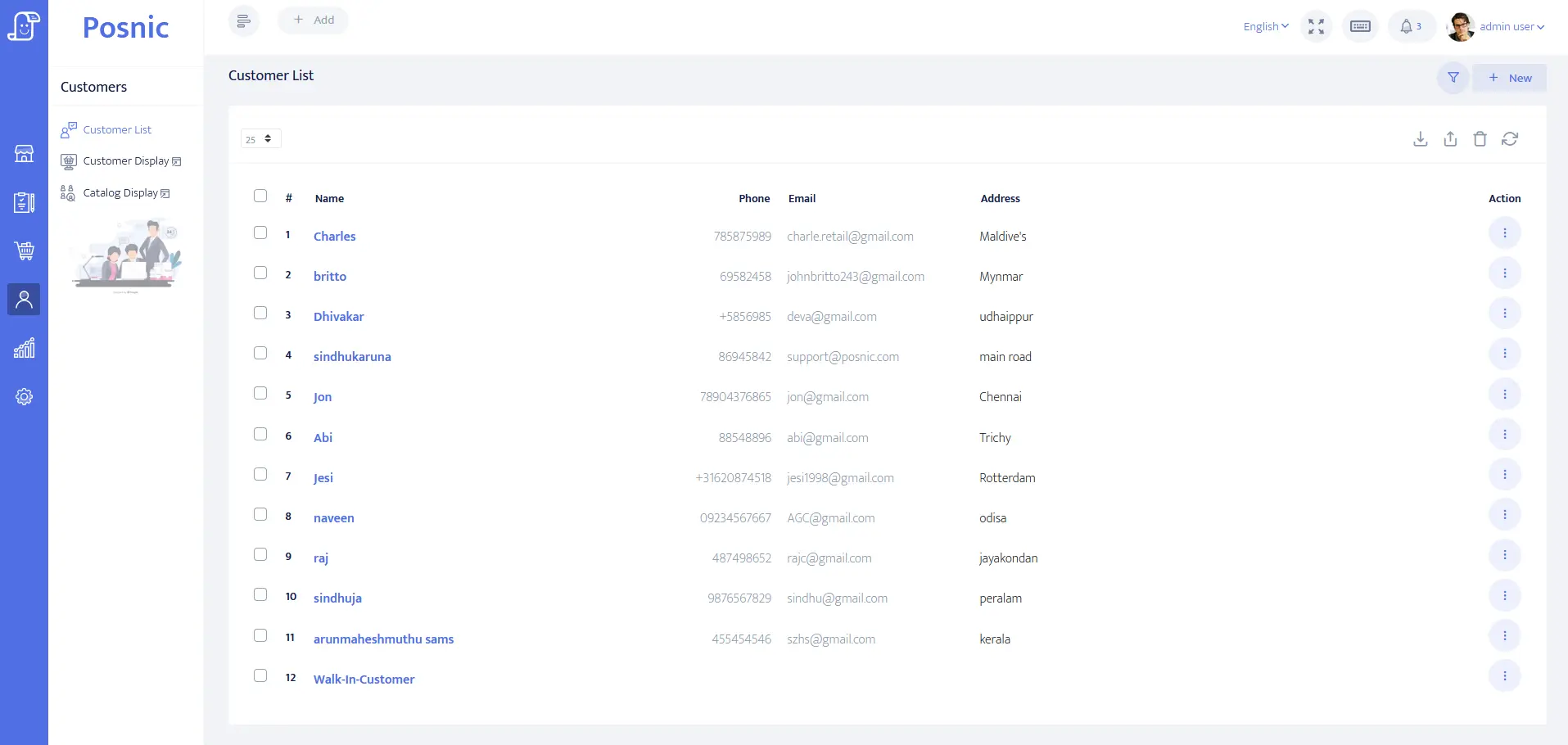
Customer address, tax identity, credit-limit, balance and payment-term fields.
Pinned Posnic receiving model
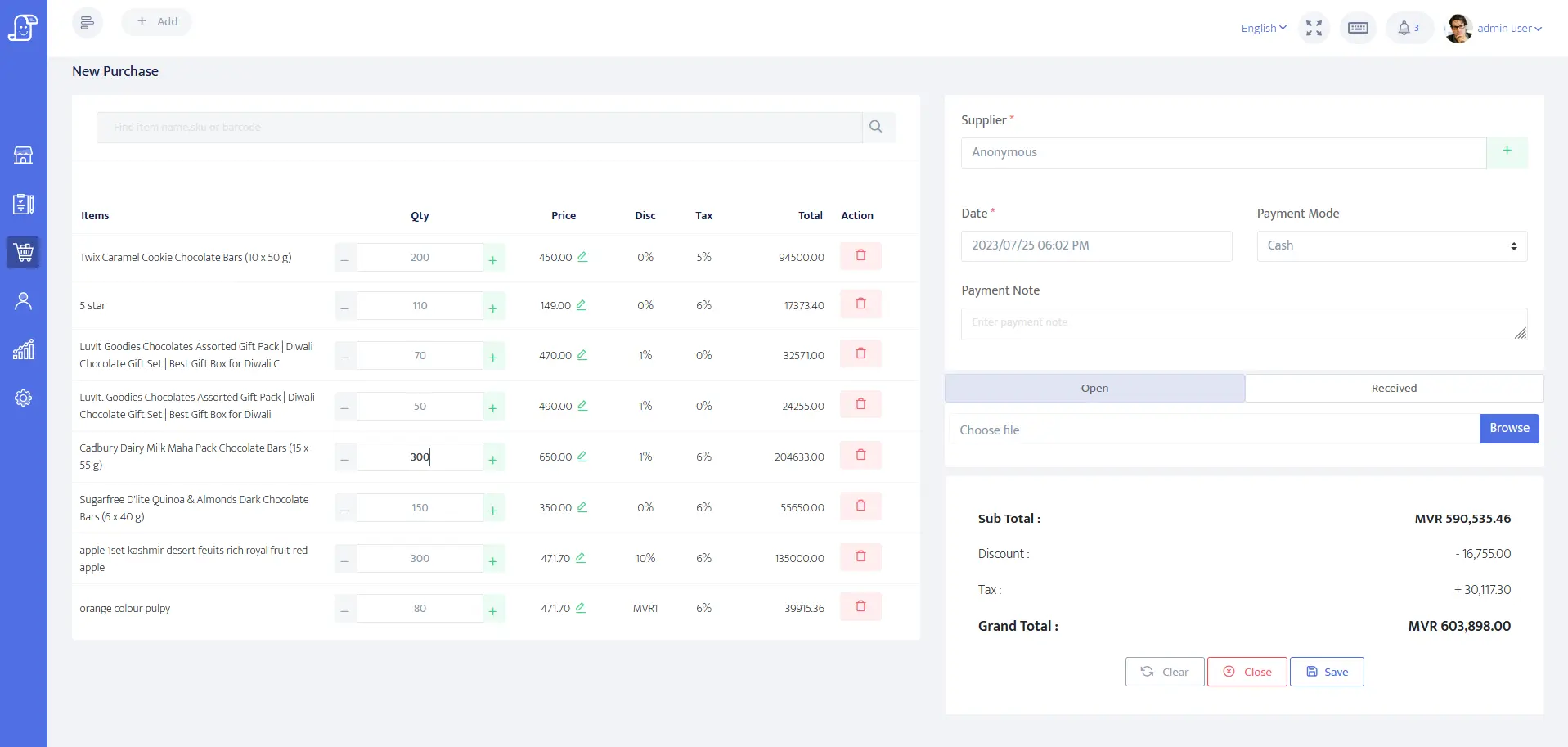
Supplier receiving, payment-state, purchase-return and inventory-update paths.
OpenPeppol ordering
Official ordering profile used to distinguish orders from later fulfilment and billing records.
OpenPeppol dispatch advice
Official business process reference for goods prepared and sent to a consignee.
GS1 GTIN management rules
Official rules include pack or case quantity changes that may require a distinct identity.
UNECE Recommendation 20 code list
Published unit codes commonly used in interoperable electronic billing documents.
PCI SSC merchant process
Official merchant guidance for payment-account data and validated payment solutions.
Questions
Is a quotation the same as an invoice?
No. A quotation records an offered price and terms before the sale. An invoice records a supplied product or service and the amount owed. Keep separate IDs, dates and approval evidence.
Should a hardware store reserve stock when creating a quotation?
Only if the business has a named reservation rule. Many shops quote without holding stock, then reserve or pick stock only after approval, deposit or credit acceptance.
How should deposits be handled before the final bill?
Record the customer, quote or order reference, amount, payment method, date and refund or adjustment rule. The deposit should reconcile against the final invoice or cancellation record.
Can a quote be converted to a bill safely?
Yes, but only when customer identity, approved price, item unit, available stock, tax treatment, payment state and delivery decision are checked before the invoice is issued.
How should partial delivery be recorded?
Keep ordered, picked, delivered, short and pending quantities separate. Do not mark the full quotation complete unless the delivery and invoice records match the actual material supplied.
What should contractor credit accounts show?
They should show approved limit, payment terms, previous balance, current invoice, received amount, amount due, overdue state and the person who allowed any exception.
Does a hardware shop need proof of delivery?
For site orders, bulk goods or account customers, proof of delivery reduces disputes. It should identify the order, material, quantity, site, receiver and delivery exception.
Where does Posnic fit in this workflow?
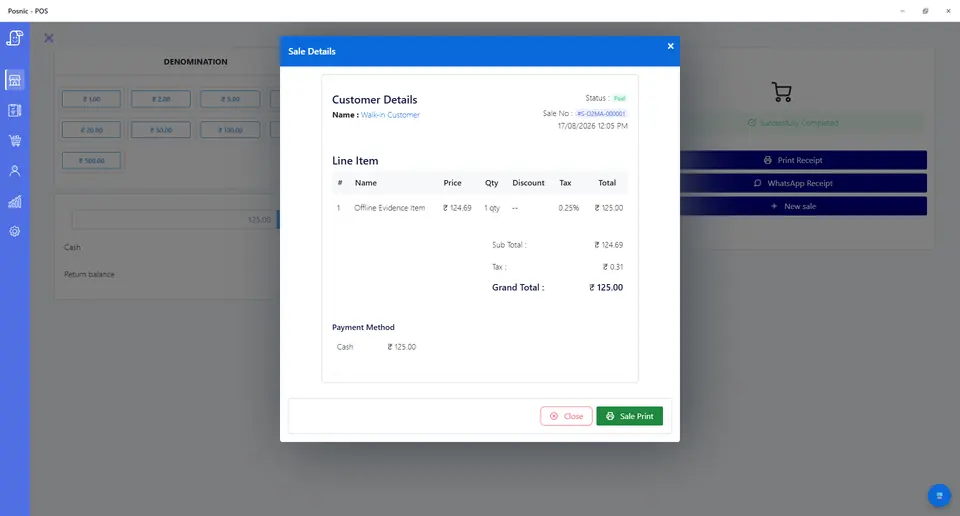
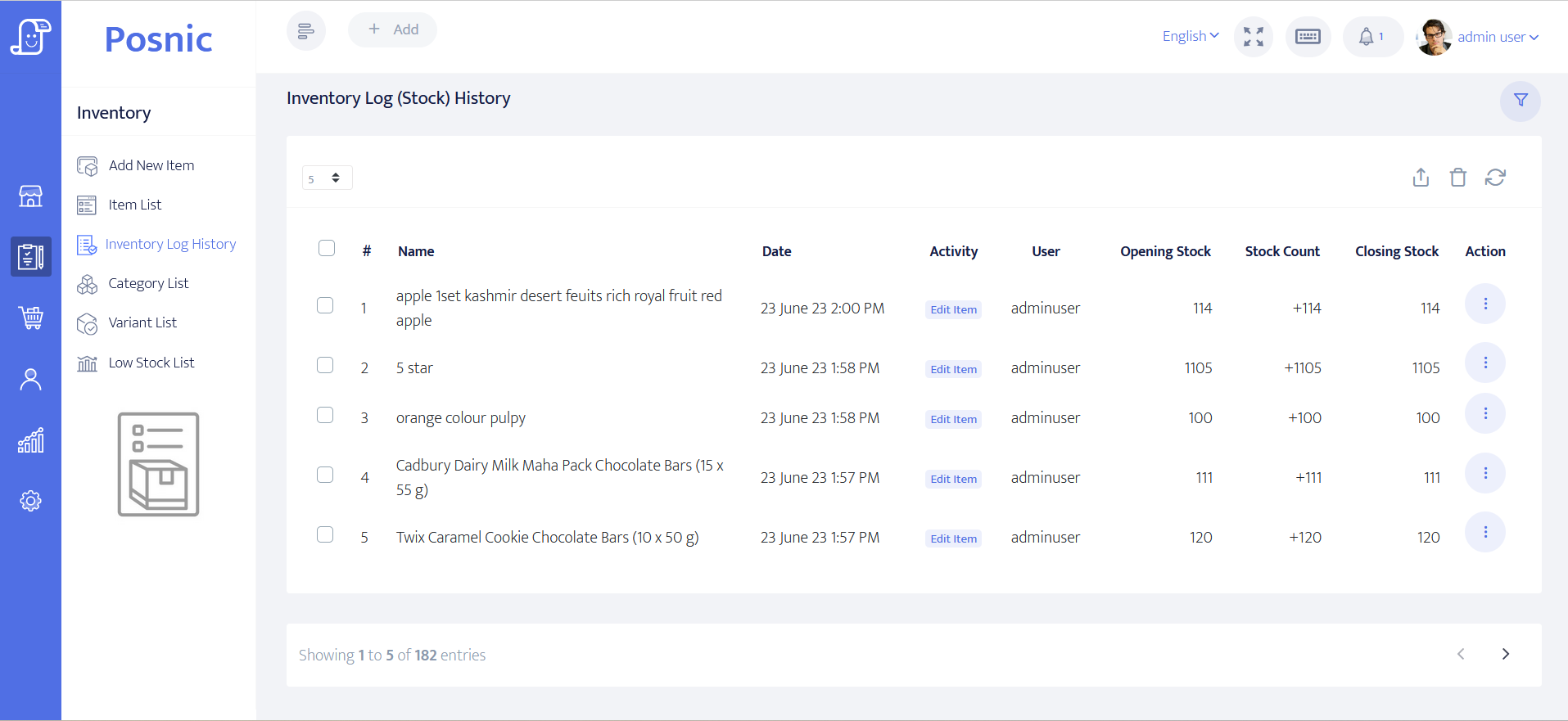
Archived Posnic evidence supports item setup, decimal quantities, customer records, partial payments, receiving, stock history and reports. It does not prove a complete quotation, reservation, dispatch or delivery-proof lifecycle.
Where Posnic fits
Posnic Community Edition can be evaluated for item setup, customer records, billing, partial payments, supplier receiving, stock history and reports. Keep quotation approval, stock reservation, dispatch, delivery proof and formal correction records outside POS until the exact installed workflow passes your acceptance record.
Download Community Edition/Ask for scoped implementation help/Download the acceptance record